This section allows you to create a section with a background video and a cover image, customers can watch the video autoplay in the background section. You also can add texts, call-out buttons for them.
You can go to Theme sections > Add section > Background Video and configure it.
You are allowed to add Text, Button, HTML, Image(Child), Countdown timer, Space HTML to this section. You can refer to this video to know more about these blocks:
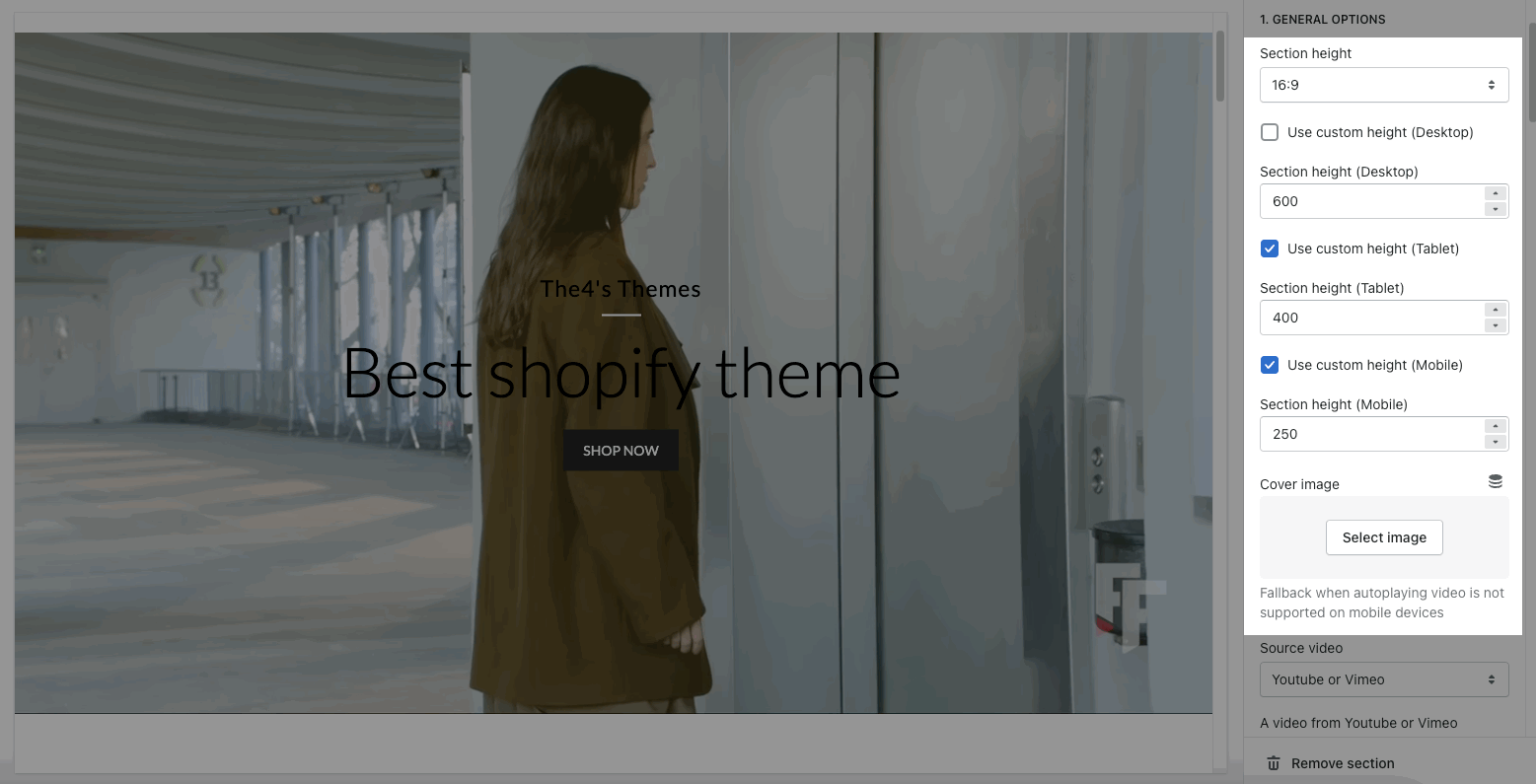
2.1. GENERAL OPTIONS
Section height: This allows you to set the height for the section.
Use custom height: Turn on this option to use custom height for the background section on desktop, tablet and mobile devices.
Cover image: This option allows you to upload an Image. It's the fallback when autoplaying video is not supported on mobile devices.
2.2. SOURCE VIDEO
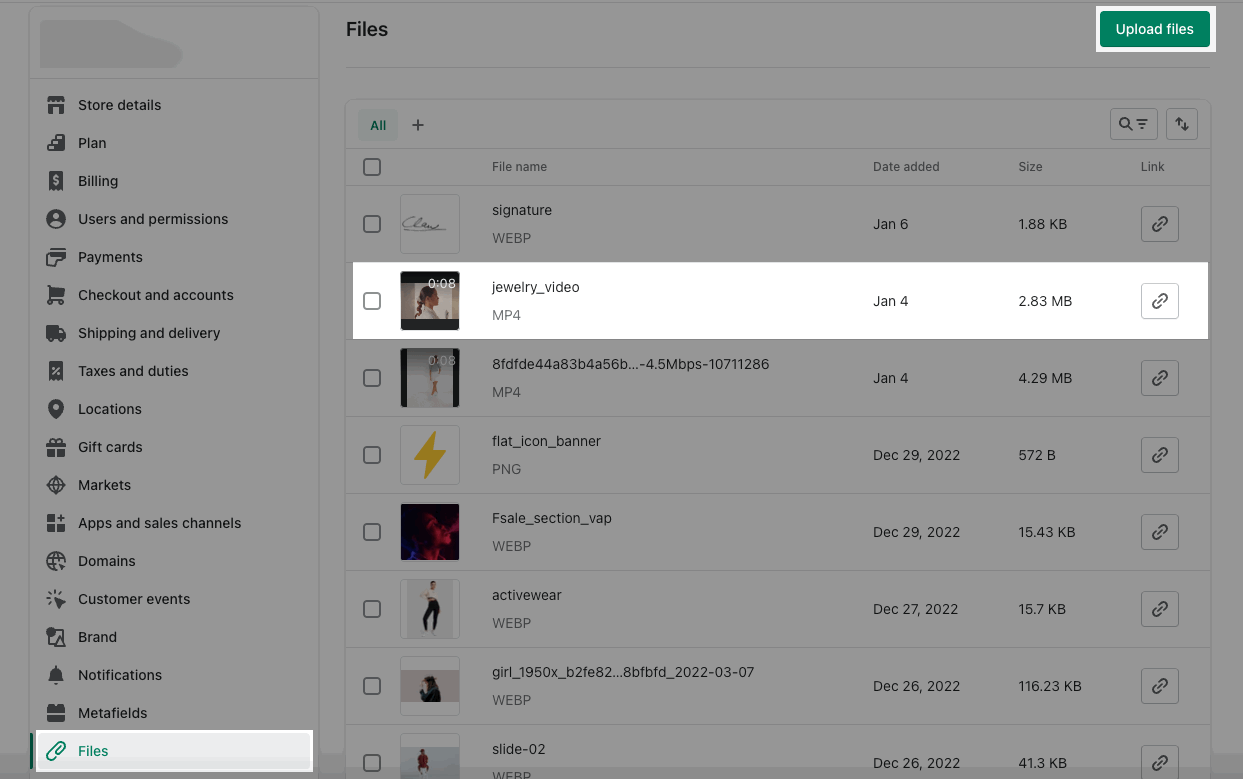
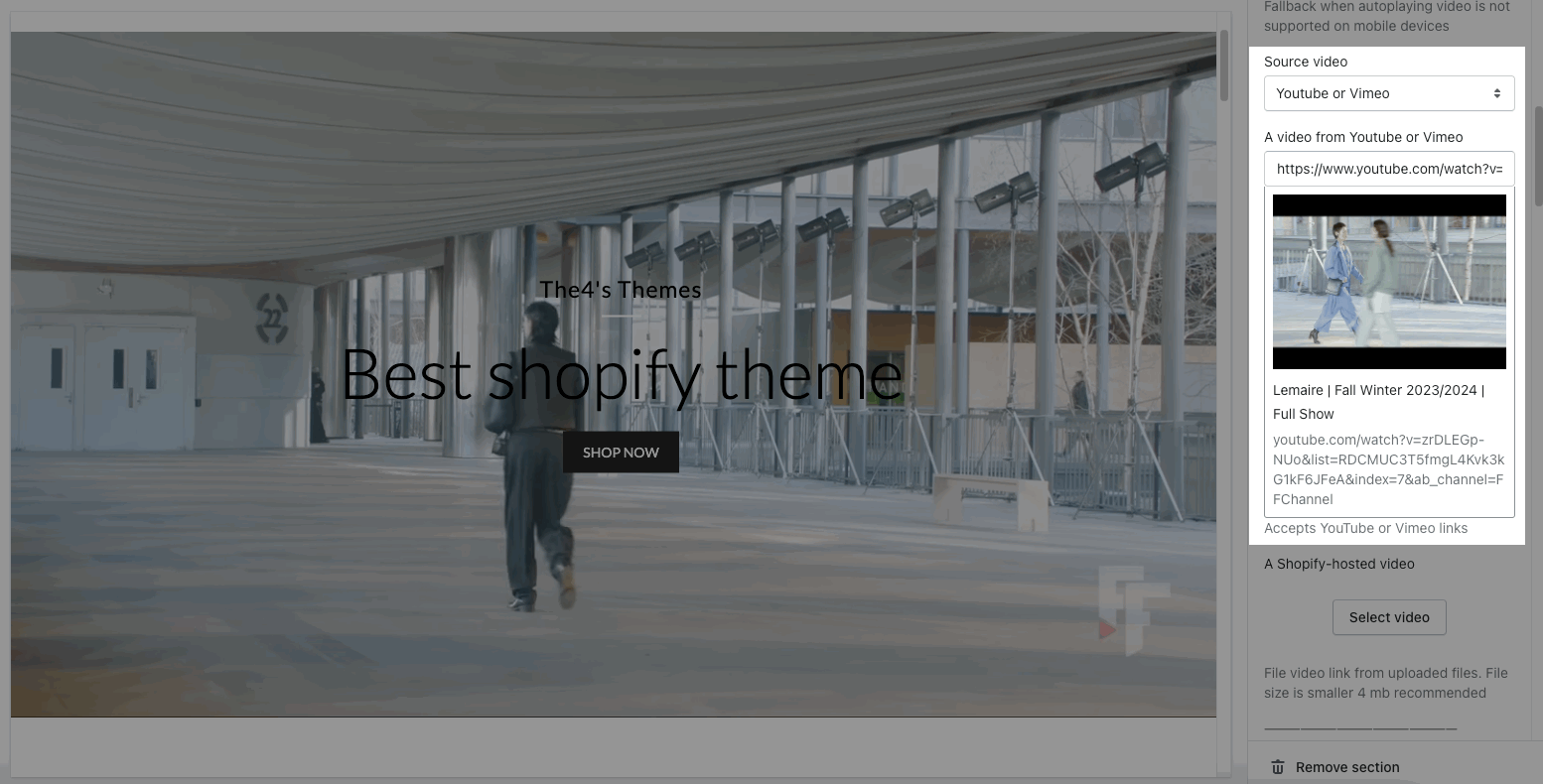
The Source video option allows you to choose to show the video from Youtube or Shopify-hosted.If you use Youtube video, you can copy and paste the link video from Youtube to the video url.If you use Shopify-hosted, you have to go to Shopify admin > Settings > Files > Upload video. Then, you can choose the video in Shopify-hosted.
2.3. CONTENT POSITION OPTION
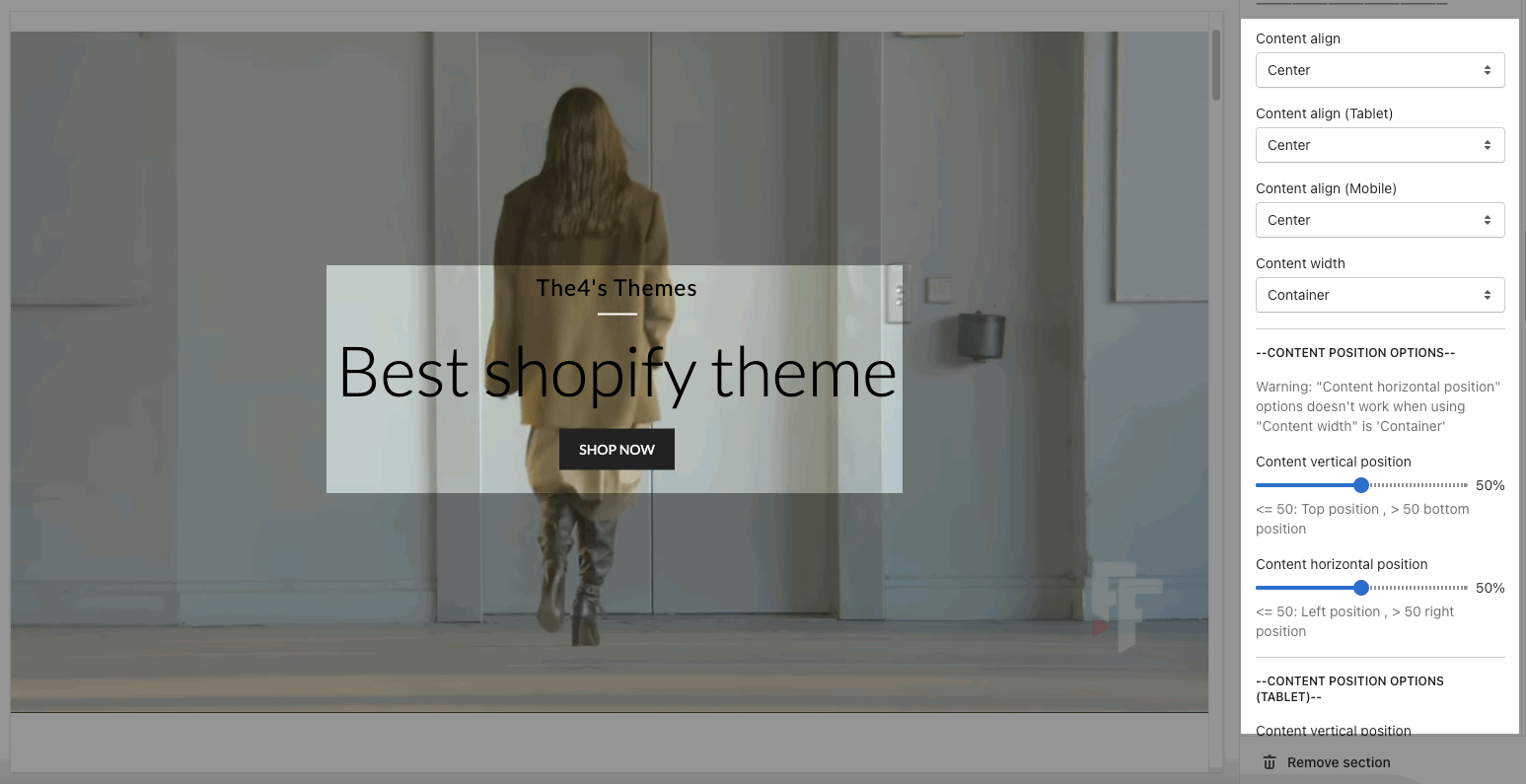
You can also set the Content align and Content width for the content in the section.
Helps you configure the style of the content with options for Content vertical position, Content horizontal position both on Desktop, Tablet and Mobile
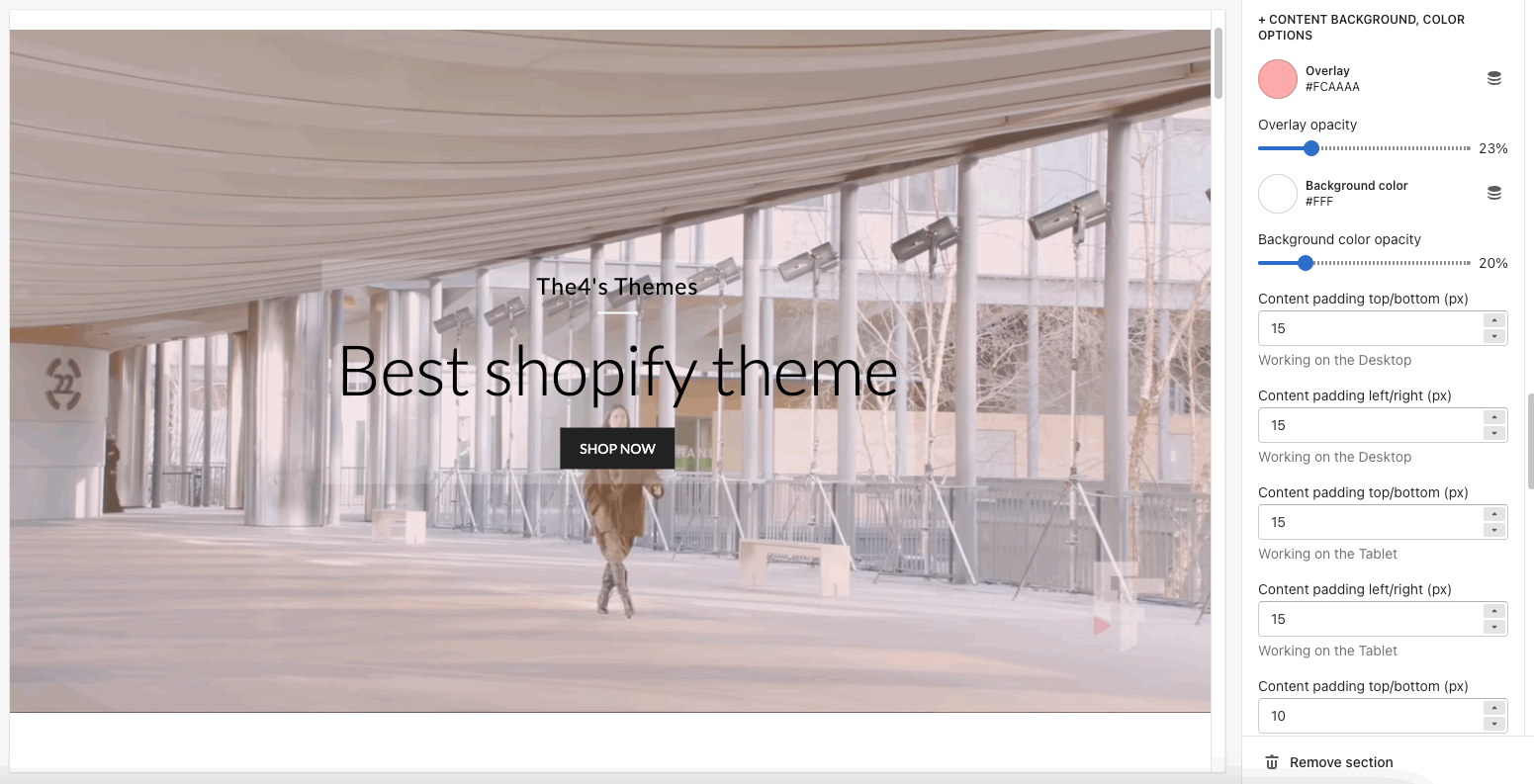
2.4. CONTENT BACKGROUND, COLOR OPTIONS
Helps you configure the style of the content color & content background color with options for Overlay color, Overlay opacity, Background color, Background color opacity.
You can also change the Content padding top/bottom (px), Content padding left/right (px) for both on Moblile & Desktop
Use border content: Turn on this option to use the border content. And you can change the Border color, Background border, Border opacity, Border style and Border Padding.
2.5. DESIGN OPTIONS
Please follow this guideline to config Layout, Background, Margin/Padding for the section.