This section allows you to add the Page Brands section to the Homepage. You also can call-out a page in this section. It is usually located on Home Page.
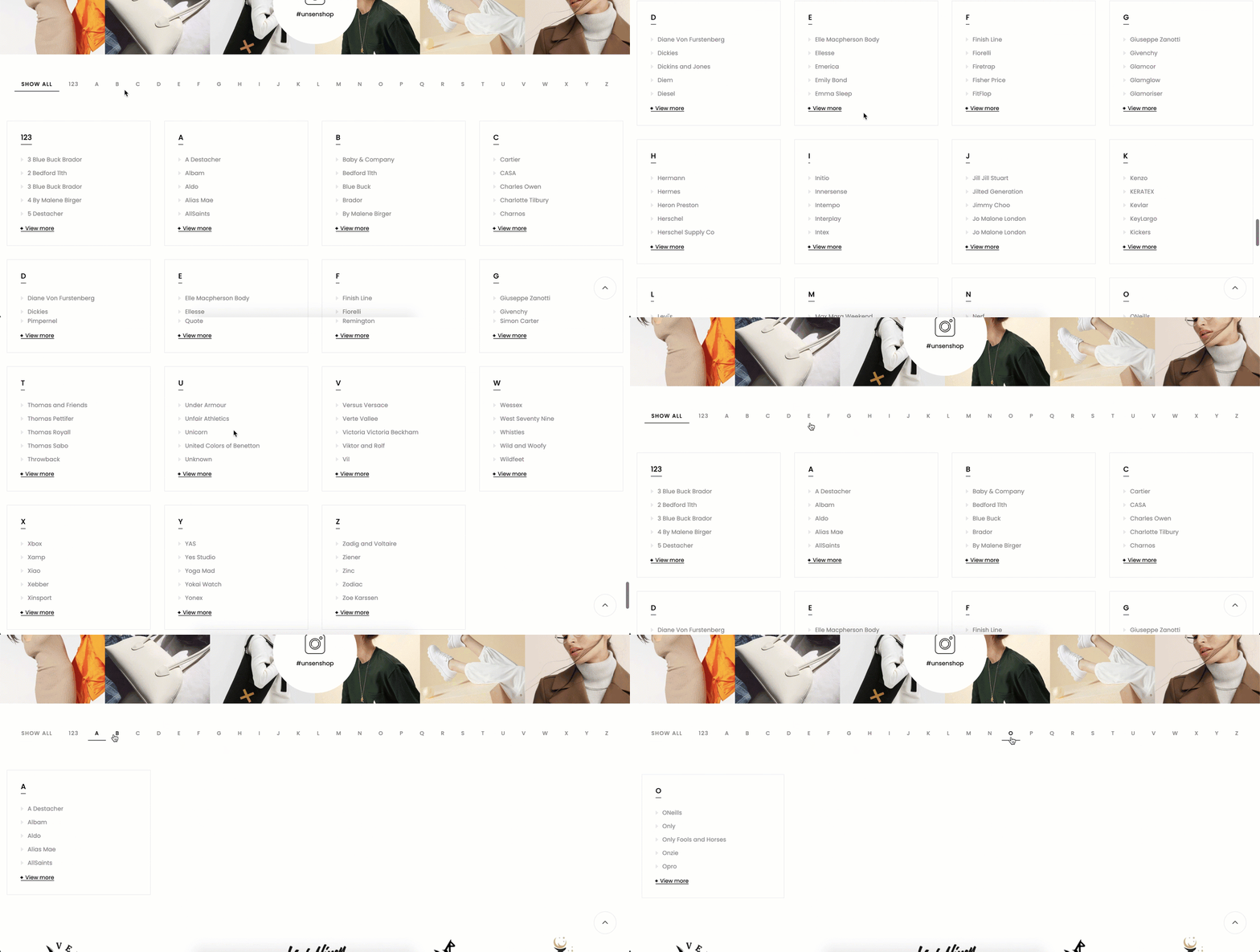
Steps
In the theme editor (Customize), click Add section
Search Page Brands
Click Save
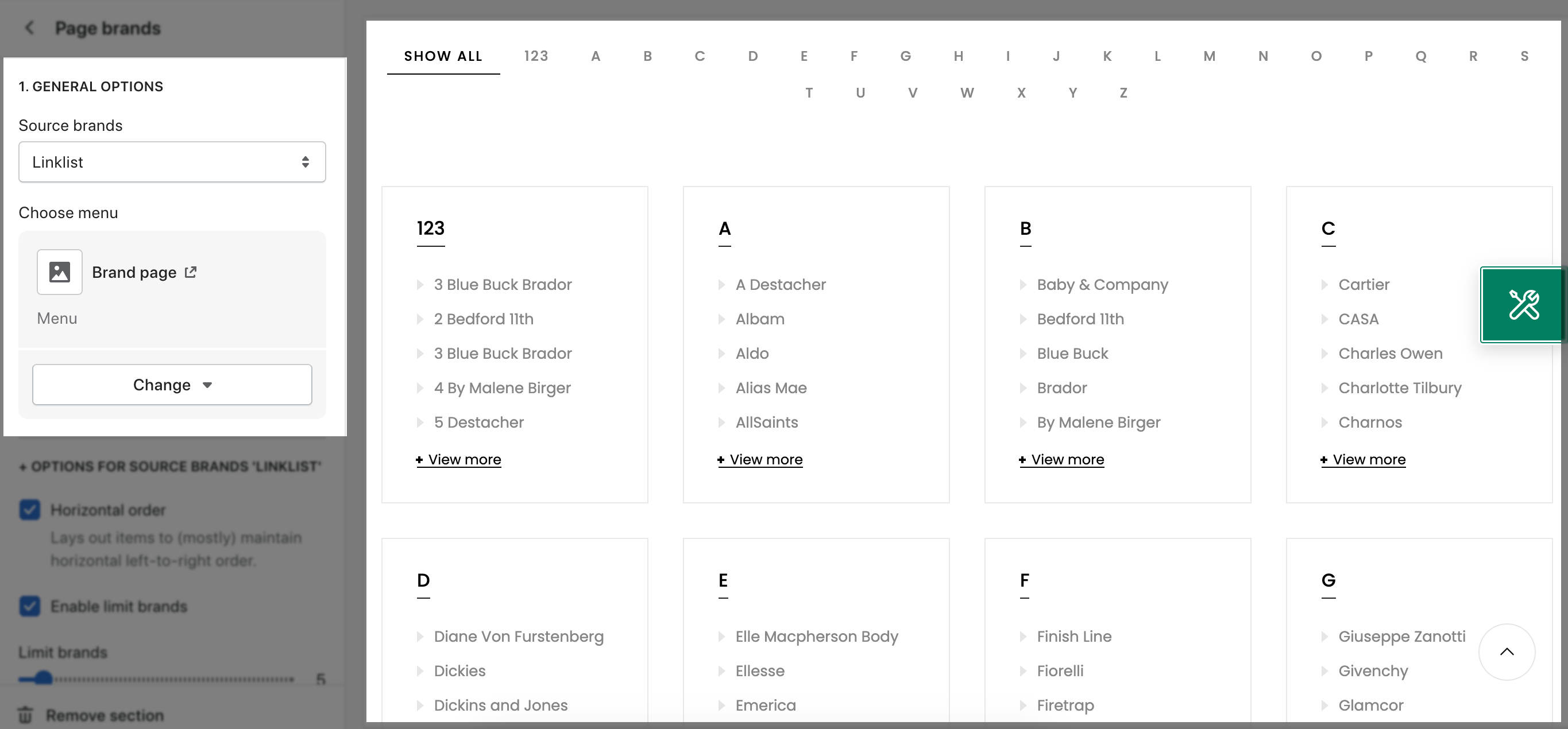
Source brands: You can choose between Linklist (Insert a menu) or Vendor (Show all Product Vendor) for the Page Brands section here.
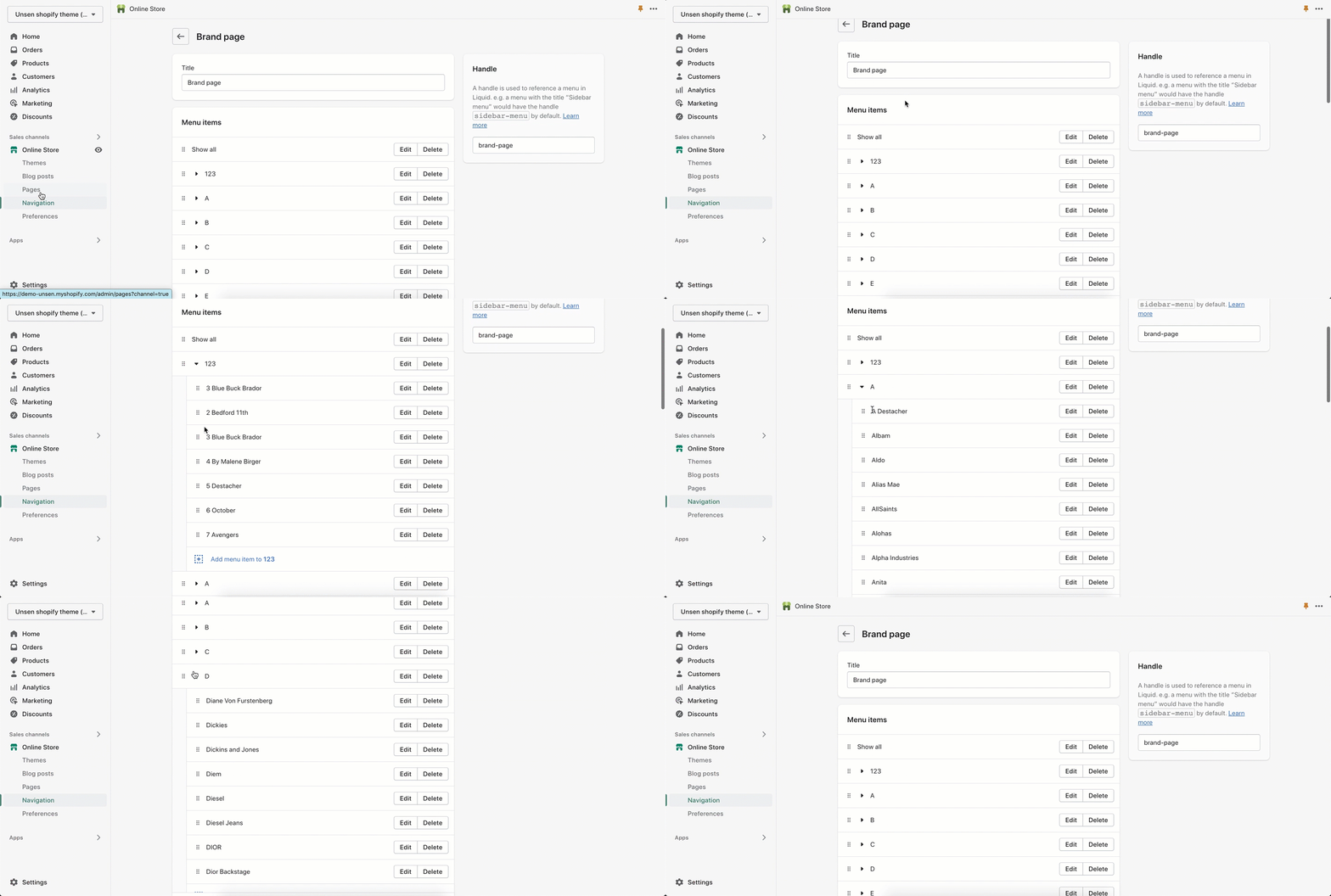
Choose Menu: If you choose source brands: Linklist, you can choose a menu for the Page Brands section here. But first one, you need to create a menu in Online Store > Navigation > Add a menu.
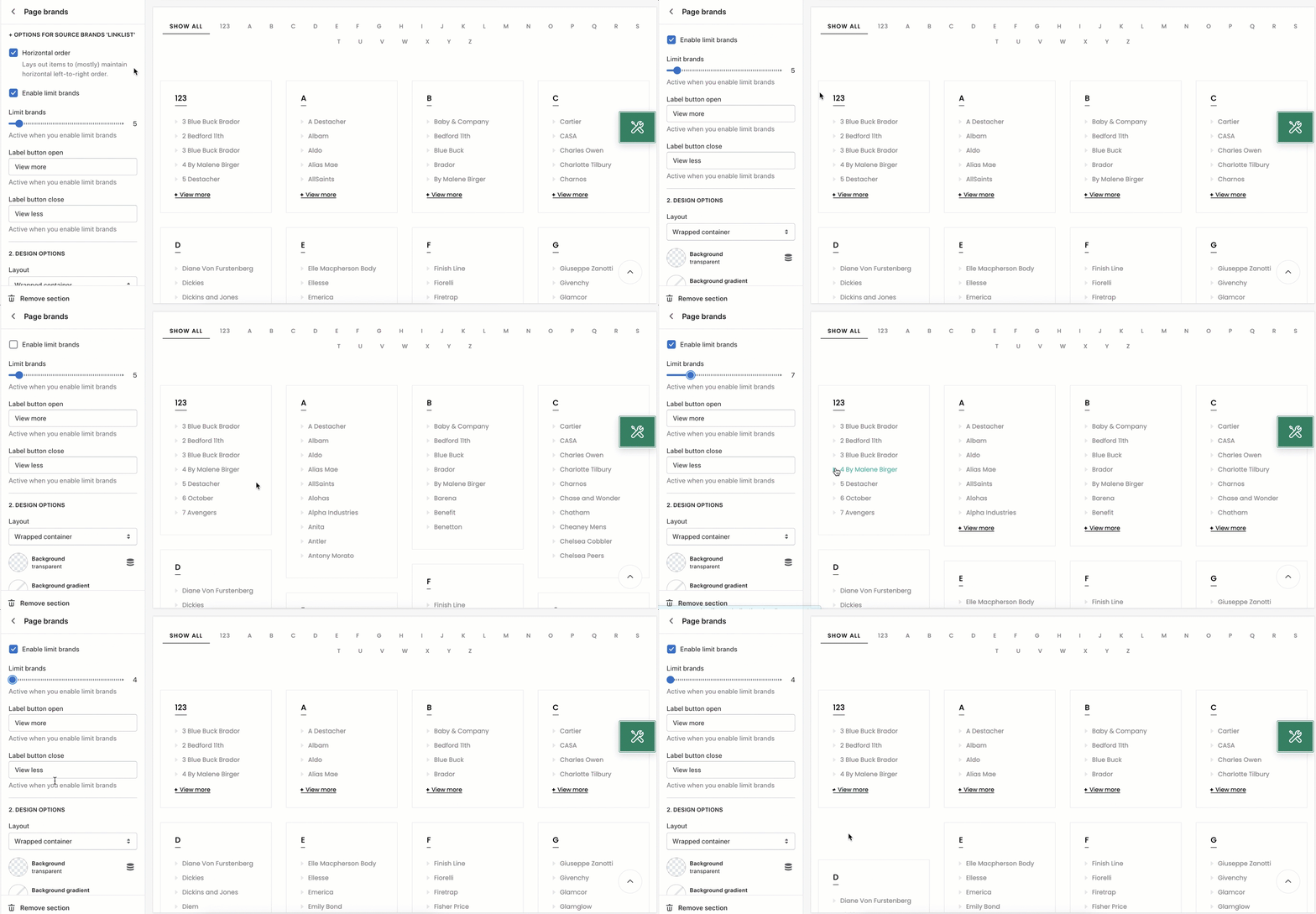
Enable limit brands checkbox: Tick on this checkbox to enable the limited brands on the Brand list. If you uncheck this checkbox, all Brands will be shown.
Limit brands bar: You can configure to choose the maximum number of brands that you wanna show here.
Label button open/ close option: You can enter the content for the enlarge/ collapse menu here.
Please follow this guideline to config Layout, Background, Margin/Padding for the section.