An amazing section that will help you design as a slider banner. But you can split columns to have multiple sliders with different representations for them.
Steps:
In the theme editor (Customize), click Add section
Search Slider banner packery
Click Save
Col (Parent): You can choose col layout Slider or Packery. You can see this video to know more.
Banner text: you can add an image, text, button and config for them here, you also can choose content align and content position. Please see the video below for more.
You can config Space horizontal items and Space vertical items, also can choose different space for Desktop, Mobile.
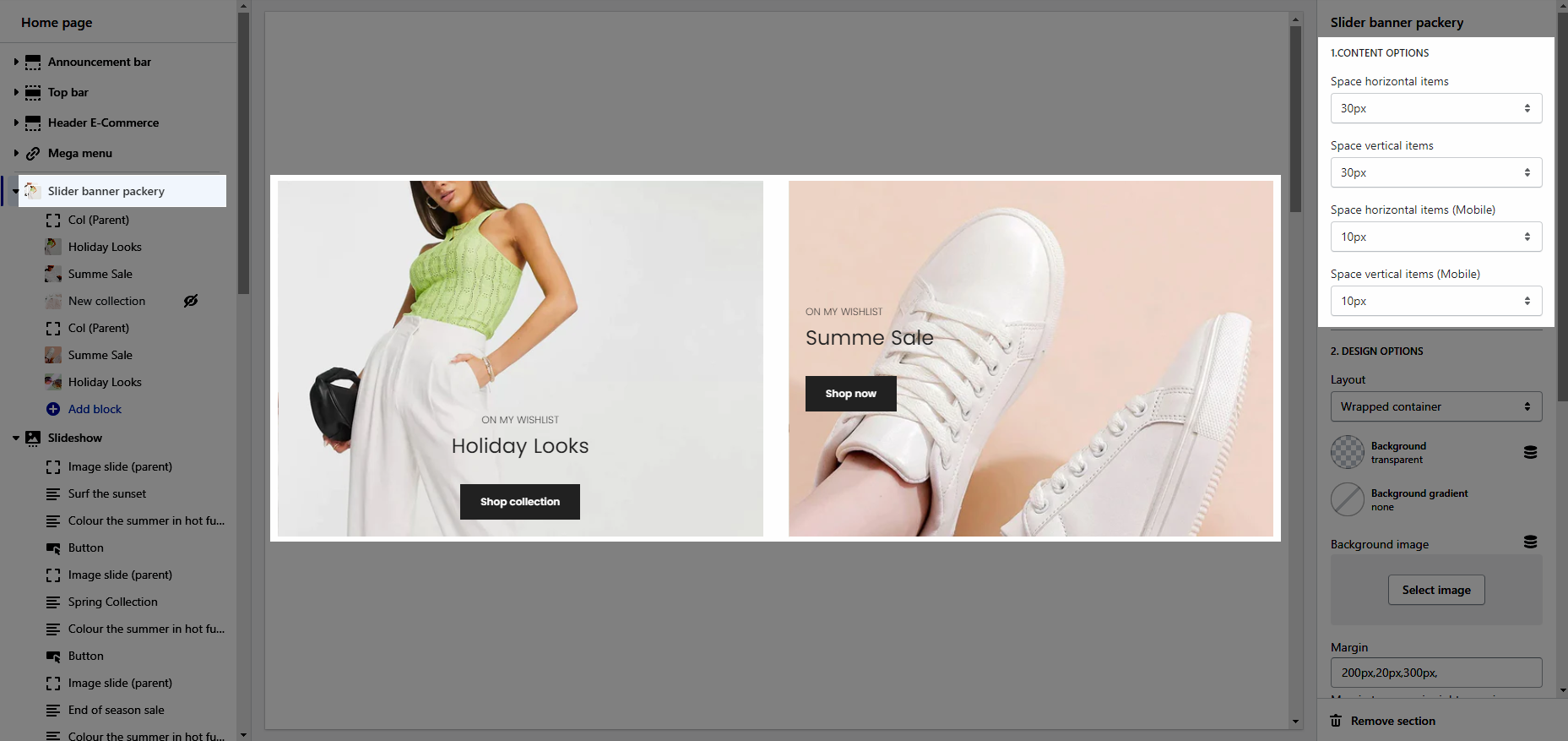
Please follow this guideline to config Layout, Background, Margin/Padding for the section.