This section allows you to show the images, text, and you can choose a grid, carousel layout for the images.
From Theme section sidebar -> Add section -> Image with text section
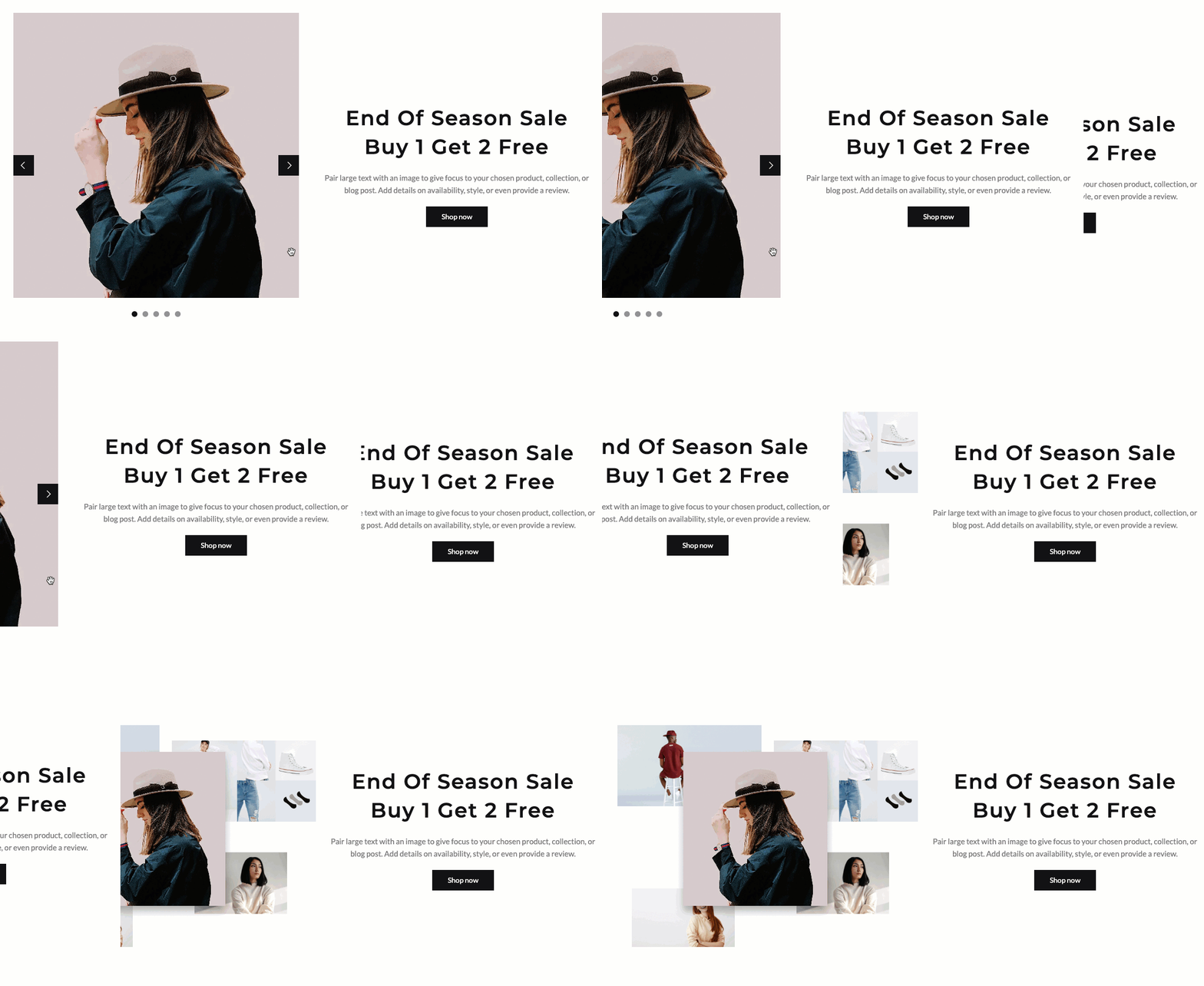
Image: This option allows you to upload an Image. And you can upload up to 5 photos
You are allowed to change Item width(Desktop, Tablet and Mobile) and Layout design.
OPTIONS IMAGE & OPTIONS FOR CAROUSEL LAYOUT:
Helps you configure the image with options for Image ratio, Image size, Image position.
Moreover, you can config Slider effect, Enable loop, Autoplay speed in second, Pause autoplay on hover
Enable page next prev button and dots button
Please follow this video below for details:
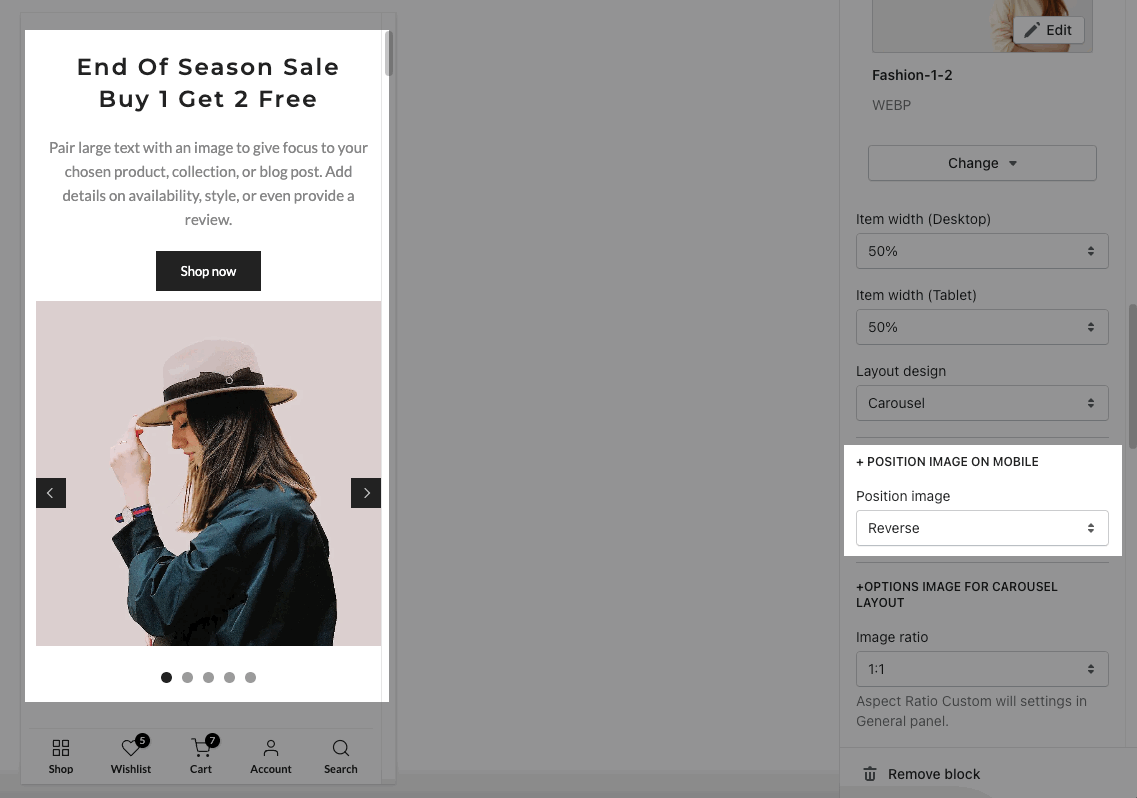
POSITION IMAGE ON MOBILE
Position image: This option allows you to set the position of the image on Mobile as Default or Reverse.
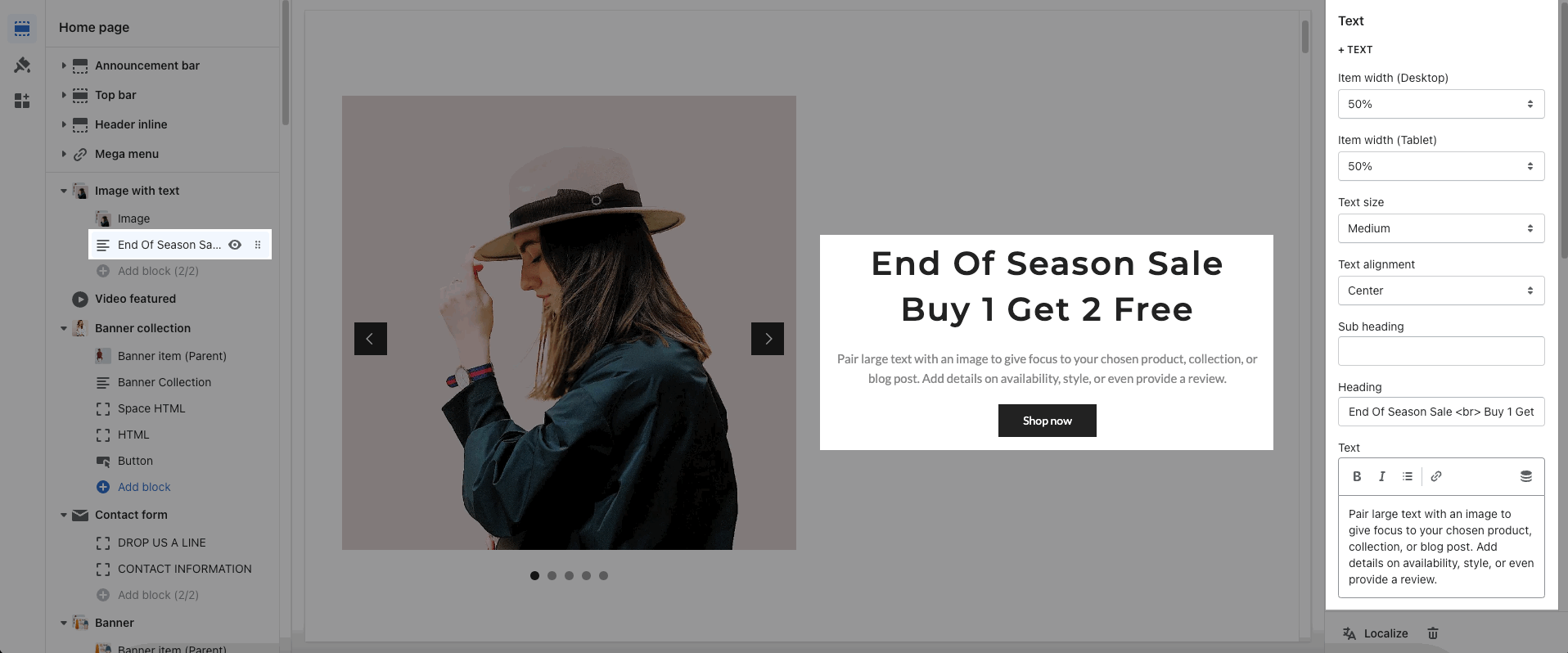
TEXT: You can add a text to and you can adjust text with many options like Item width, Text size, Text alignment, Sub heading, Heading
COLOR: Helps you configure the color of the content with options for Subheading color, Heading color, Description color and Enable text shadow.
BUTTON: configure the style of the button with options for Button label, Button link, Open link in, Enable button icon, Button style, Button style, Button color, Button hover effect.
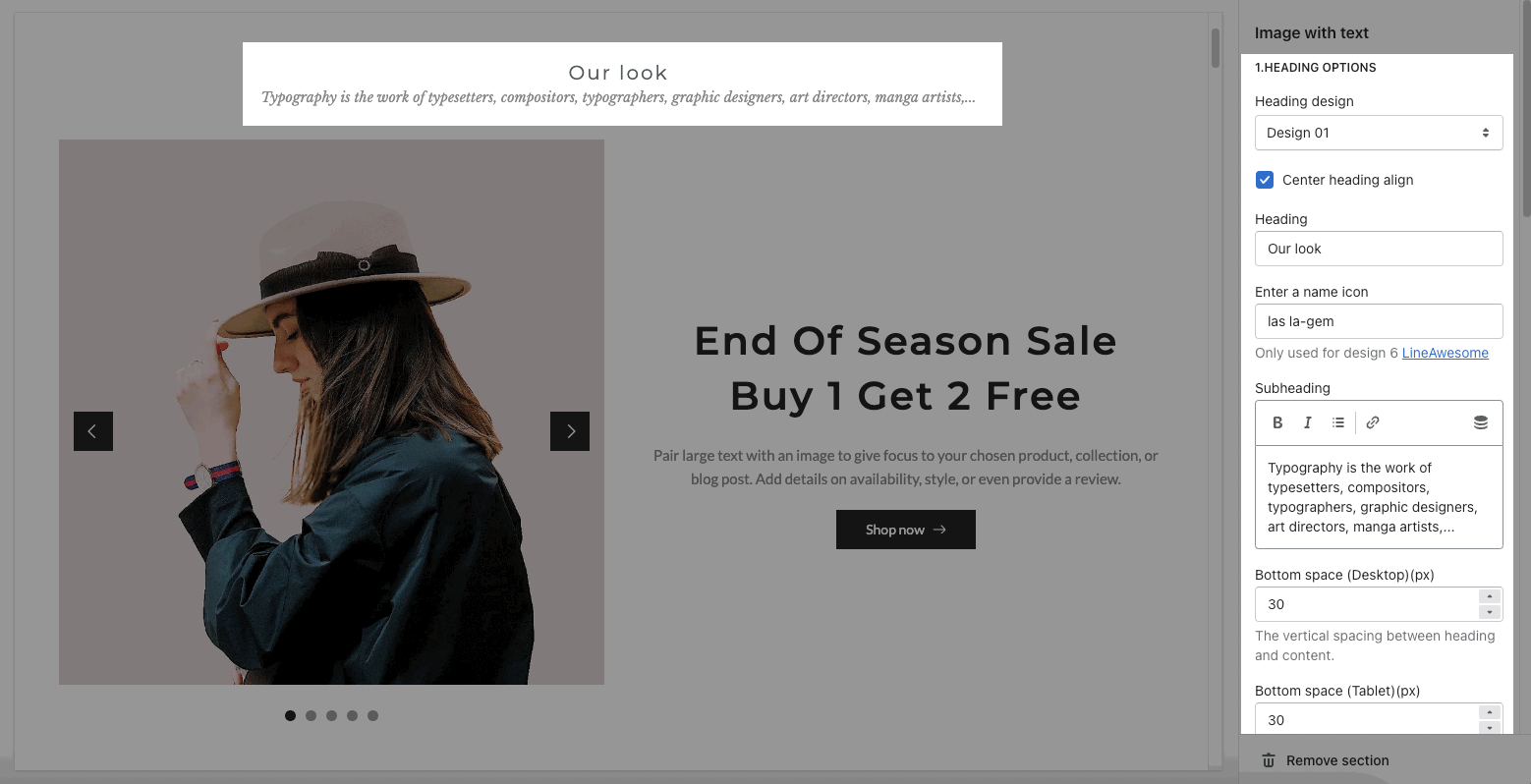
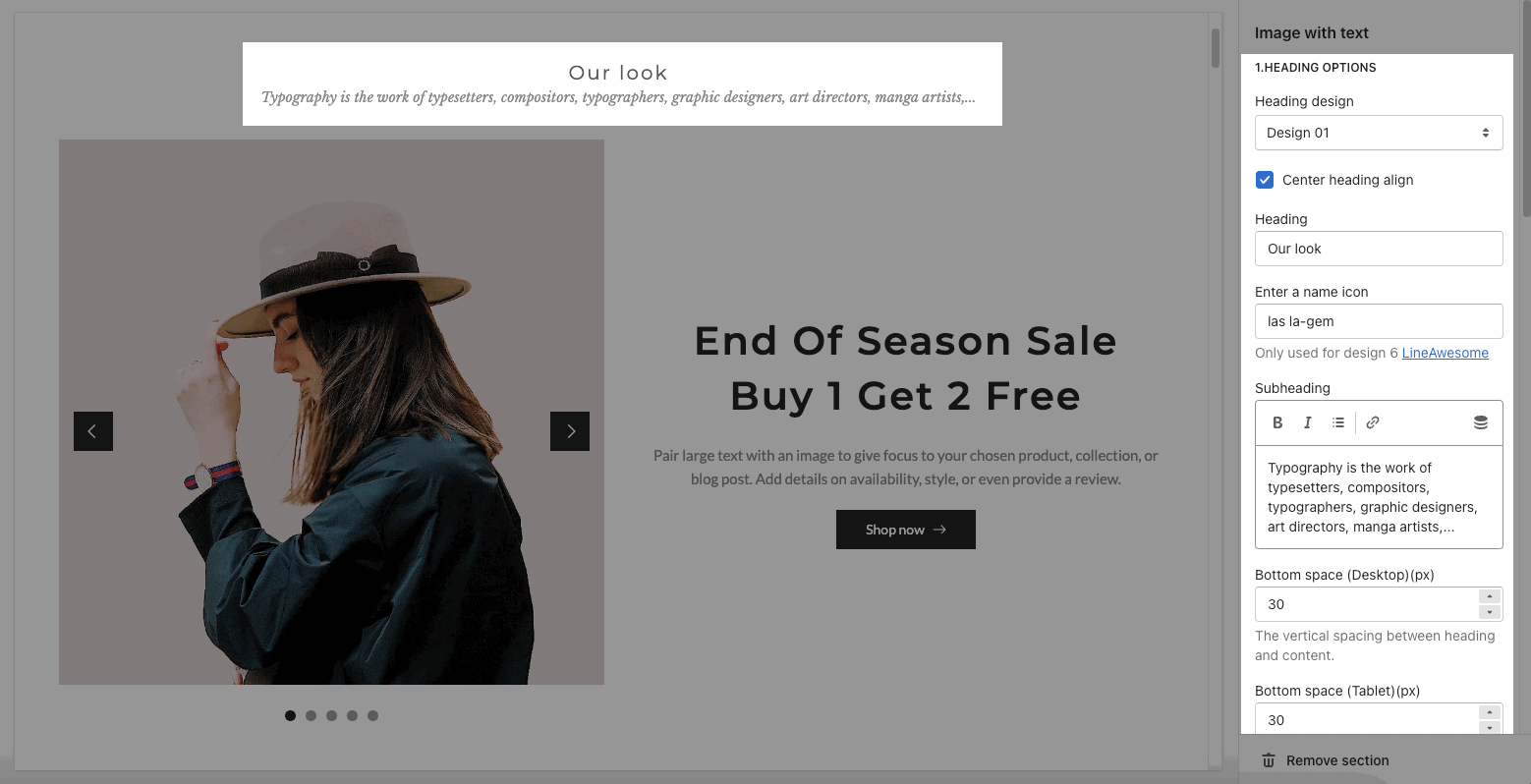
You can enter the Heading and Subheading, choose the design for the heading, also can choose text-align: center.
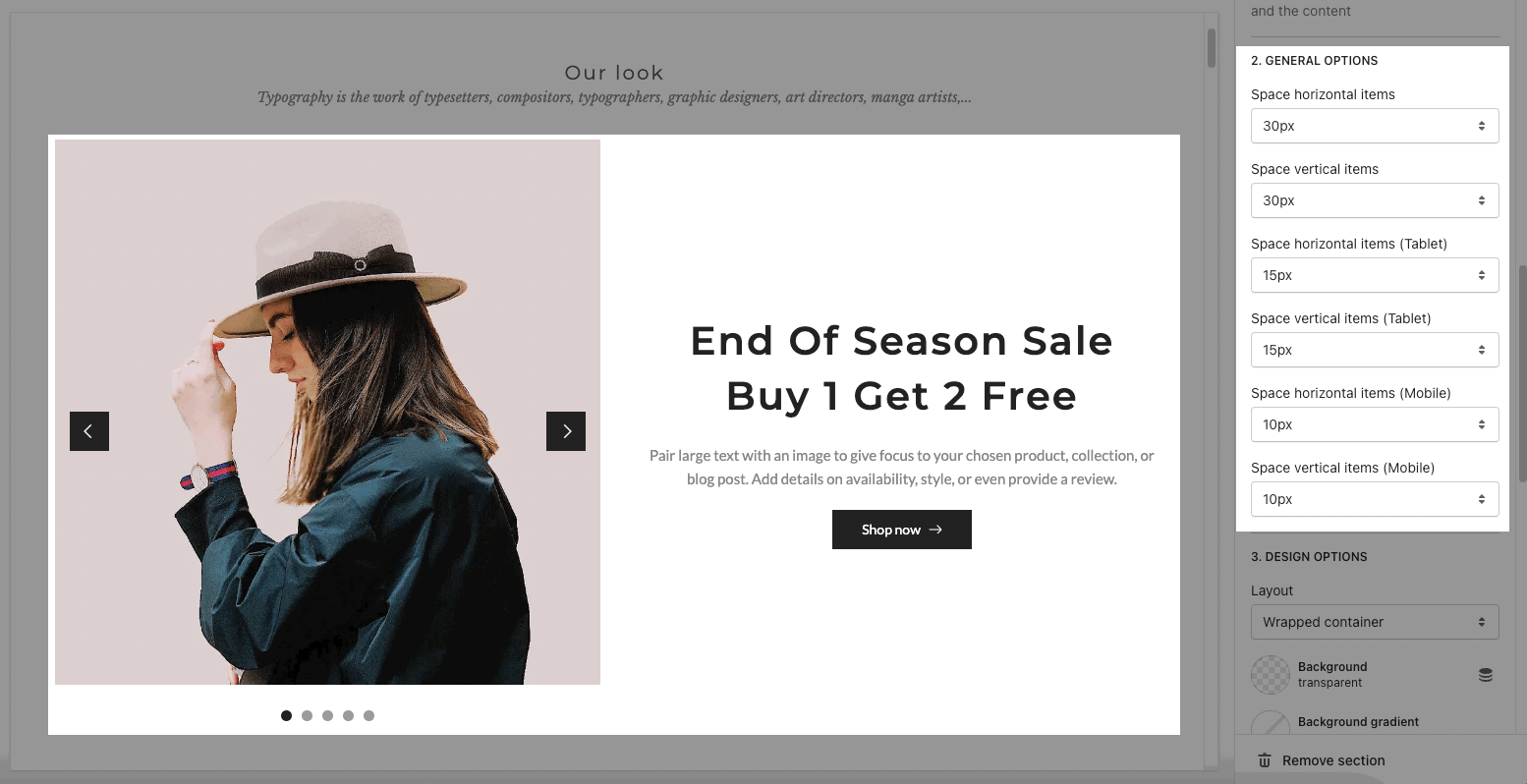
Space horizontal/vertical items: You can set the space between items by horizontal/vertical.
This section allows you to show the images, text, and you can choose a grid, carousel layout for the images.

From Theme section sidebar -> Add section -> Image with text section
Image: This option allows you to upload an Image. And you can upload up to 5 photos
You are allowed to change Item width(Desktop, Tablet and Mobile) and Layout design.
OPTIONS IMAGE & OPTIONS FOR CAROUSEL LAYOUT:
Helps you configure the image with options for Image ratio, Image size, Image position.
Moreover, you can config Slider effect, Enable loop, Autoplay speed in second, Pause autoplay on hover
Enable page next prev button and dots button
Please follow this video below for details:
POSITION IMAGE ON MOBILE
Position image: This option allows you to set the position of the image on Mobile as Default or Reverse.

TEXT: You can add a text to and you can adjust text with many options like Item width, Text size, Text alignment, Sub heading, Heading
COLOR: Helps you configure the color of the content with options for Subheading color, Heading color, Description color and Enable text shadow.
BUTTON: configure the style of the button with options for Button label, Button link, Open link in, Enable button icon, Button style, Button style, Button color, Button hover effect.

You can enter the Heading and Subheading, choose the design for the heading, also can choose text align: center.
Space horizontal/vertical items: You can set the space between items by horizontal/vertical.

Layout: You can choose between Container, Wrapped container, Fullwidth for the layout.
Margin, Padding: You are allowed to change both of them for Desktop, Tablet & Mobile devices.