In default, Shopify not allow you add new custom field for product. So with Elessi we will help you understand how to bring custom field to your store.
Example: you can have different short descriptions, different size chart... for each product.
Go to Dashboard Settings > Custom Data > Select type of Metafield > Add definition button to start configuring Metafield. Kindly follow my video below:
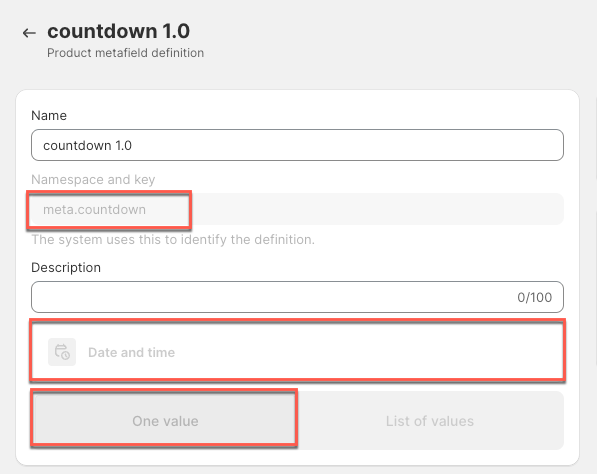
Namespace and key: meta.countdown
Select Content Type: Date and time > One value
Go to Products > Metafields > enter a value for metafield option:

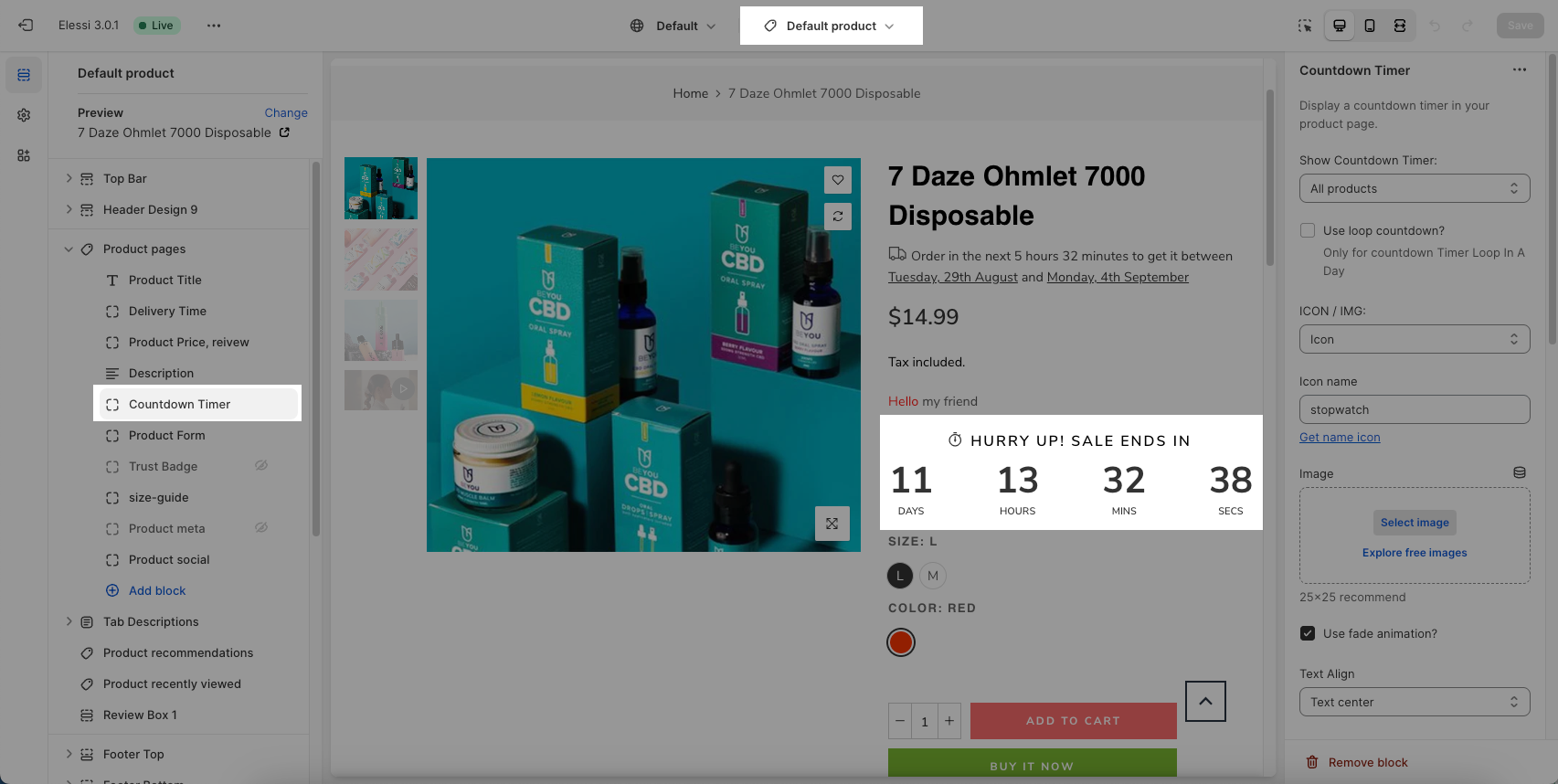
Go to Theme customize > add 'Countdown timer' on product page and see the result:
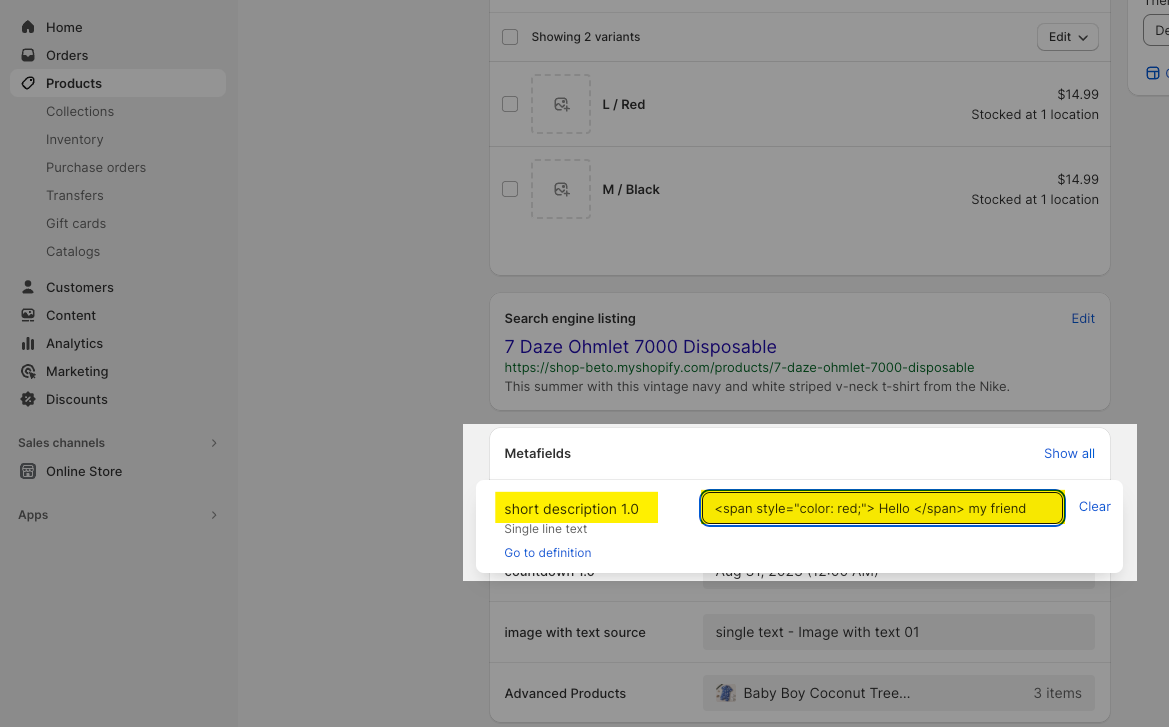
Namespace and key: meta.description_excerpt
Select Content Type: Single line text or Multi line text

Go to Products > Metafields > enter a value for metafield option:
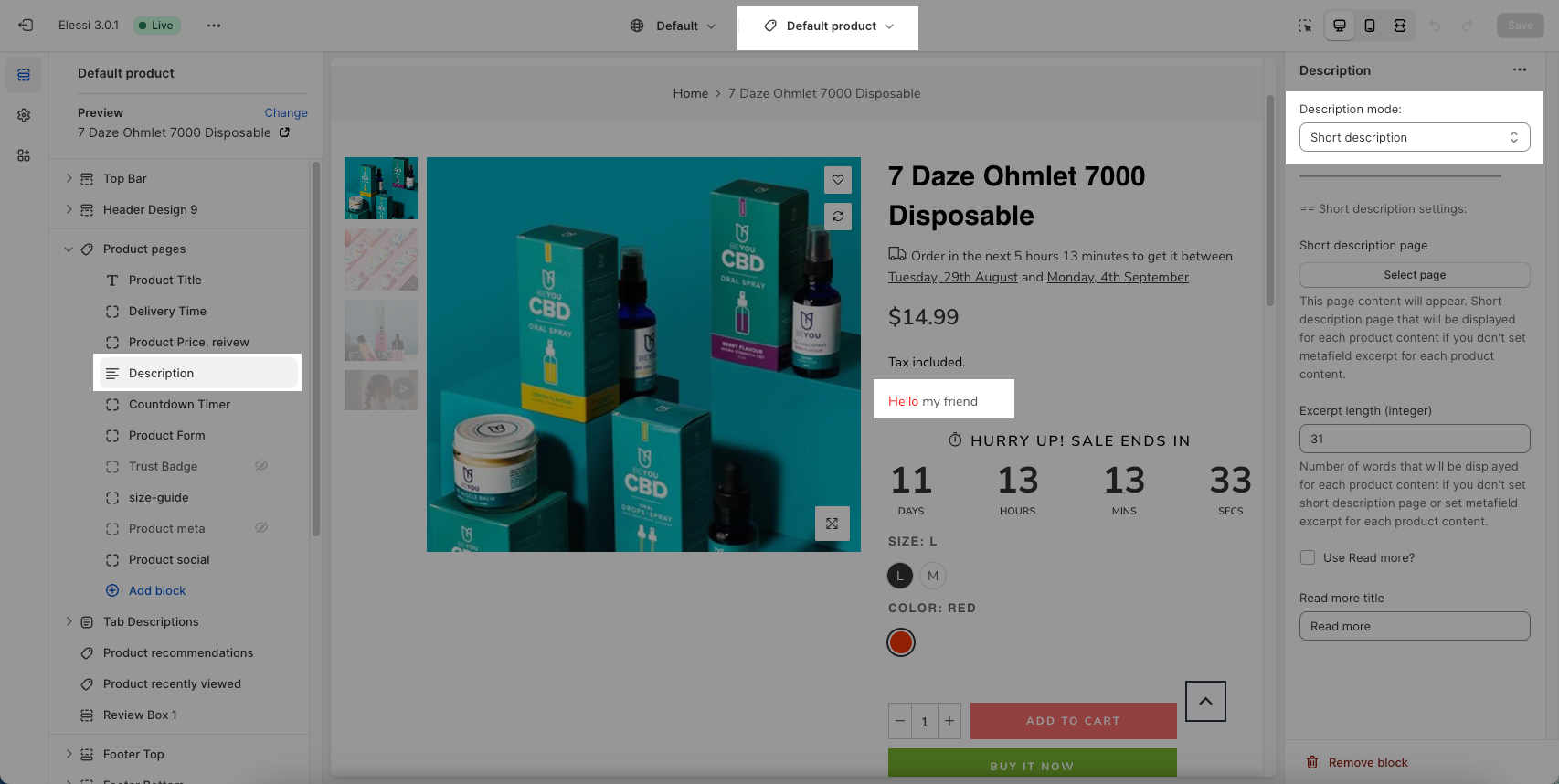
Go to Theme customize > choose 'Short description' on product page and see the result:
You can use show size chart from different page for specific product.
Please create metafield for Products in the Custom Data.
Namespace and key: meta.page_size_chart

Select Content Type: Reference > Page
Then you will add page for metafield in the Products:

In the Theme Editor, if size chart doesn't show for product has name option different "Size", you will update name option for size chart here:

Similar as metafield with HTML page, you can create metafield with require key for Image.
Namespace and key: meta.image_size_chart
Select Content Type: Single line text
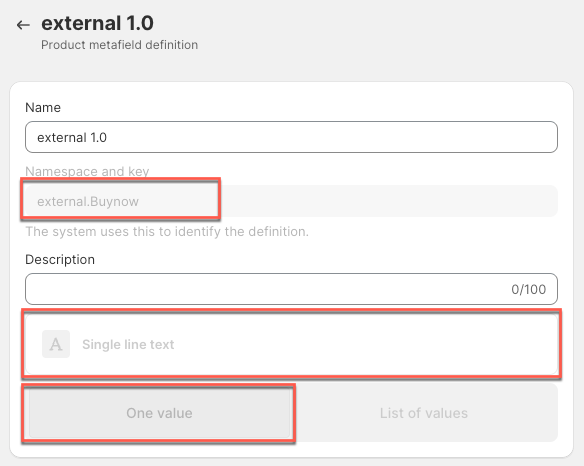
Namespace and key: external.Buynow (Buynow text will be shown on the button)
Select Content Type: Single line text
Go to Products > Metafields > enter a value for metafield option:
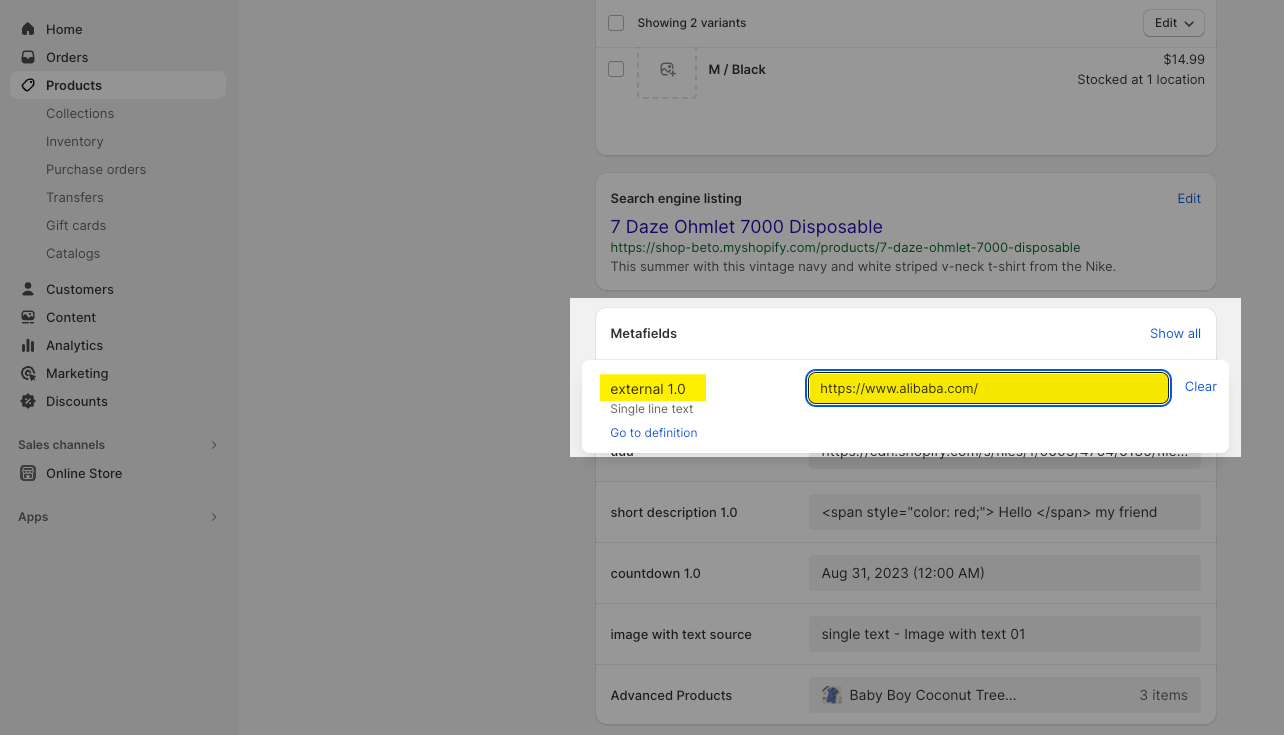
The result: