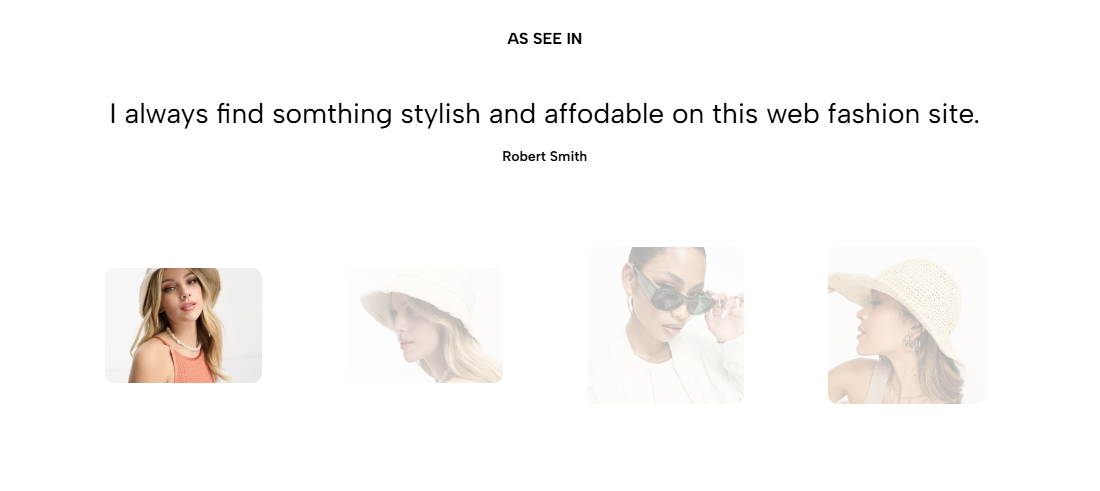
Displays customer reviews in a slider to build trust and highlight positive experiences with your products or services.
Homepage
Product page
Landing page
About page
Brand credibility section
Shopify Admin → Online Store → Themes → Customize → Add section → Testimonials 3
Testimonial item: Adds a customer image, title, review, and author.
Setting | Description |
|---|---|
Heading | Adds the main section title. |
Alignment | Aligns the heading left or center. |
Heading tag | Sets the HTML heading tag for SEO and accessibility. |
Heading font size | Controls the heading size. |
Subheading | Adds supporting text below the heading. |
Subheading size | Controls the supporting text size. |
Heading reverse | Swaps the heading and subheading positions. |
Distance between heading items | Adjusts spacing between heading elements. |
Distance between heading and content | Sets the gap above the testimonial content. |
Setting | Description |
|---|---|
Content align | Aligns testimonial content left or center. |
Use prev/next button | Displays slider navigation arrows. |
Navigation design | Selects the arrow style. |
Use dots | Displays pagination dots. |
Distance from dots to boundary | Adjusts spacing around the dots. |
Setting | Description |
|---|---|
Image | Adds a customer photo or brand logo. |
Heading | Adds a short testimonial title. |
Text | Adds the customer review. |
Author | Displays the reviewer’s name. |
Setting | Description |
|---|---|
Color scheme | Controls the section colors. |
Image | Adds a background image. |
Enable section full width | Expands the section across the browser width. |
Section padding | Adjusts spacing above and below the section. |
Rate padding (mobile) | Controls responsive spacing on mobile. |
Custom CSS | Adds custom styles to this section only. |
Use authentic and specific testimonials.
Keep each review concise and easy to scan.
Add a customer image or logo when available.
Use consistent testimonial lengths.
Enable arrows or dots when multiple reviews are added.
Use the correct heading tag structure for accessibility.
Issue | Solution |
|---|---|
Testimonials are not showing | Add and enable at least one Testimonial item. |
Slider navigation is missing | Enable arrows or dots. |
Reviews have uneven heights | Keep testimonial text lengths similar. |
Background image reduces readability | Adjust the color scheme or use a clearer image. |
Heading hierarchy is incorrect | Select an appropriate heading tag such as H2 or H3. |