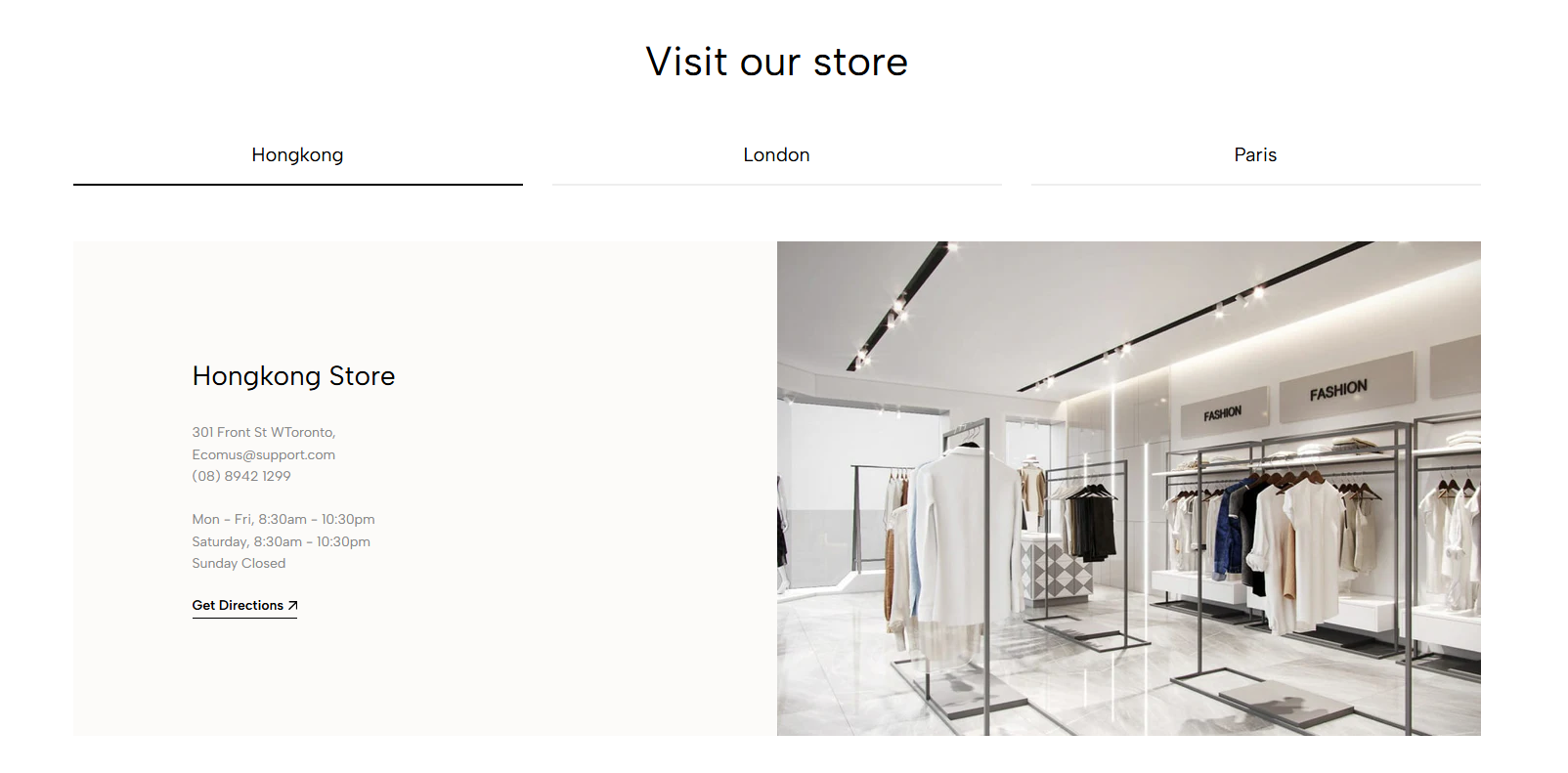
Displays multiple store locations in tabs, helping customers browse store details and access related links.
Store locator page
Retailer or stockist page
Contact page
Homepage
Brand location section
Shopify Admin → Online Store → Themes → Customize → Add section → Store tabs
Store item: Adds a store tab with content, image, and button.
Setting | Description |
|---|---|
Heading | Adds the main section title. |
Alignment | Aligns the heading left or center. |
Heading tag | Sets the HTML heading tag for SEO and accessibility. |
Heading font size | Controls the heading size. |
Subheading | Adds supporting text. |
Subheading size | Controls the supporting text size. |
Heading reverse | Swaps the heading and subheading positions. |
Distance between heading items | Adjusts spacing between heading elements. |
Distance between heading and content | Sets the space above the store tabs. |
Setting | Description |
|---|---|
Store name | Sets the tab name. |
Heading | Adds the store title. |
Heading size | Controls the store-title size. |
Description | Adds store details or supporting information. |
Button | Sets the button label. |
Button link | Sets the button destination. |
Open in a new tab | Opens the link in another browser tab. |
Button style | Selects Solid, Outline, or Link style. |
Button font weight | Controls button-text thickness. |
Button icon | Adds an optional icon. |
Image | Adds an image for the store. |
Setting | Description |
|---|---|
Enable section full width | Expands the section across the browser width. |
Color scheme | Controls the section colors. |
Section padding | Adjusts spacing above and below the section. |
Rate padding (mobile) | Controls responsive spacing on mobile. |
Use short and clear store names.
Keep store descriptions consistent.
Link each button to the store page, map, or contact page.
Use images with the same ratio.
Avoid adding too many store tabs.
Check tab navigation on mobile.
Issue | Solution |
|---|---|
Store tab is not showing | Add and enable at least one Store item. |
Button does not work | Add a valid Button link. |
Store image looks inconsistent | Use images with the same dimensions and ratio. |
Tabs look crowded on mobile | Shorten store names or reduce the number of tabs. |
Heading order looks incorrect | Disable or enable Heading reverse as needed. |