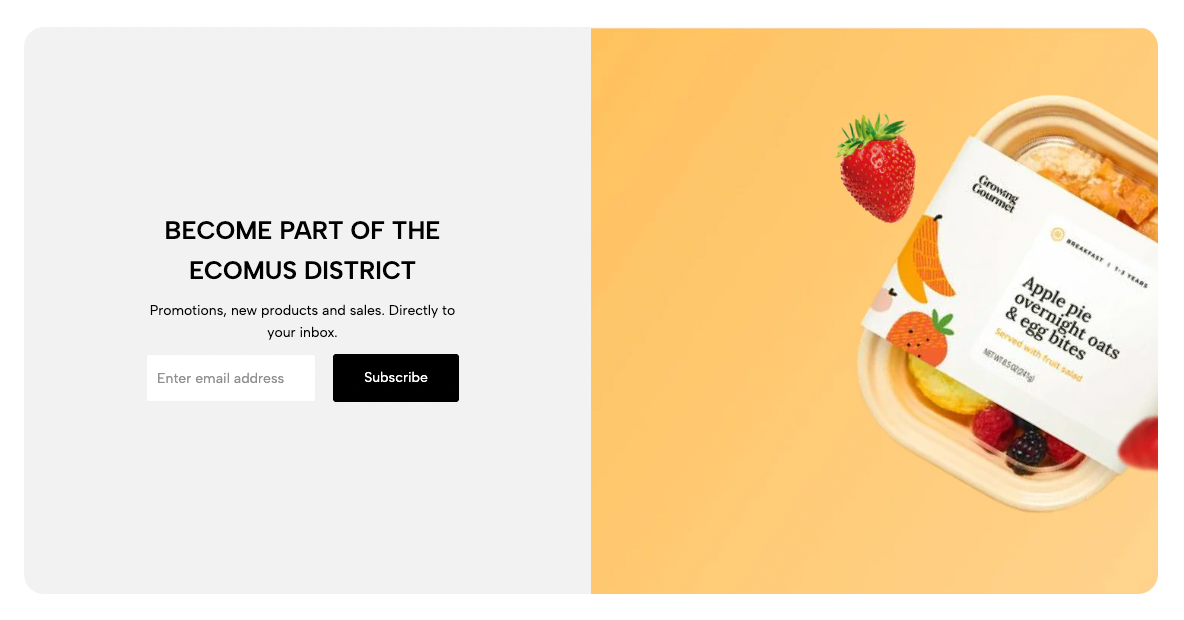
Displays an email subscription form alongside an image, helping collect customer emails while adding visual interest to the page.
Homepage
Landing page
Footer area
Promotional campaign
Newsletter signup section
Shopify Admin → Online Store → Themes → Customize → Add section → Newsletter with image
Newsletter: Adds the email input and subscribe button.
Heading: Adds the main title.
Text: Adds supporting content.
Spacer: Adjusts spacing between blocks.
Setting | Description |
|---|---|
Design newsletter | Selects Design 1 or Design 2. |
Button label | Sets the subscribe button text. |
Show icon | Displays an icon on the button. |
Width | Controls the newsletter form width. |
Setting | Description |
|---|---|
Image position | Places the image before or after the newsletter content. |
Content alignment | Aligns content left, center, or right. |
Image | Uploads the featured image. |
Image ratio | Controls the image proportions. |
Setting | Description |
|---|---|
Enable section full width | Expands the section across the browser width. |
Color scheme | Controls the section colors. |
Padding top | Adjusts spacing above the section. |
Padding bottom | Adjusts spacing below the section. |
Rate padding (mobile) | Controls responsive spacing on mobile. |
Use a clear heading that explains the subscription benefit.
Keep supporting text short.
Use a simple button label such as Subscribe or Join now.
Select an image that supports the newsletter message.
Check the image position and form width on mobile.
Avoid asking for unnecessary information in the form.
Issue | Solution |
|---|---|
Newsletter form is not showing | Add and enable the Newsletter block. |
Subscribe button is missing | Add a Button label. |
Image is cropped | Adjust the Image ratio or upload a more suitable image. |
Section looks unbalanced | Change the Image position, alignment, or form width. |
Mobile spacing is too large | Reduce the mobile padding rate. |