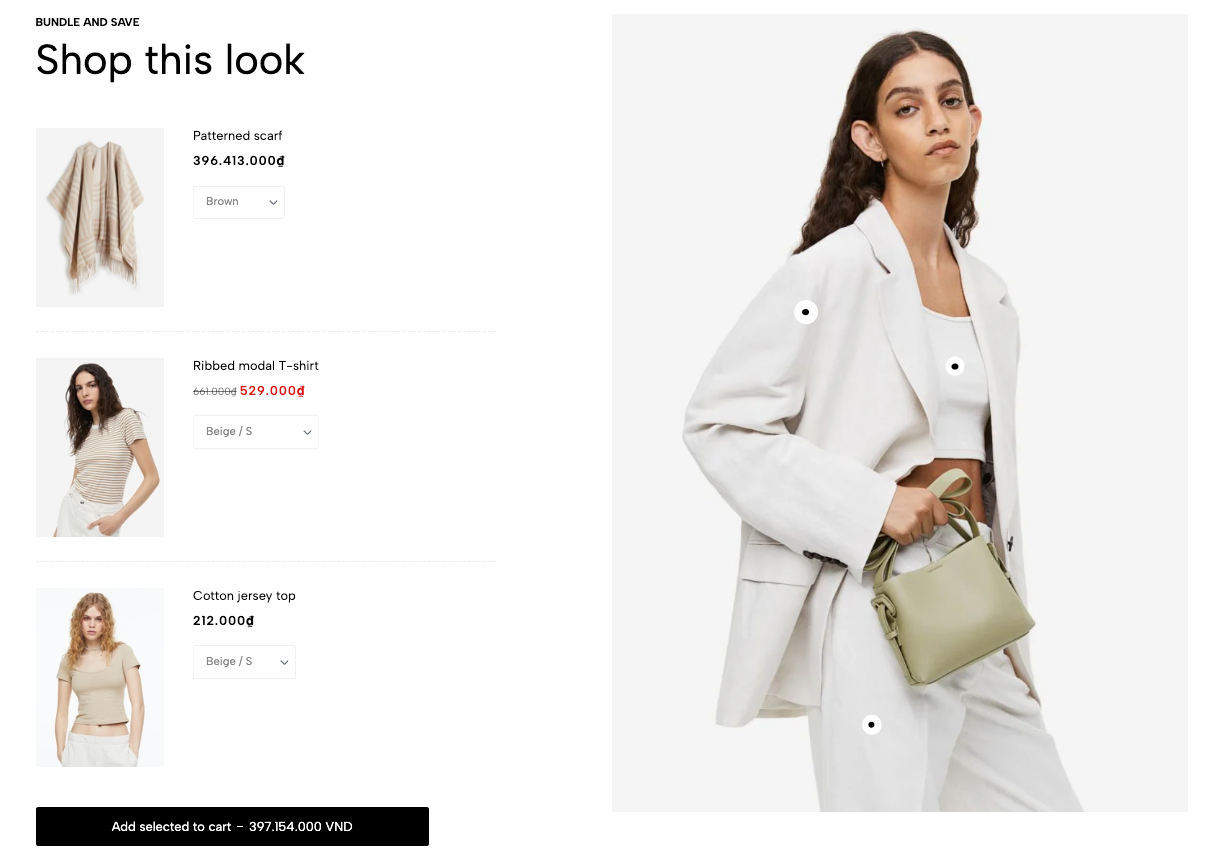
Displays related products as a bundle using interactive pins on an image. Suitable for “Shop the look,” complete outfits, room setups, and complementary product combinations.
Homepage
Product page
Lookbook
Fashion outfit bundles
Furniture or room setups
Upselling related products
Shopify Admin → Online Store → Themes → Customize → Add section → Bundle product
Bundle pin item: Links a product to a specific position on the featured image.
Setting | Description |
|---|---|
Product | Selects the product linked to the pin. |
Position left | Controls the pin’s horizontal position. |
Position top | Controls the pin’s vertical position. |
Setting | Description |
|---|---|
Image | Adds the main image used for the product pins. |
Color scheme | Controls the section colors. |
Label | Adds small supporting text above the heading. |
Heading | Adds the main section title. |
Hidden | Removes manual heading line breaks on mobile. |
Hidden on mobile | Hides the heading on mobile devices. |
Size | Selects the heading size. |
Text color | Sets the heading color. |
Product image ratio | Controls the product-image ratio in the bundle list. |
Setting | Description |
|---|---|
Custom typography | Controls responsive heading size, weight, and letter spacing. |
Page width | Sets the maximum section width through Theme settings. |
Section padding | Adjusts spacing above and below the section. |
Rate padding (mobile) | Controls responsive spacing on mobile. |
Custom CSS | Adds styles to this section only. |
Use a clear, high-quality lifestyle image.
Position each pin close to the correct product.
Avoid placing pins too close together.
Select available products with clear images and variants.
Check pin positions separately on desktop and mobile.
Keep the bundle focused on a small number of related products.
Issue | Solution |
|---|---|
Product pin is not showing | Select a product in the Bundle pin item. |
Pin appears in the wrong position | Adjust Position left and Position top. |
Pins overlap | Increase the distance between pin positions. |
Product cannot be added | Check product availability and variant settings. |
Main image is missing | Upload an image in the section settings. |
Mobile pin positions look incorrect | Review the section on mobile and adjust the pin coordinates. |