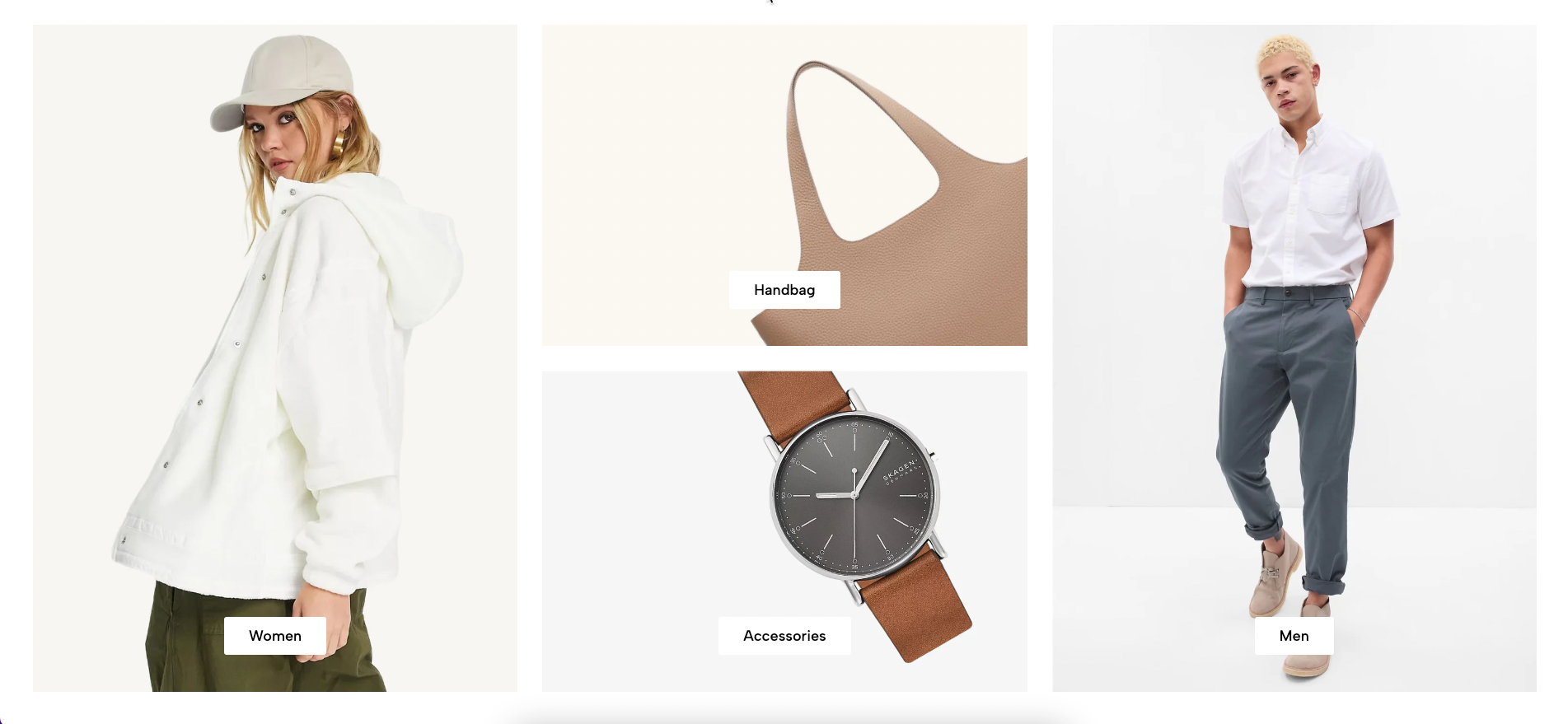
Displays multiple promotional banners in a masonry grid with different sizes. Suitable for featured products, campaigns, collections, and visual storytelling.
Homepage
Landing page
Seasonal campaigns
Featured collections
Promotional content
Shopify Admin → Online Store → Themes → Customize → Add section → Banner Masonry
Item masonry: Adds a banner with responsive size, link, and content positioning.
Content blocks: Adds Heading, Text, Paragraph, Button, or Spacer inside each banner.
Setting | Description |
|---|---|
Color | Controls the banner colors. |
Banner link | Sets the destination when customers click the banner. |
Open in a new tab | Opens the banner link in another browser tab. |
Content padding | Adjusts spacing between the content and banner edges. |
Setting | Description |
|---|---|
Column width | Sets the banner width on desktop and mobile. |
Row count | Controls how many masonry rows the banner occupies. |
Content position | Positions content inside the banner. |
Content alignment | Aligns content left, center, or right. |
Setting | Description |
|---|---|
Make section full width | Expands the section across the browser width. |
Color scheme | Controls the overall section colors. |
Item height | Sets banner height on desktop and mobile. |
Top padding | Adjusts spacing above the section. |
Bottom padding | Adjusts spacing below the section. |
Rate padding (mobile) | Controls responsive spacing on mobile. |
Use high-quality images with clear focal points.
Plan column widths and row counts before adding content.
Keep banner text short and readable.
Check content positions separately on desktop and mobile.
Use consistent spacing between banners.
Avoid creating too many differently sized items.
Issue | Solution |
|---|---|
Masonry layout has empty spaces | Review each item’s column width and row count. |
Banner opens the wrong page | Check the Banner link. |
Text is too close to the edges | Increase Content padding. |
Mobile layout looks uneven | Adjust mobile column width and row count. |
Content covers important image details | Change the content position or use another image. |
Banners have inconsistent heights | Review the section Item height settings. |