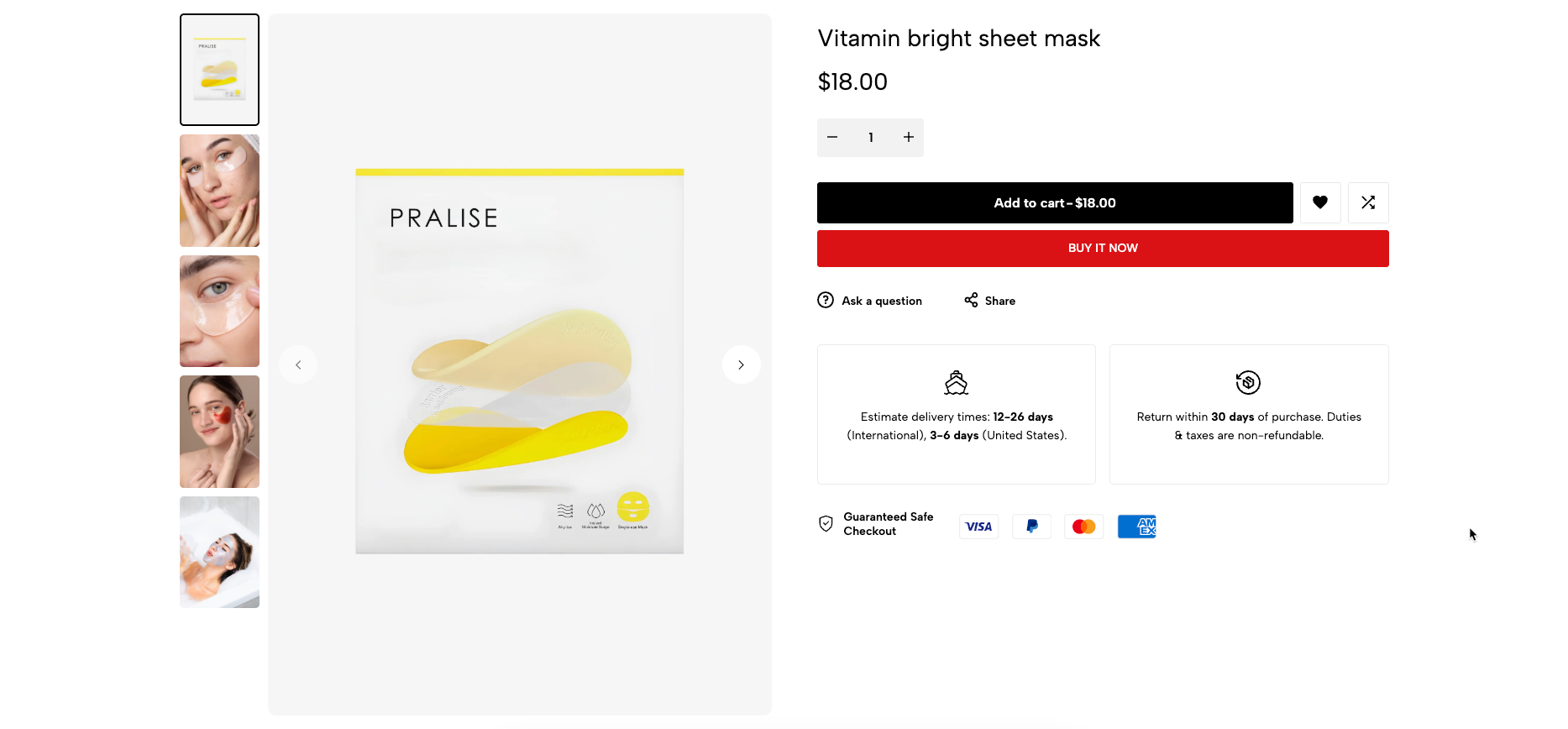
The Main Product section is the core layout for displaying product details on your product page. It includes all essential elements such as media, title, price, description, variant picker, add-to-cart buttons, and more. This section allows you to fully customize the structure and content of how your main product is presented to customers.
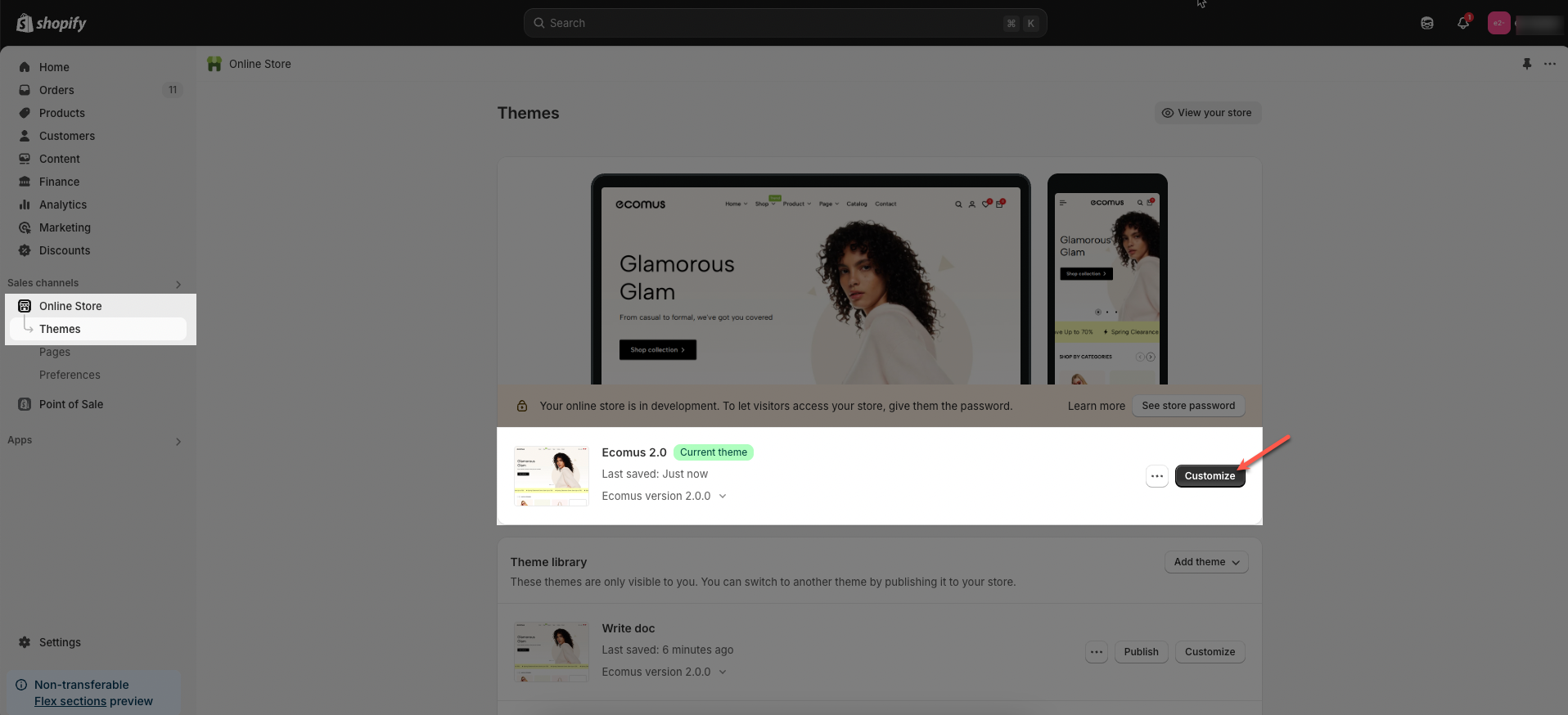
Step 01: From Shopify Admin, click on Online Store > Select Themes > In the Current theme section, click the Customize button.
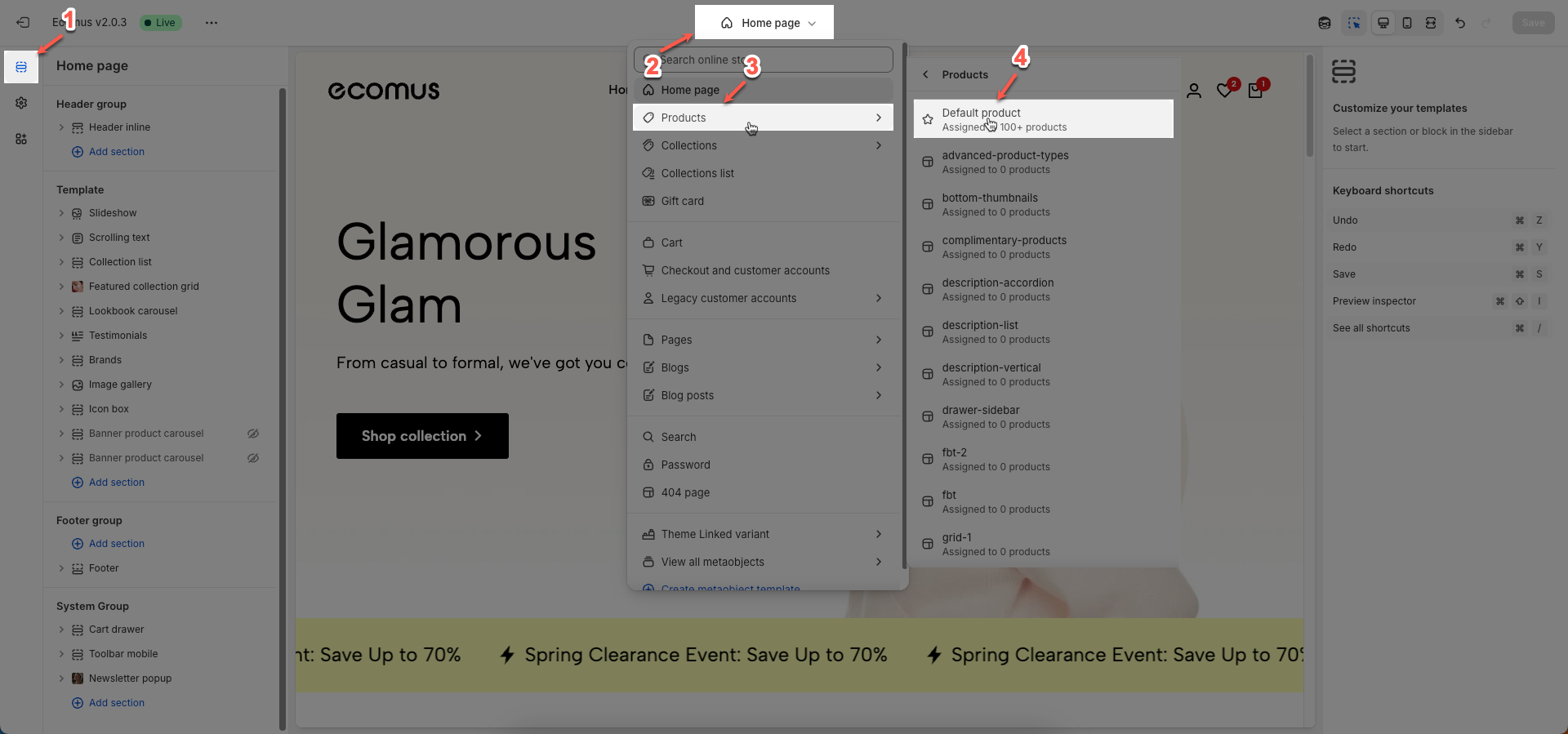
Step 02: In the theme editor (Customize), click to open dropdown pages in the topbar > select Products > select Default product
Step 03: In the Sections tab, scroll and find Product main in Template
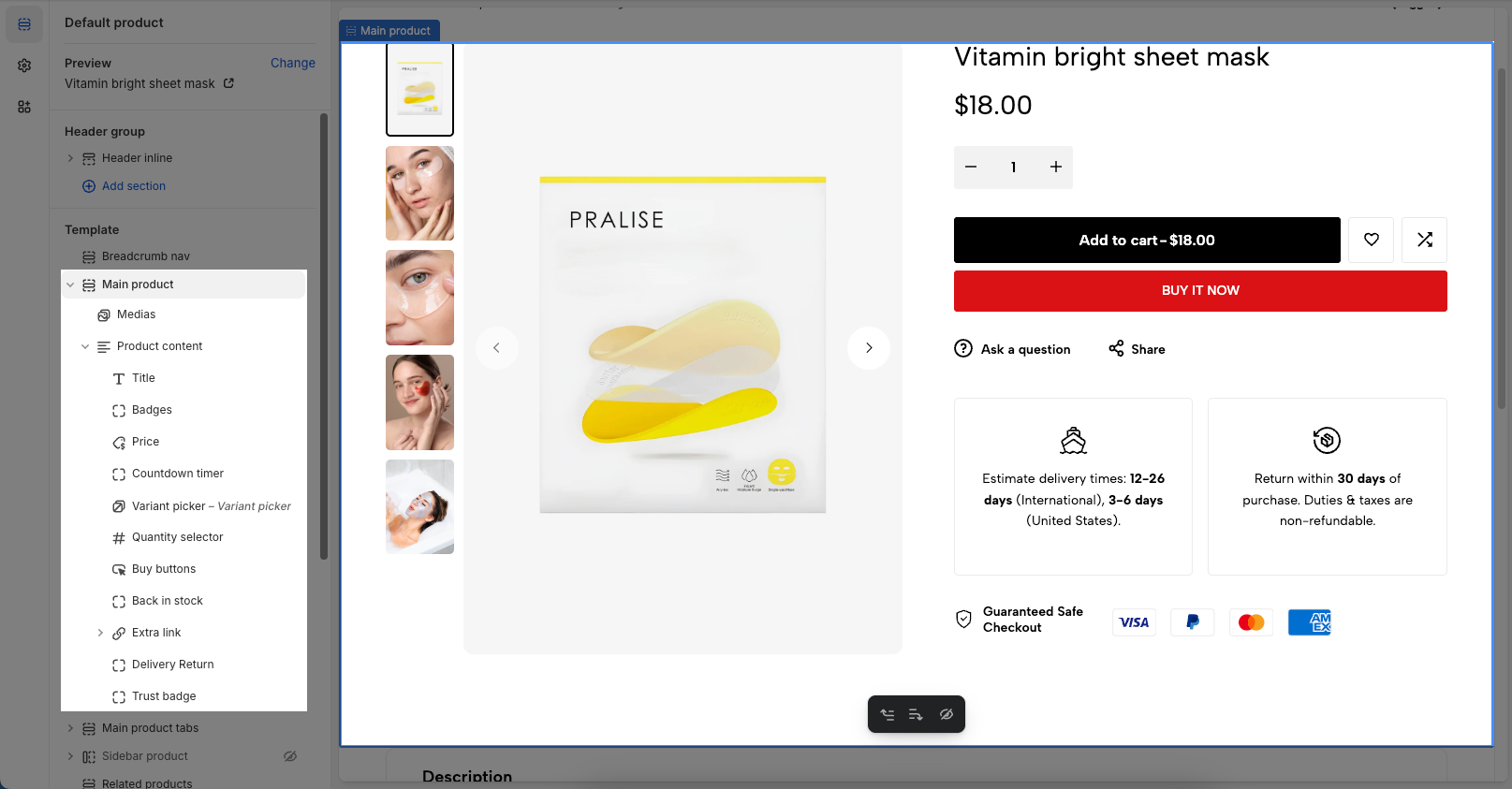
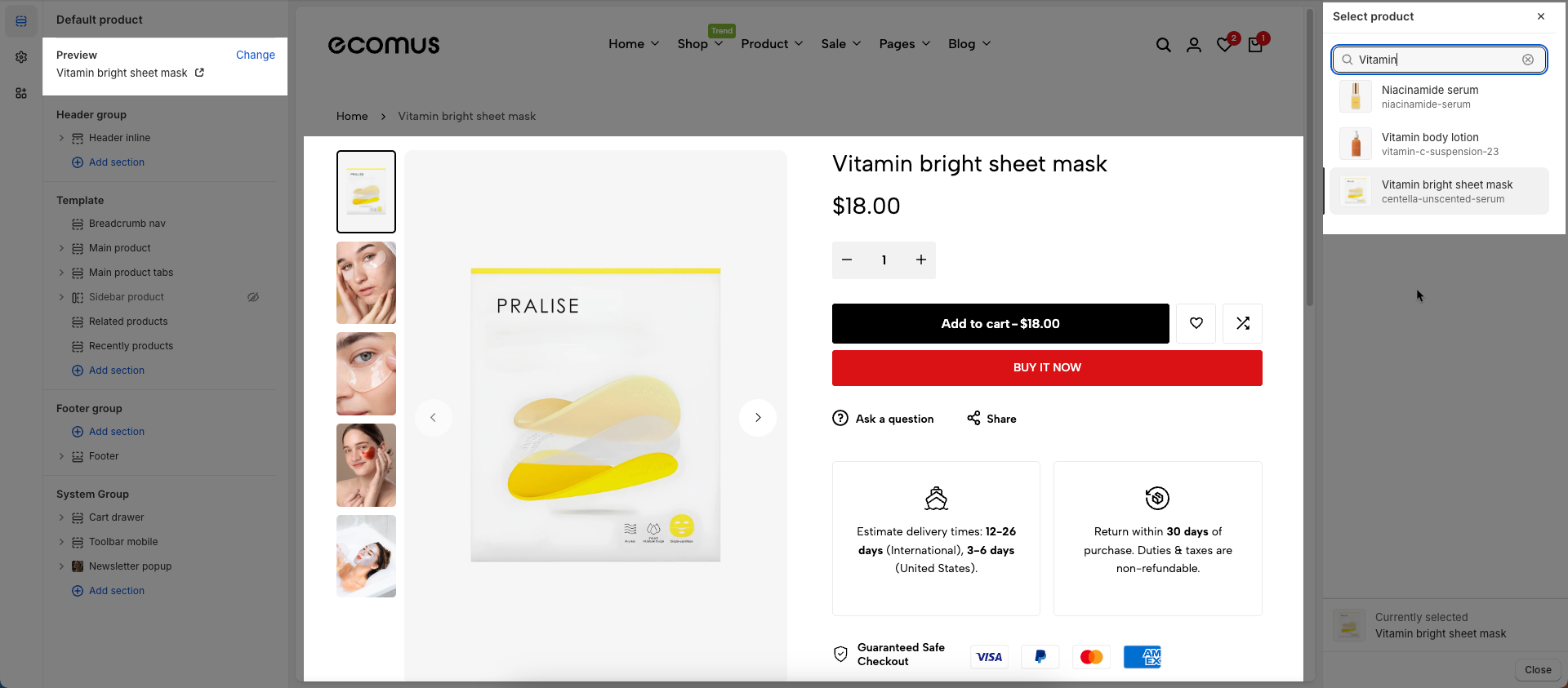
To configure a specific product, go to the Preview section at the top left and click Change. From there, select the product you want to edit. The available settings for that product will then be displayed under the Main product section, where you can customize its layout and content.
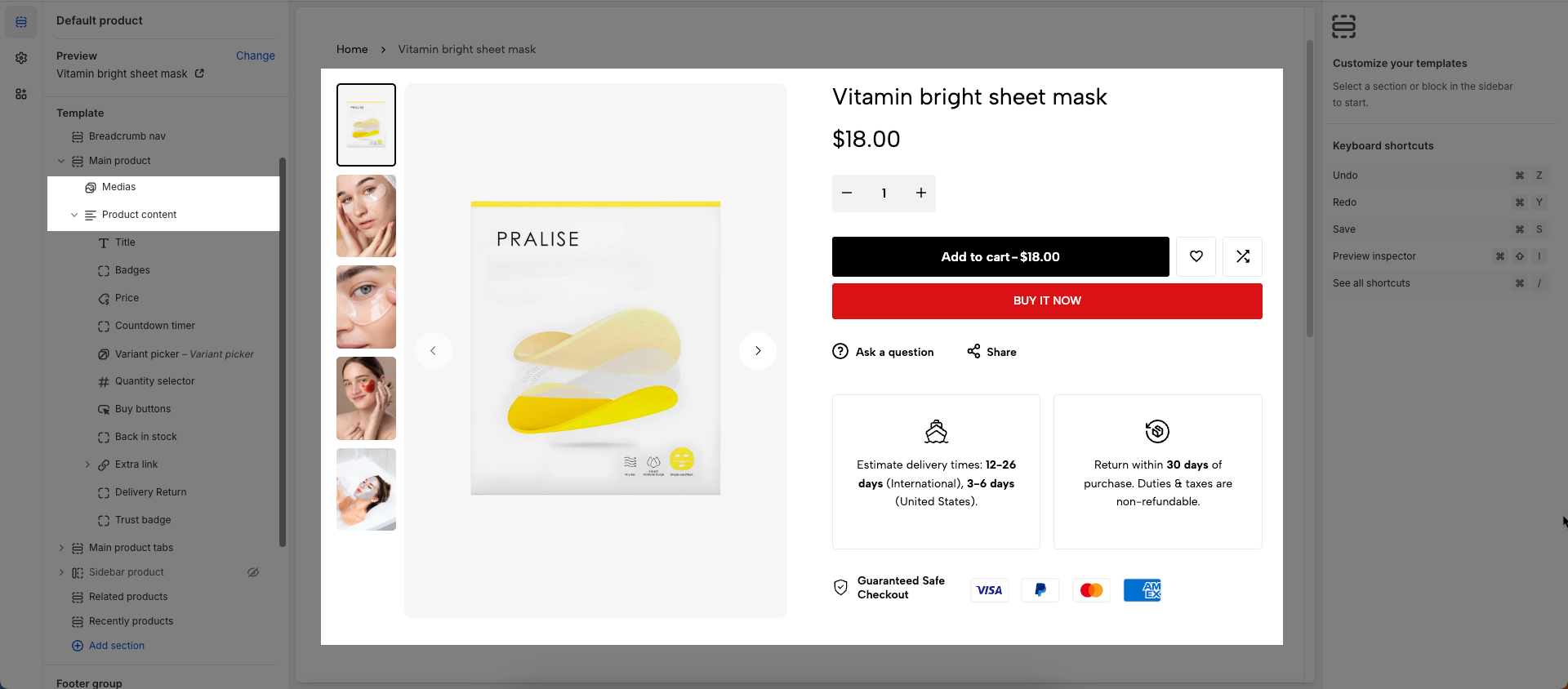
Within the Main product section, there are two primary blocks:
Medias block – used to configure and display product images or videos.
Product content block – used to manage and customize all product content such as title, price, description, variant options, and buy buttons.
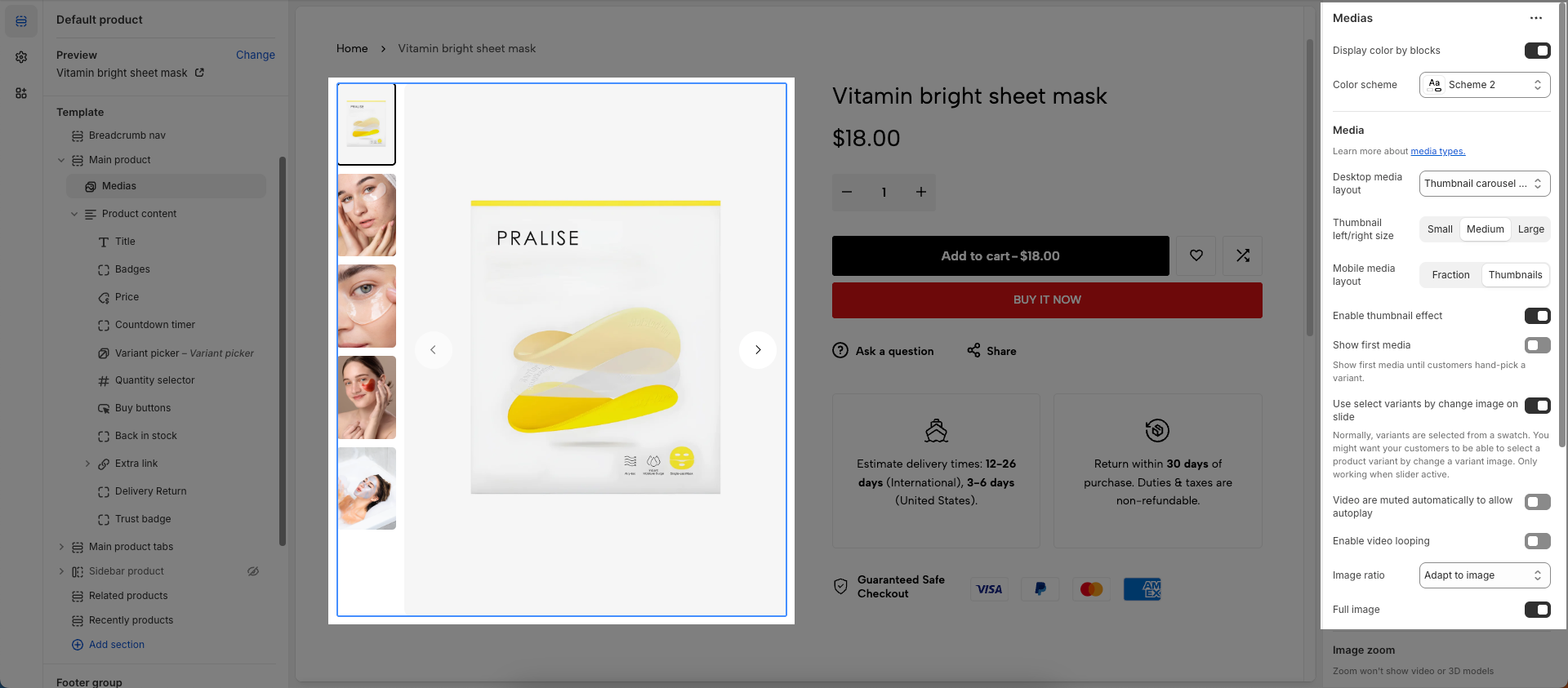
After open the Medias block, you can adjust its settings using the sidebar—located on the right or left side of your screen depending on your device
Visible if certain conditions are met
Display color by blocks: Check to allow individual blocks within this section to have their own distinct color schemes, independent of the section's main color scheme.
Color scheme: Select the color scheme to be applied to this section or component.
Learn more about media types
Desktop media layout: Select the main media display layout for product images/videos on desktop and tablet devices.
Thumbnail carousel: Large main image with smaller thumbnails below in a carousel format.
1 column: Displays all media in a single vertical column.
2 columns: Displays media in two columns (often a larger main image in one column and smaller thumbnails in the other, or two equal columns).
Stacked: Stacks all media vertically, with the main image at the top.
Without thumbnails: Displays only the main image/video without accompanying thumbnails.
Thumbnail left/right size: (Only applies to 2 columns layouts or when thumbnails are left/right) Adjust the relative size of the thumbnail column when placed to the left or right of the main media.
Mobile media layout: Select the media display layout for product images/videos on mobile devices (smartphones).
Fraction: Displays page indicators (e.g., "1/5") instead of thumbnails.
Thumbnail: Displays small thumbnails below or next to the main image.
Enable thumbnail effect: Enable this option to apply an effect (e.g., zoom, hover effect) to thumbnails when a user interacts with them.
Show first media: Enable this option to always display the product's first media item by default, regardless of which variant is selected.
Show first media until customers hand-pick a variant.
Use select variants by change image on slide: Enable this option to automatically select the product variant when the user swipes or navigates through the product's media images
Normally, variants are selected from a swatch. You might want your customers to be able to select a product variant by change a variant image. Only working when slider active.
Video are muted automatically to allow autoplay: Enable this option to automatically mute videos when they start playing. Muting is required to enable autoplay functionality on most modern browsers.
Enable video looping: Enable this option to automatically loop videos when they finish playing.
Image ratio: Select the aspect ratio (Adapt to image, Square, Portrait, Landscape,...) for the image. Setting an aspect ratio helps ensure consistency in layout
Full image: Enable this option to make the image span the full available width of its containing element.
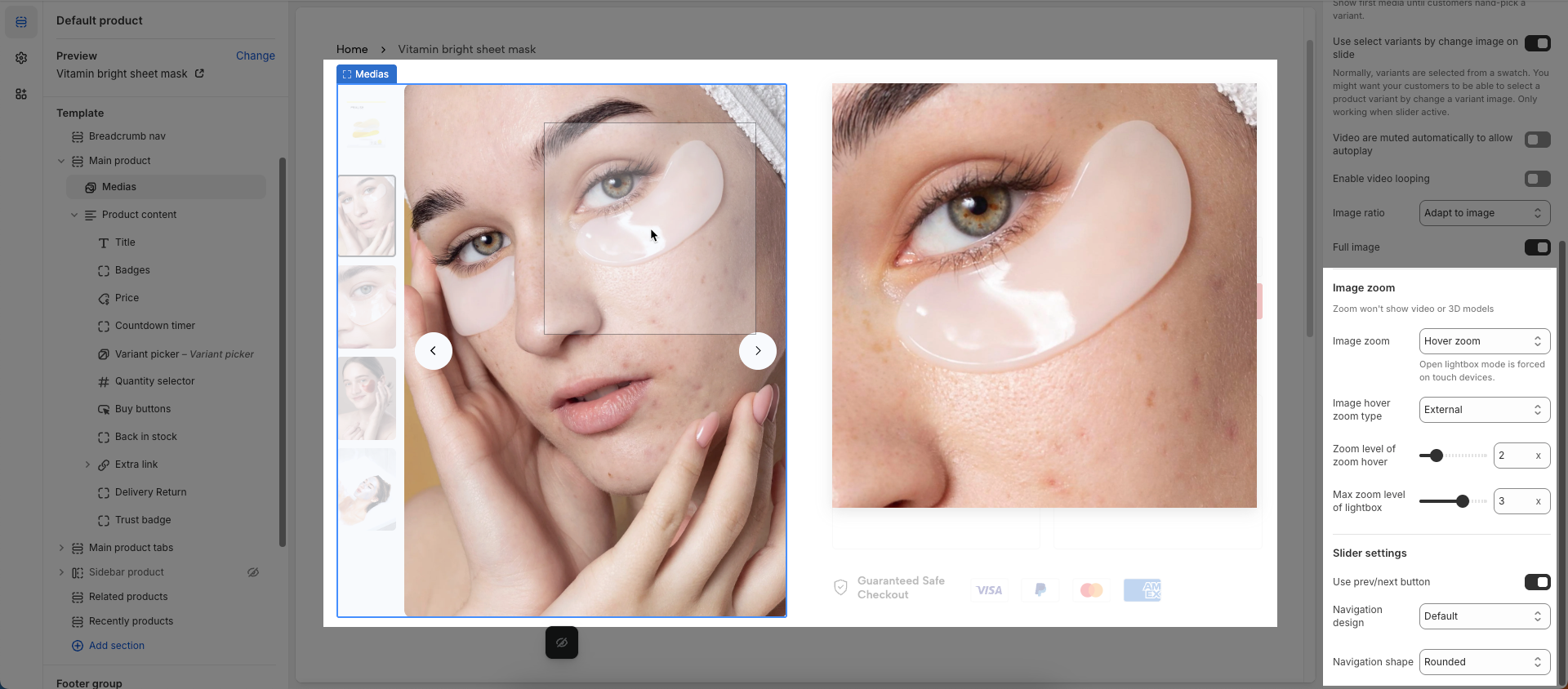
Zoom won't show video or 3D models
Image zoom: Select the zoom and lightbox behavior when a user interacts with product images.
Hover zoom: Zooms the image when the user hovers over it.
Click open lightbox: Opens the image in a lightbox (a pop-up window) when the user clicks on it.
No zoom: No zoom effect is applied.
Hover zoom and click open lightbox: Applies both hover zoom and opens a lightbox on click.
Open lightbox mode is forced on touch devices.
Image hover zoom type: (Only applies when Hover zoom is selected) Select the type of zoom effect on hover.
Inner: Zooms the image within its container, potentially overflowing the container.
External: Displays a zoomed version of the image next to the original.
Magnifier: Displays a smaller, magnified region that follows the mouse cursor.
Zoom level of zoom hover: (Only applies when Hover zoom is selected) Adjust the zoom level on hover. The higher the value, the more the image is zoomed.
Max zoom level of lightbox: (Only applies when Click open lightbox is selected) Adjust the maximum zoom level when the image is displayed in the lightbox.
Use prev/next button: Check to enable "Previous" and "Next" navigation buttons for this element.
Navigation design: Select the visual design style for navigation elements (e.g., default, outline, simple).
Navigation shape: Set the geometric shape or rotational effect for navigation elements (e.g., default, rounded, rotate).
After open the Product content block, you can adjust its settings using the sidebar—located on the right or left side of your screen depending on your device
No customizable settings available.
The Product content block contains multiple sub-blocks that represent different pieces of product information. You can easily add, rearrange, remove, and customize these blocks with flexibility to match your desired layout. In the following Product content block guide, we’ll walk you through how to configure each block in detail.
The Main product section settings allow you to customize how your main product section appears and behaves on the product page. Below are the available options and how each one affects the layout and user experience.
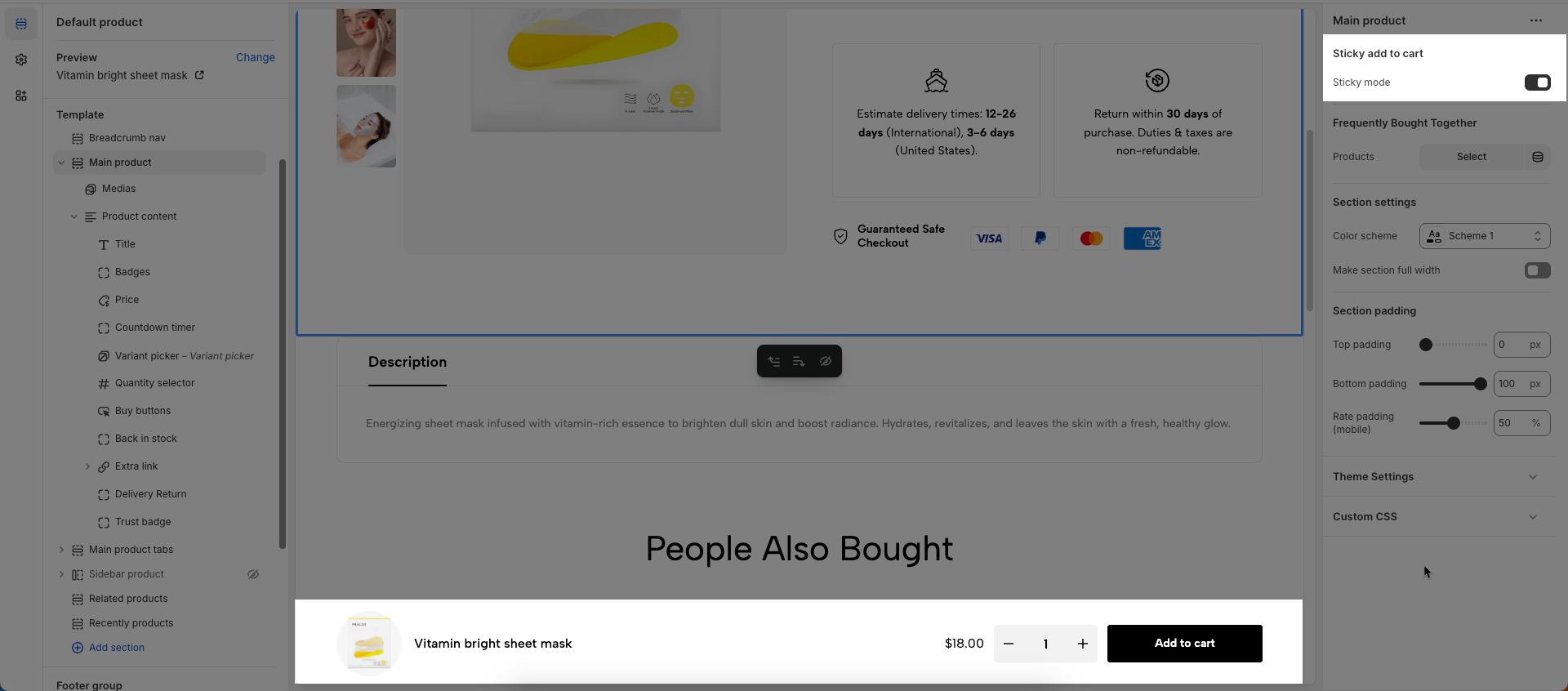
Sticky mode: Check to enable "sticky mode" for this element. When enabled, the element will remain fixed in place on the screen as the user scrolls down the page.
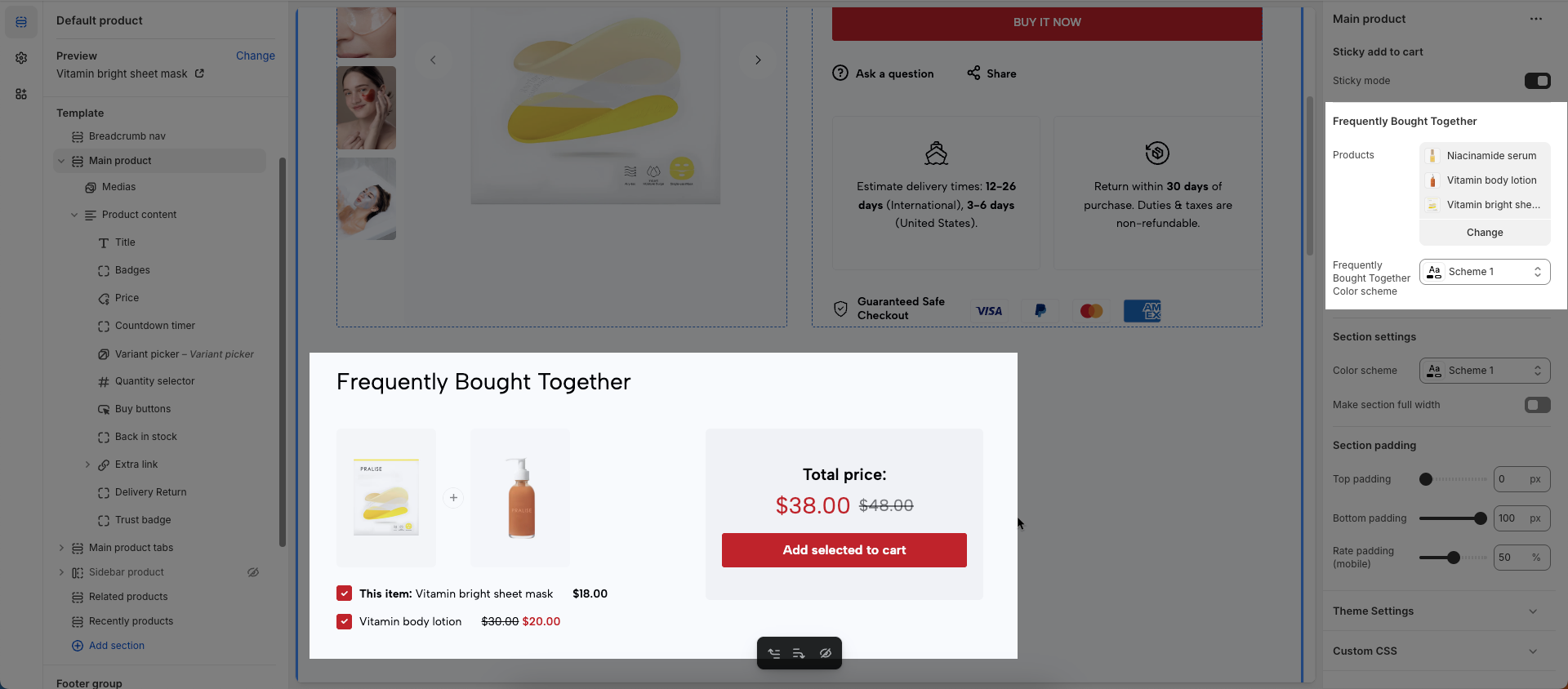
Products: Choose additional products to display as "Frequently Bought Together" with the main product.
Frequently Bought Together Color scheme: Select the color scheme to be applied to this section or component.
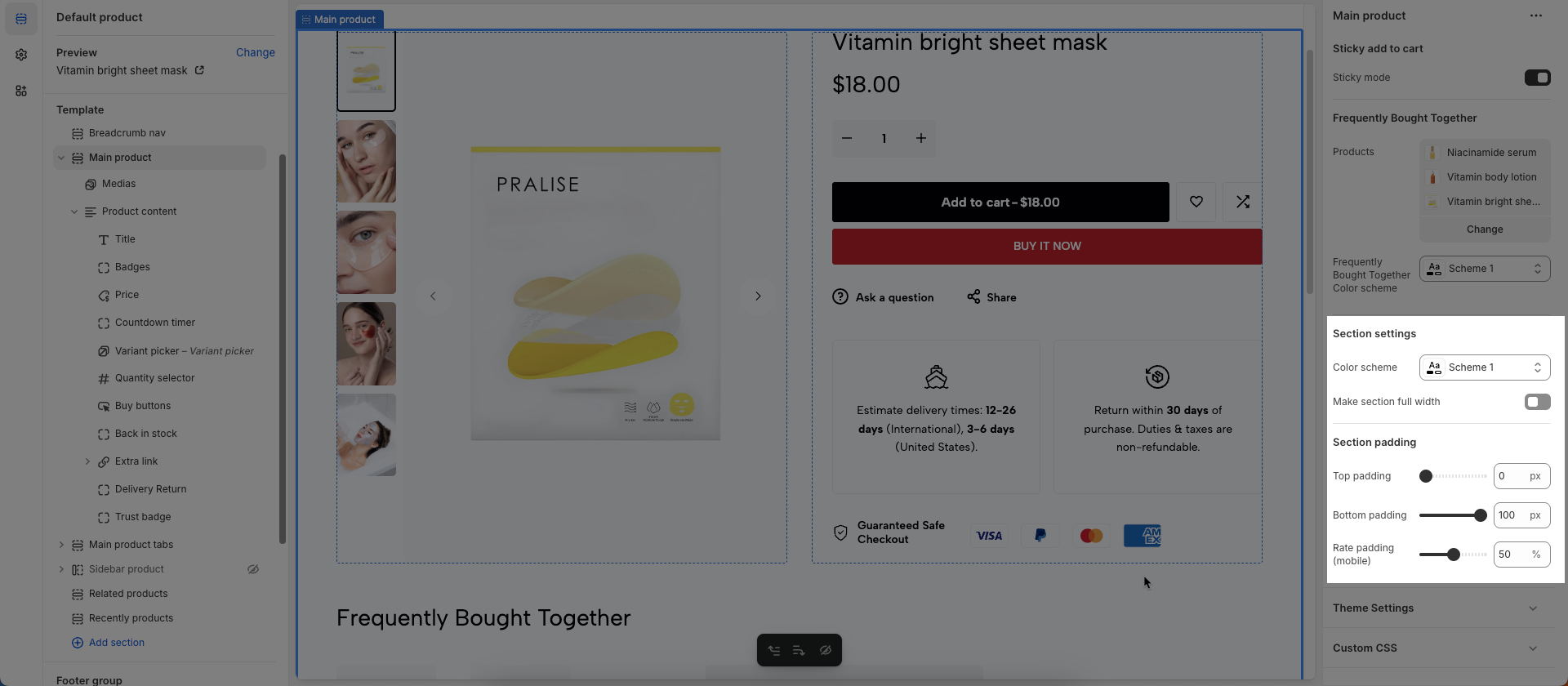
Color scheme: Select the color scheme to be applied to this section or component.
Make section full width: Check to make this section span the entire width of the browser window, rather than being confined to a limited content area.
Section padding
Top padding: This option allows you to set the amount of space (padding) at the top of the slider section. You can drag the slider or directly enter a numerical value to adjust this spacing
Bottom padding: This option allows you to set the amount of space (padding) at the bottom of the slider section. You can drag the slider or directly enter a numerical value to adjust this spacing
Rate padding (mobile): This option allows you to set the aspect ratio-based padding for mobile view (in percentage). For example, 75% means the height will be 75% of the width.
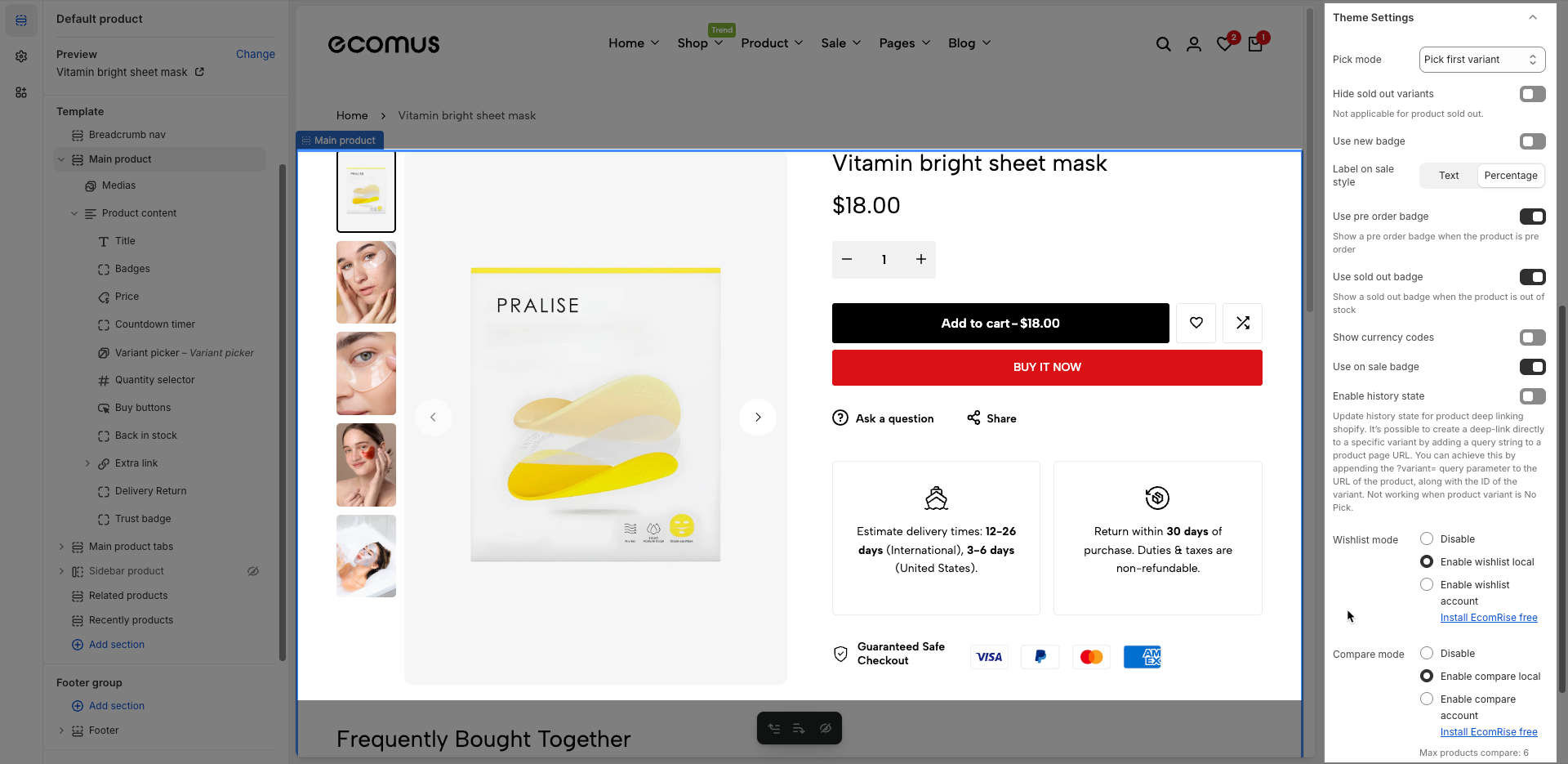
Pick mode: Choose the default product variant selection method.
No pick: No product variant is selected by default. The customer must manually select a variant before purchasing.
Pick first variant: Automatically selects the first variant in the product’s variant list, regardless of availability (even if it's sold out).
Pick first available variant: Automatically selects the first variant that is in stock. This is the most user-friendly option to ensure a purchasable variant is preselected.
Hide sold out variants: Hide variant options that are sold out. (This option does not apply if the product itself is sold out.)
Use new badge: Enable this to show a “New” badge on newly added products.
Label on sale style: Choose how the sale badge appears — either as plain text (e.g. "Sale") or as a discount percentage (e.g. "20% off").
Use pre order badge: Display a “Pre-order” badge when the product is available for pre-order.
Use sold out badge: Show a “Sold Out” badge when the product is out of stock.
Show currency codes: Display the currency code (e.g., USD, EUR) next to the product price.
Enable history state: Activate deep-linking for product variants. It allows sharing URLs that automatically select a specific product variant. (Only works when a variant is selected.)
Update history state for product deep linking shopify. It’s possible to create a deep-link directly to a specific variant by adding a query string to a product page URL. You can achieve this by appending the ?variant= query parameter to the URL of the product, along with the ID of the variant. Not working when product variant is No Pick.
Wishlist mode:
Disable – Turns off the wishlist feature entirely.
Enable wishlist local – Allows customers to save their wishlist locally using browser storage.
Enable wishlist account – Enables account-based wishlist saving (requires the EcomRise app).
Compare mode:
Disable – Turns off the product comparison feature.
Enable compare local – Allows customers to compare products locally without an account.
Enable compare account – Enables account-based product comparison (requires the EcomRise app).
Note: You can compare up to 6 products.
Color scheme: Select a predefined color theme (e.g., Scheme 1) for styling this section.
Allows users to customize by adding CSS rules, beyond the limitations of default settings. This allows for fine-tuning the design to every detail, to suit specific needs.
Add custom styles to this section only.
To add custom styles to your entire online store, go to theme settings.