Add color to product for the first time, you can see Metaobjects Color (added by Shopify) is displayed at Shopify admin. Please follow these steps to configure Color:
Step 1: Open Metaobjects Color
Go to the Shopify admin > Content > Metaobjects > Color and configure it.
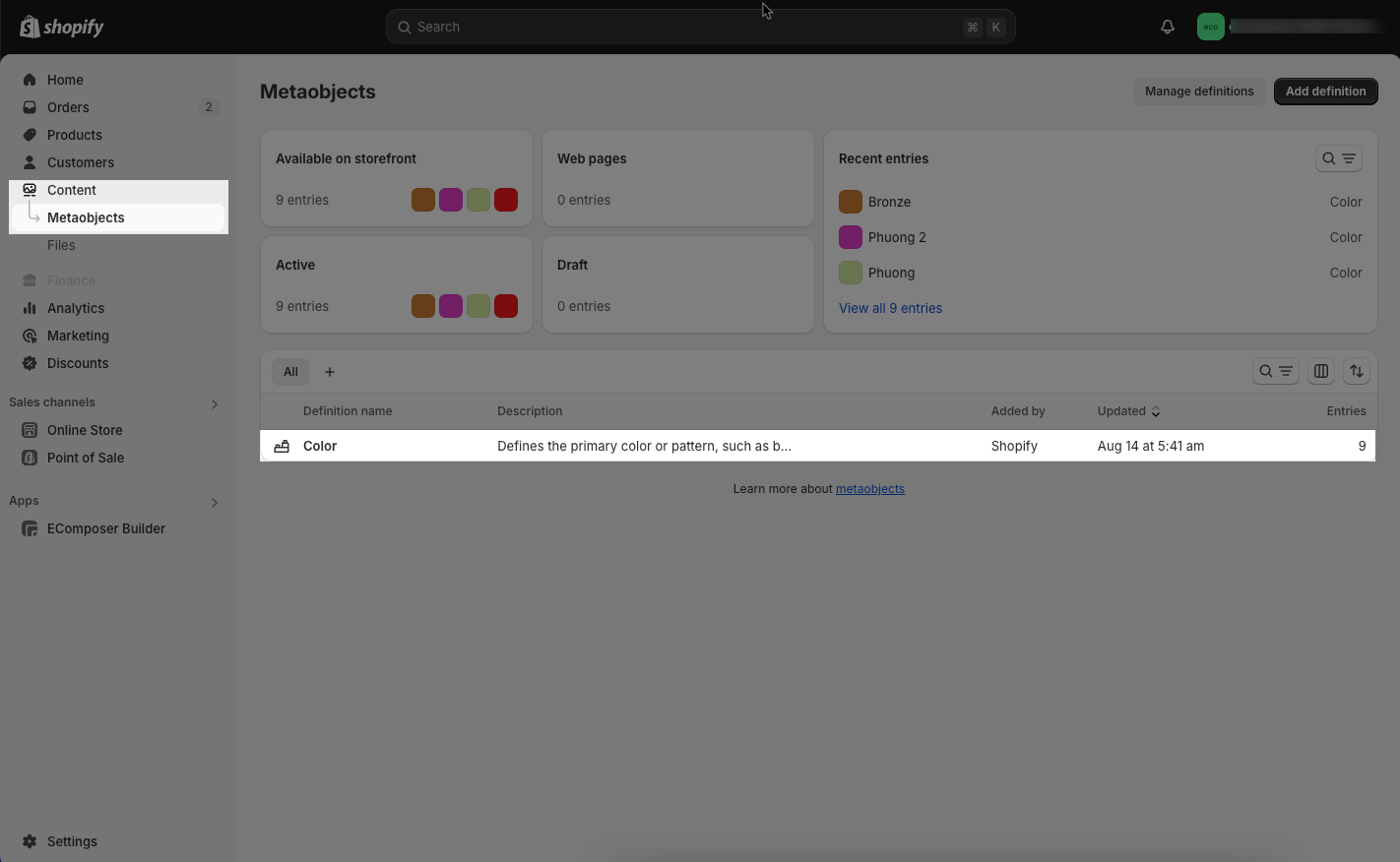
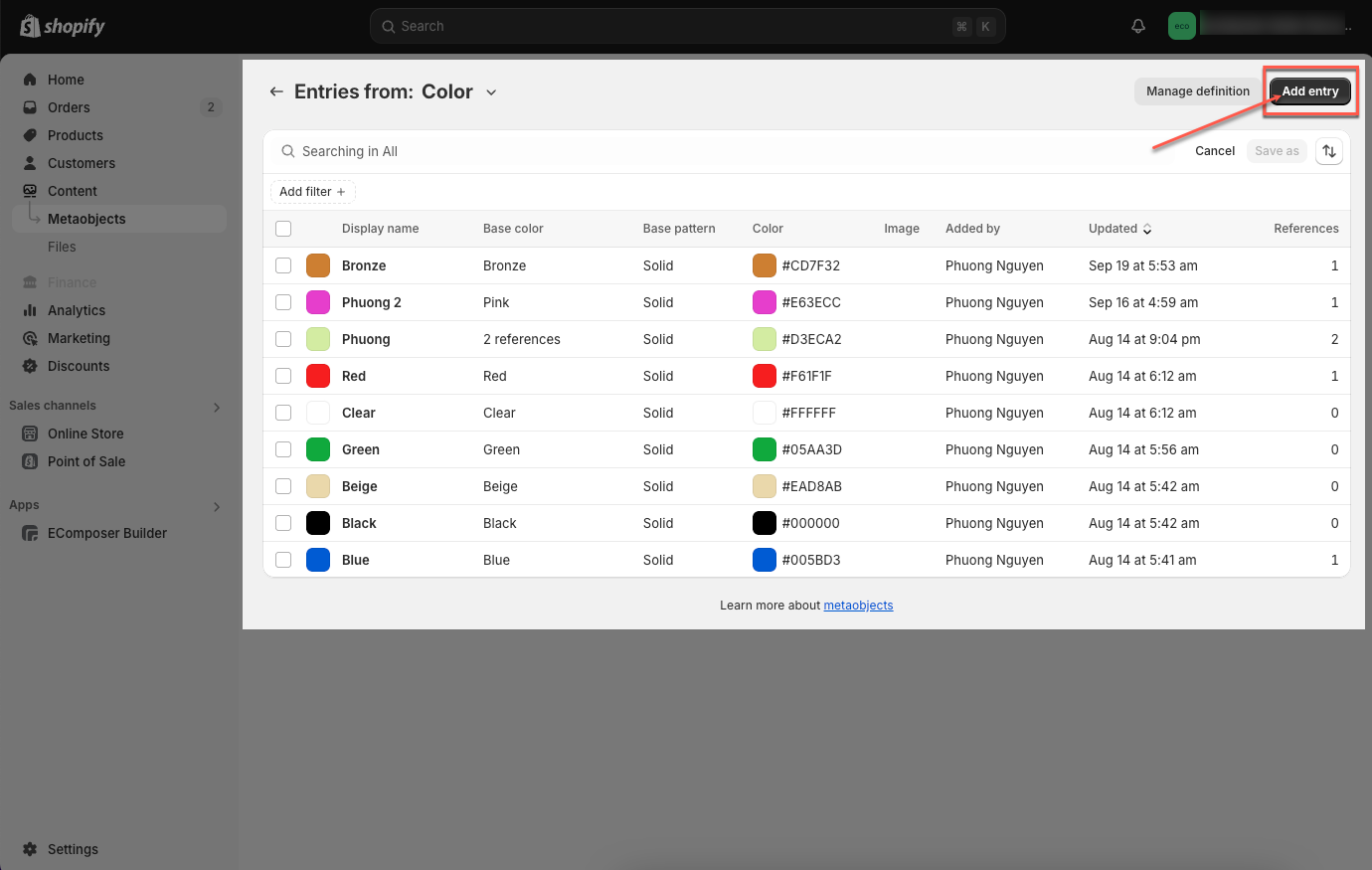
Step 2: Add entry
From interface Metaobjects Color > Add entry button
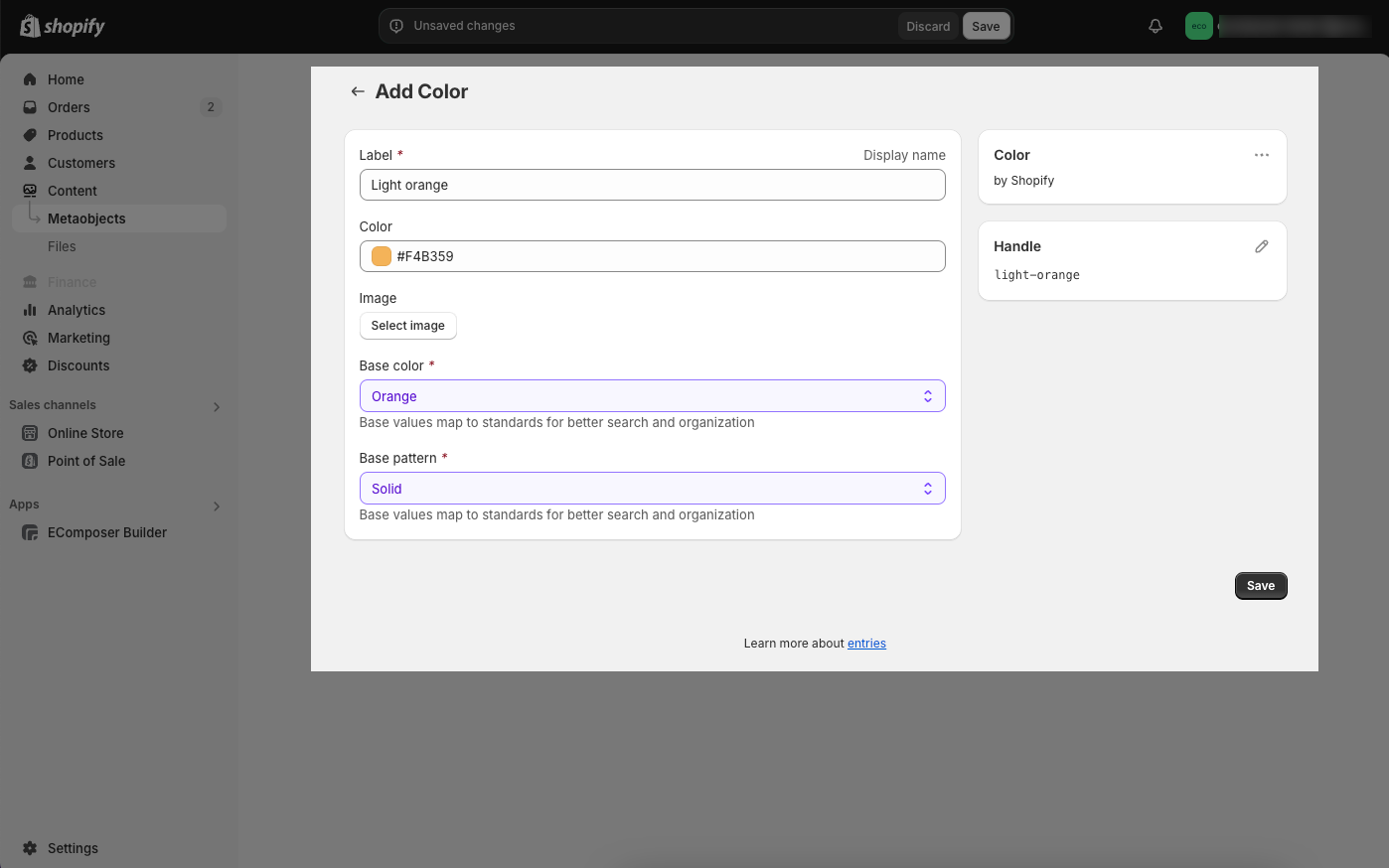
Step 3: Configure Color
You can enter Label, choose Color or Image and enter Base color, Base pattern you want. Then click Save button to save your color.
Step 1: Choose product you want to add color to.
Step 2: Identify the category that contains metafields Color, then Category metafields will appear right below, and you can add the color you want.
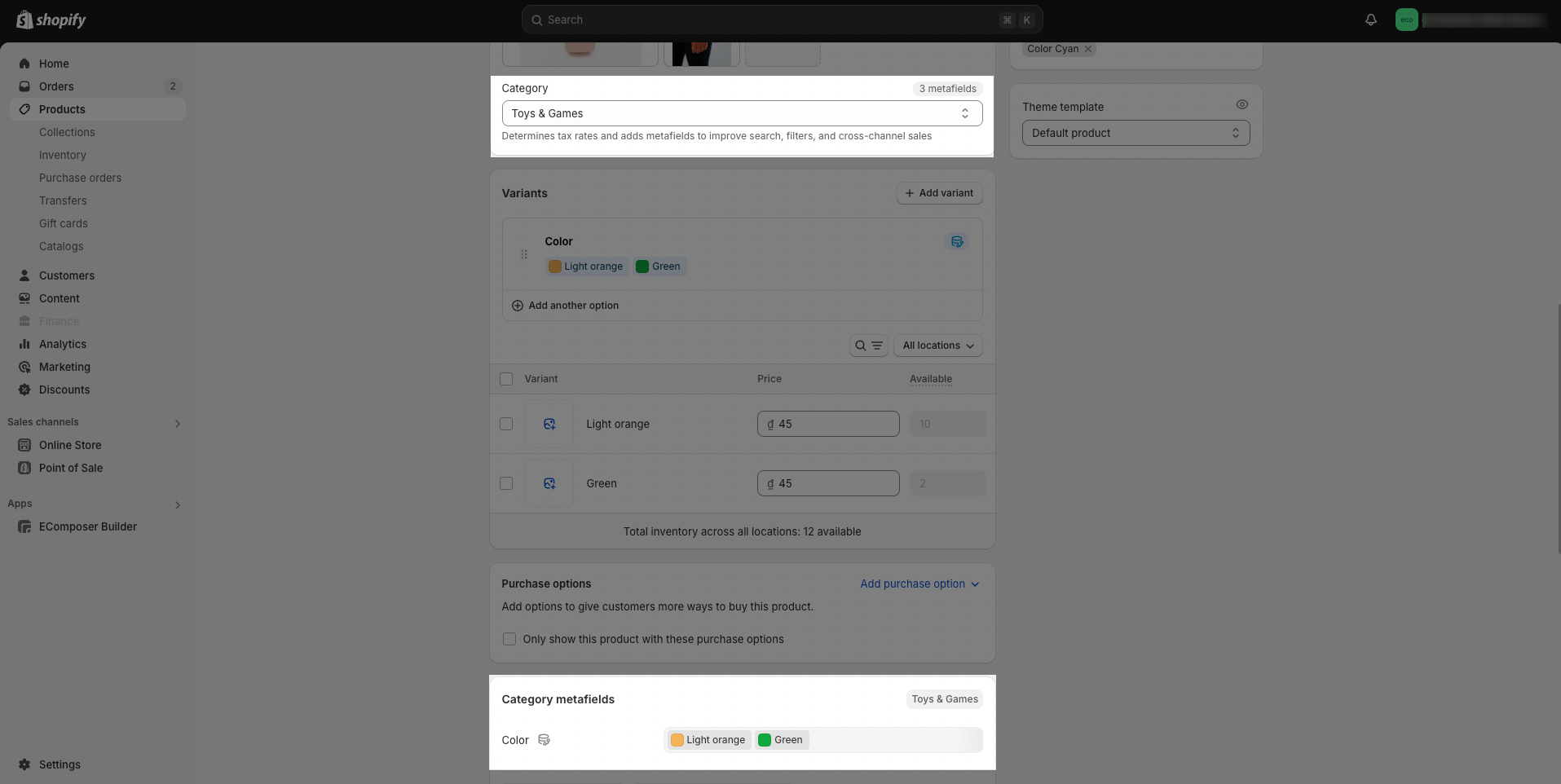
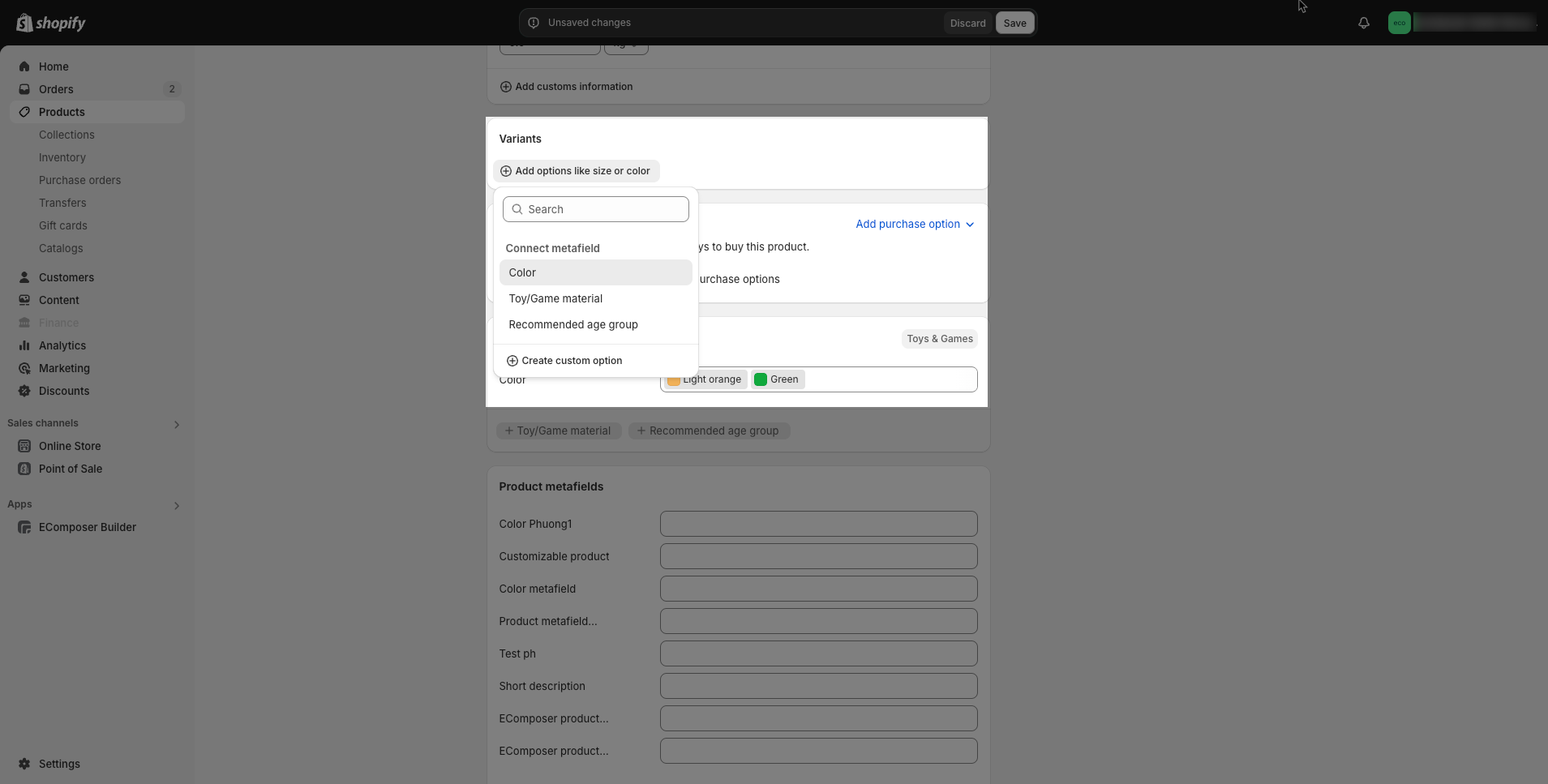
Step 3: Add Color variant
Step 4: Save configure and preview results