Recommended: Install Fontify app to easily change any fonts for your whole page or specific elements. Support all Google fonts that GDPR compliant and upload Custom fonts in seconds.
You can set the font style and size for the text. You can choose a font from Shopify or Google.
From Theme settings >> Typography
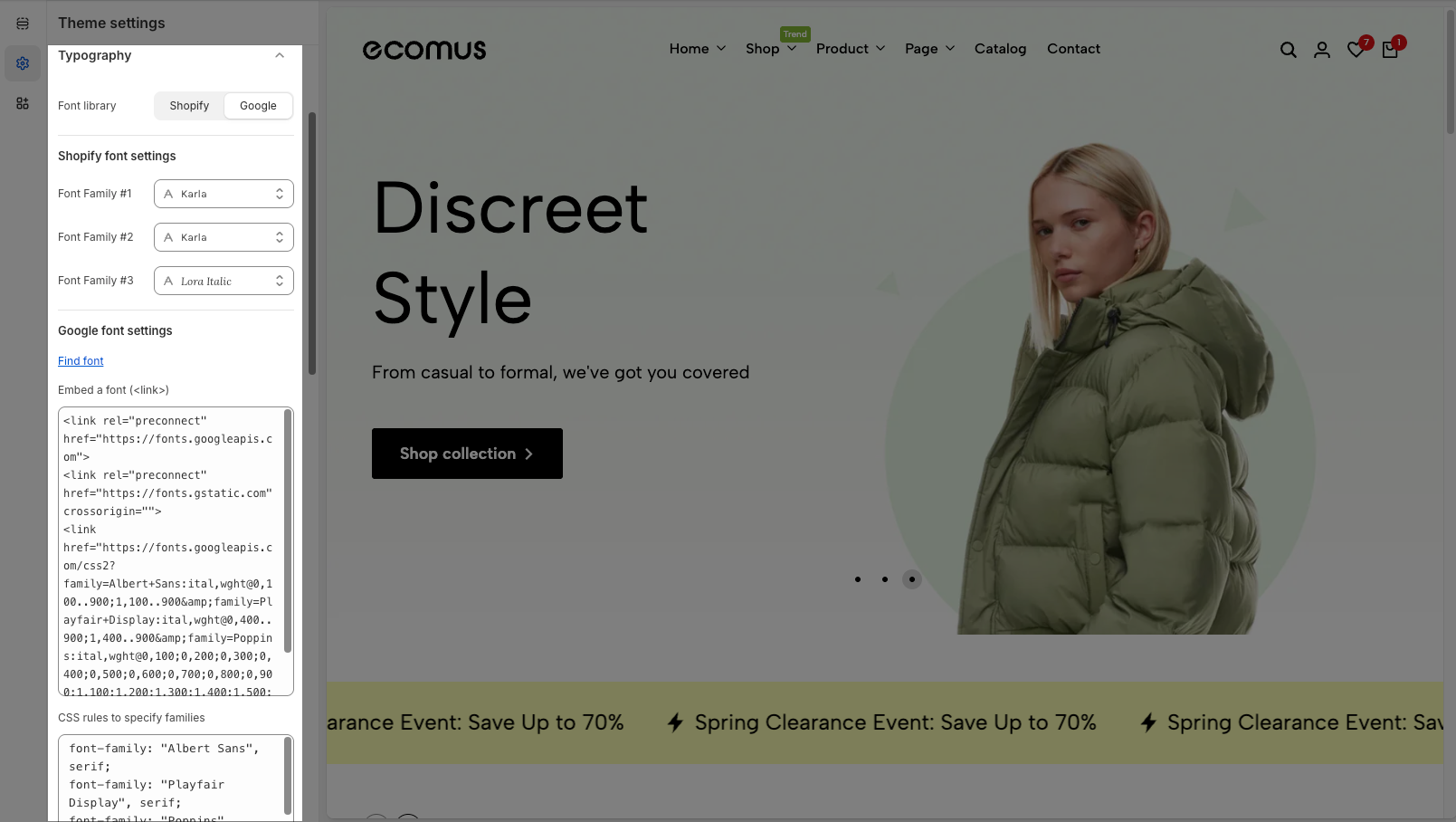
Font library: Choose between fonts provided by Shopify or Google Fonts.
First, if you use Shopify font, just click and select a font that you want. We have three Font family options. Also, selecting a different font can affect the speed of your store, Learn more about system fonts.
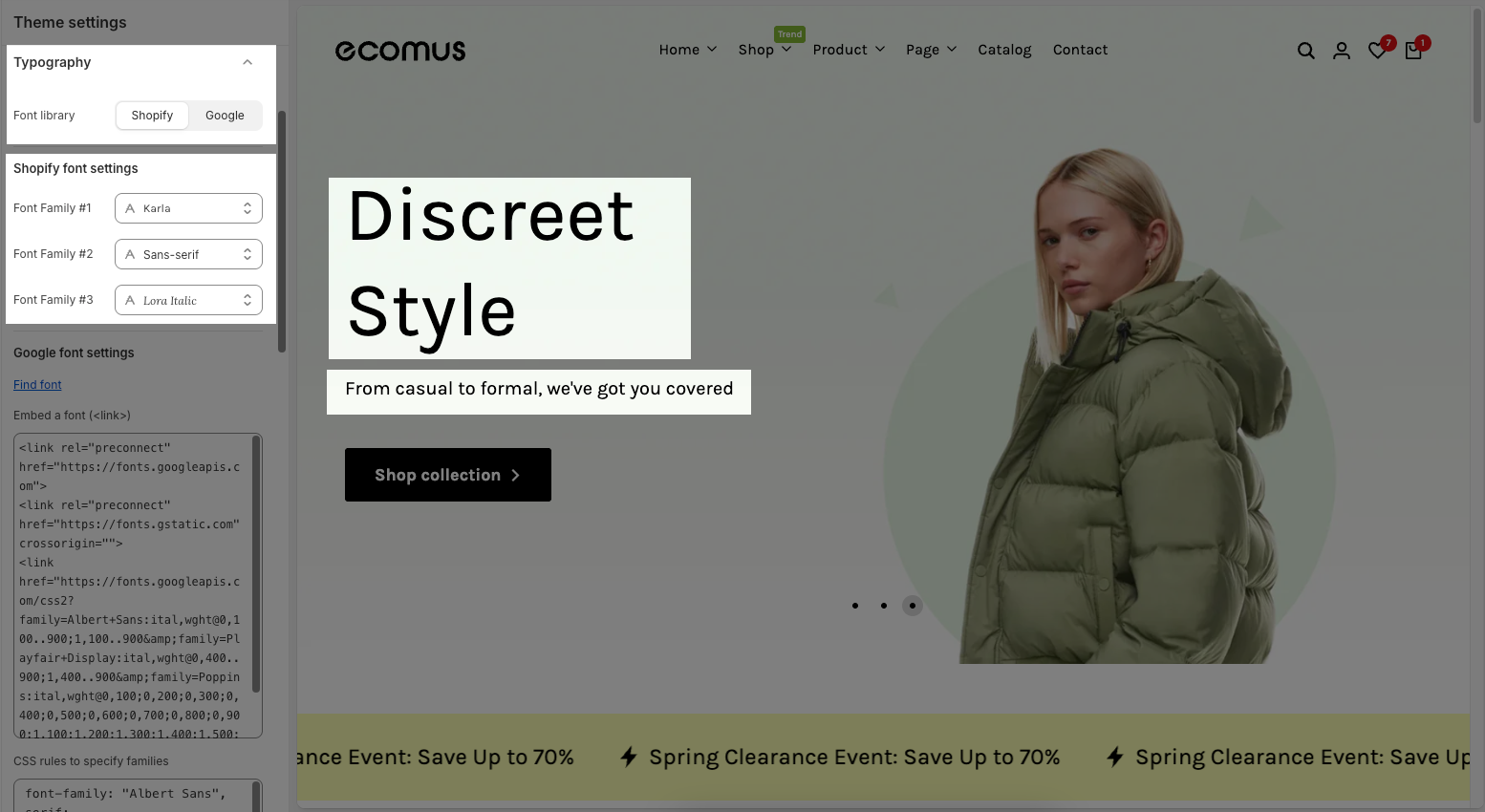
Font Family #1: The primary font used throughout the site.
Font Family #2: A secondary font that can be applied to specific text areas.
Font Family #3: A tertiary font option for additional styling flexibility.
In Shopify fonts, you can only use Font-Family 1, Font-Family 2, and Font-Family 3
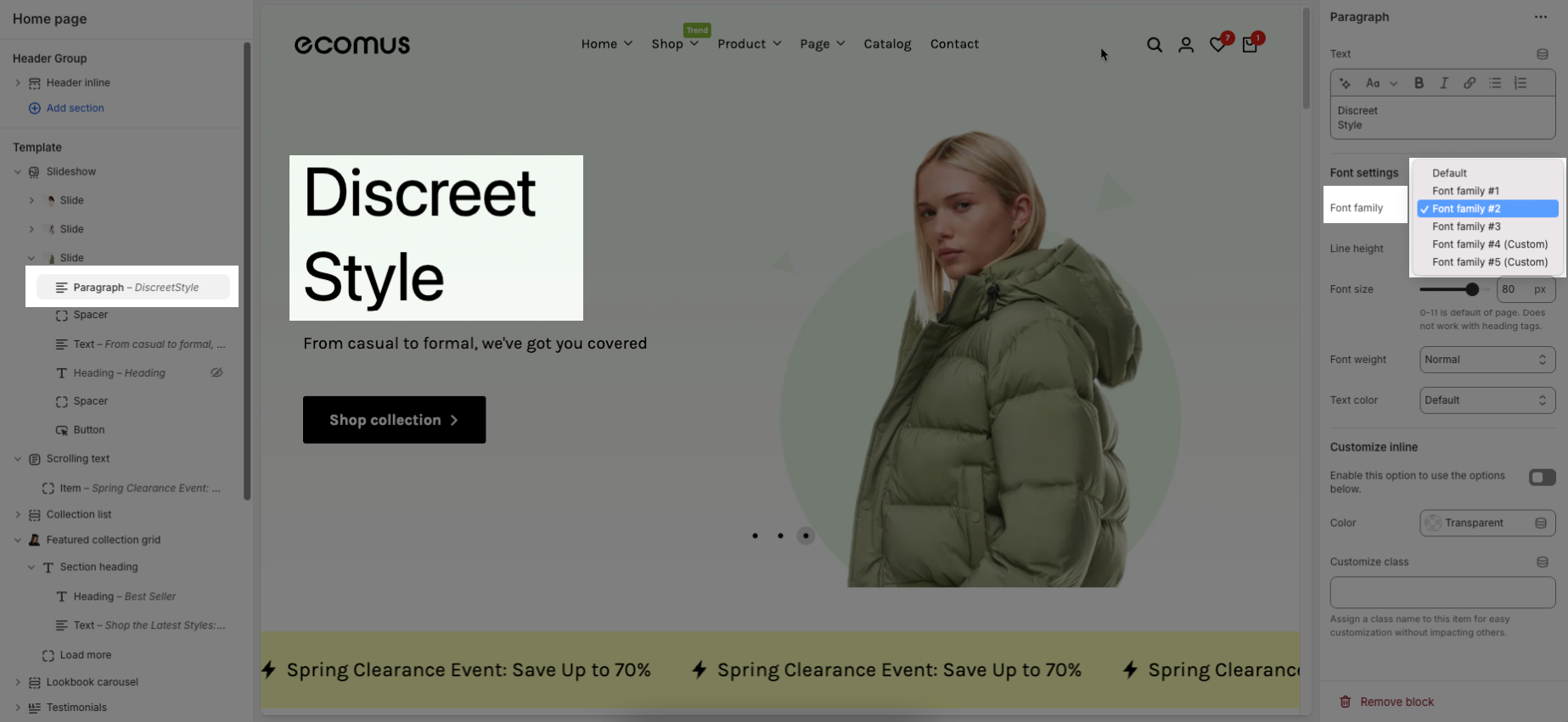
The secondary font can be applied to specific text areas such as paragraphs block:
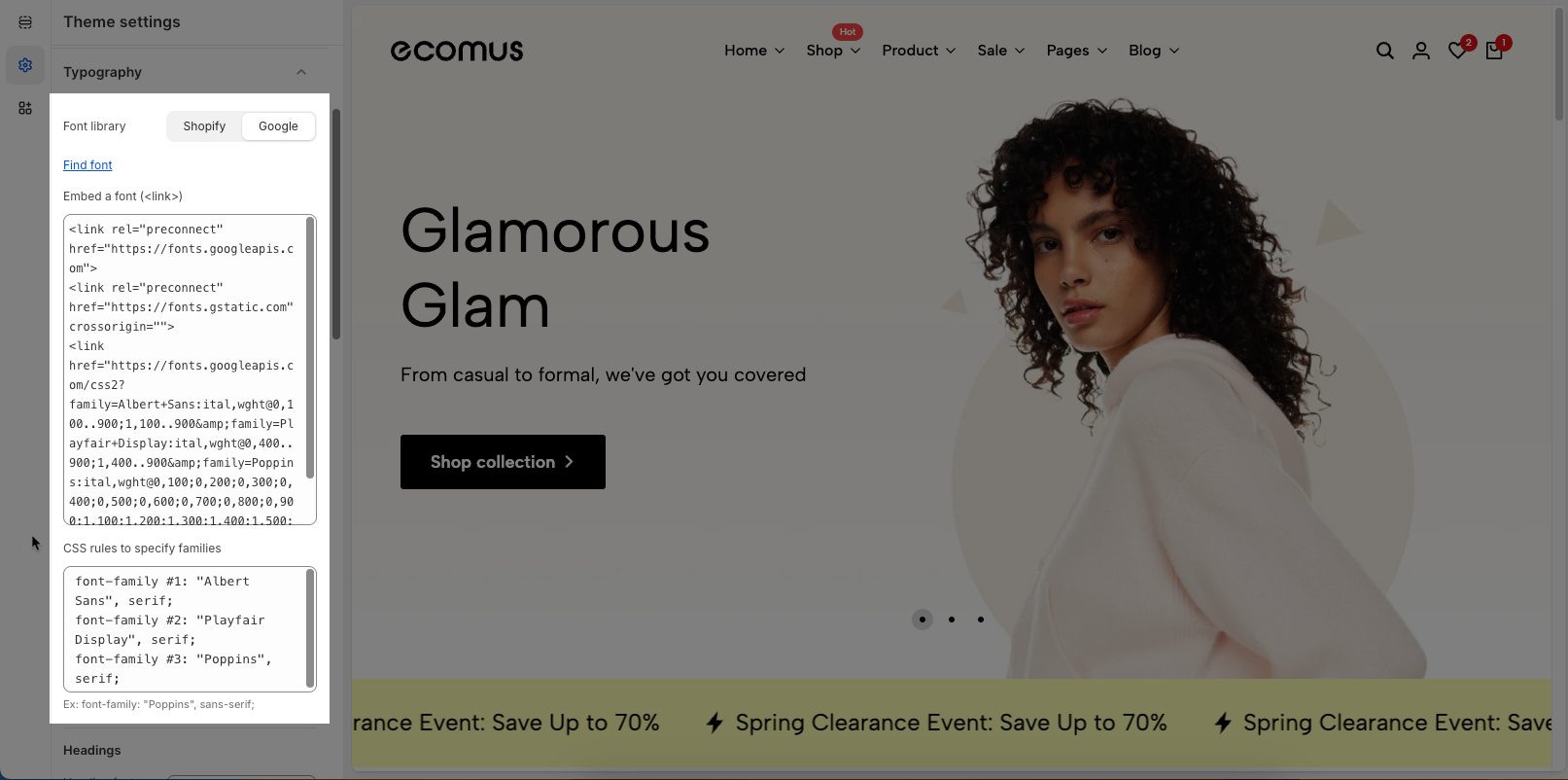
Second, if you use Google fonts, just fill in the options.
Find font: Click the Find font link to get the name of your Google Font.
Embed a font (<link>): Paste embed a font you want to show
CSS rules to specify families: These are CSS declarations for applying the selected fonts to elements. Ex: font-family: "Poppins", sans-serif;
Each added font will be separated by a ;
The writing sequence will follow of Font Family #1, then Font Family #2, Font Family #3, Font Family #4 (Custom),...
The number of fonts added is unlimited, and our theme only supports the first 5 fonts dropdown. From the 6th font onwards, you can use variables for CSS (Contact our customer service for further assistance.)
Ex: .htd-h1 {font-family: var(--f_family_6) !}
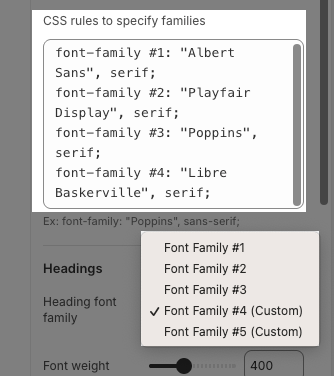
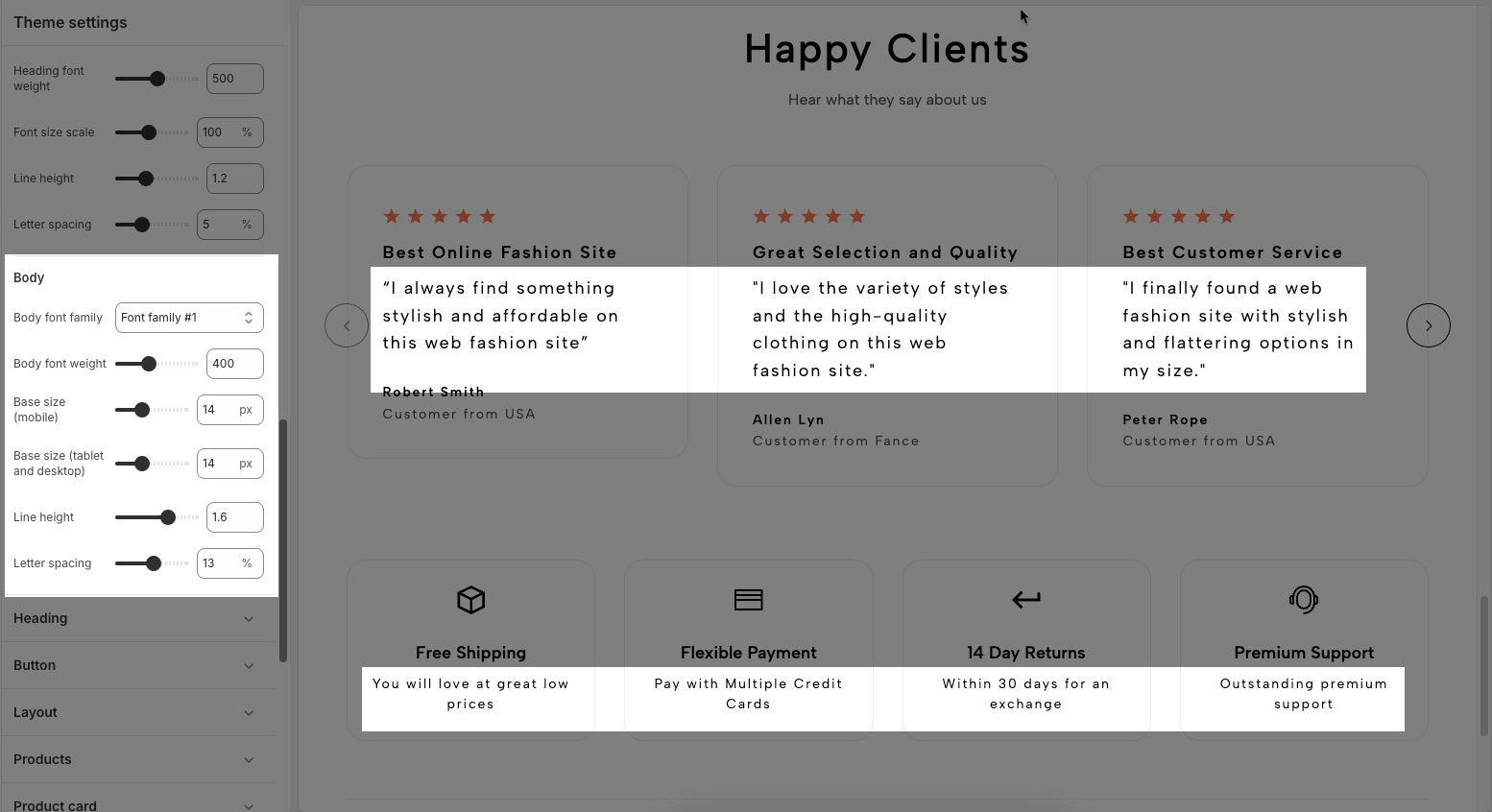
Heading font family: The font used for headings (H1, H2, etc.), selected from one of the font families above.
Heading font weight: Controls the thickness or boldness of heading text (e.g., 400 = regular, 600 = semi-bold).
Font size scale: Adjusts the overall size of headings in relation to the base size (100% = default).
Line height: Controls the vertical spacing between lines in headings (e.g., 1.5 means 1.5x the font size).
Letter spacing: Sets the spacing between individual letters in headings (e.g., 0% = normal spacing).
Sub-heading font family: Specifies a font for sub-headings, chosen from the available font families.
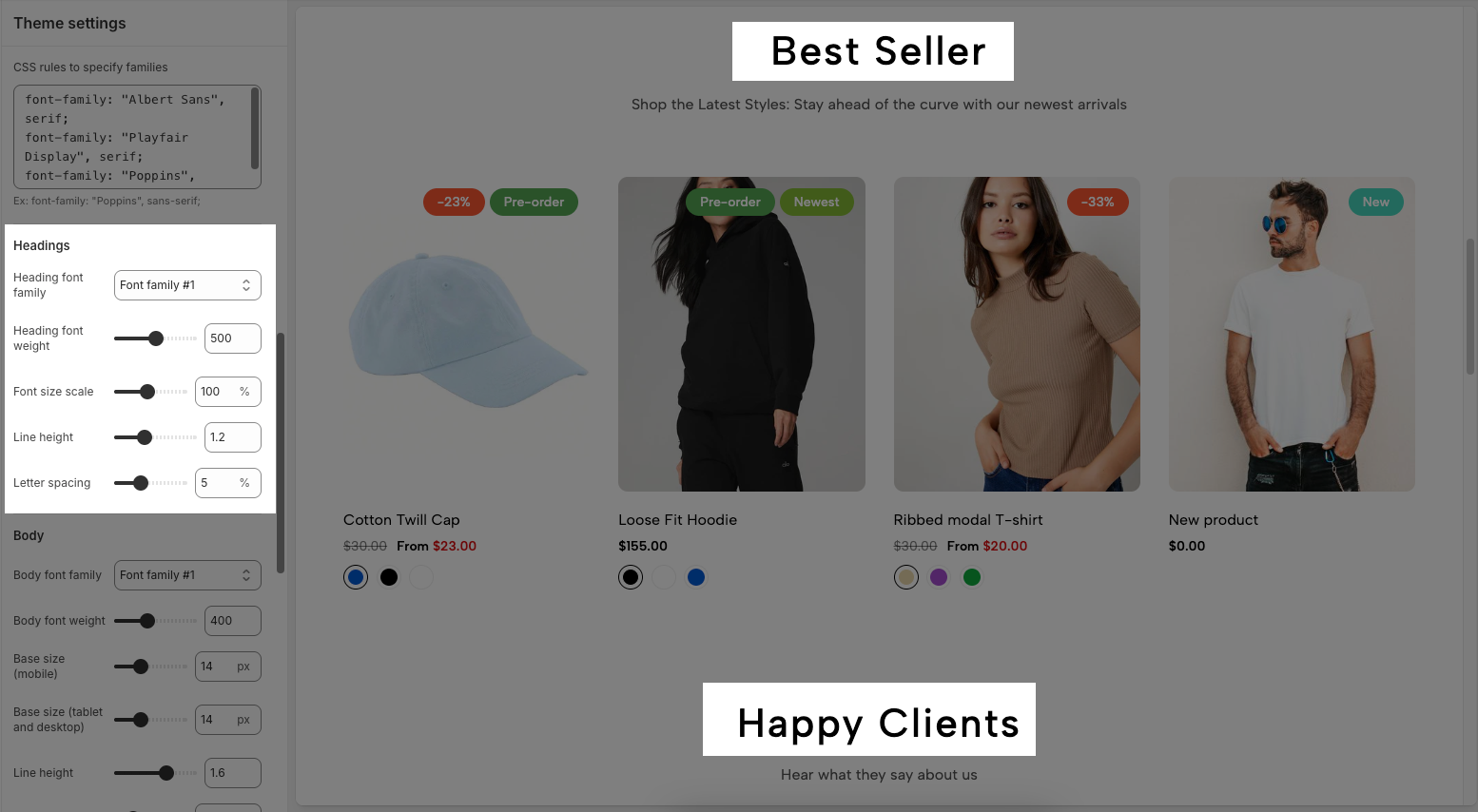
Body font family: Selects which font (from the predefined font families) will be used for regular body text.
Body font weight: Controls the thickness of the body text (e.g., 400 = regular, 700 = bold).
Base size (mobile): Sets the base font size for body text on mobile devices, measured in pixels.
Base size (tablet and desktop): Sets the base font size for body text on larger screens (tablet and desktop), also in pixels.
Line height: Determines the vertical spacing between lines of text; a value of 1.6 means 1.6x the font size.
Letter spacing: Adjusts the space between letters in body text, expressed as a percentage.