The Announcement Bar is a thin notification strip, usually located at the top of a website (above the main header), designed to display important, topical, or promotional messages to users. These messages can be about promotions, free shipping offers, service announcements, or urgent news.
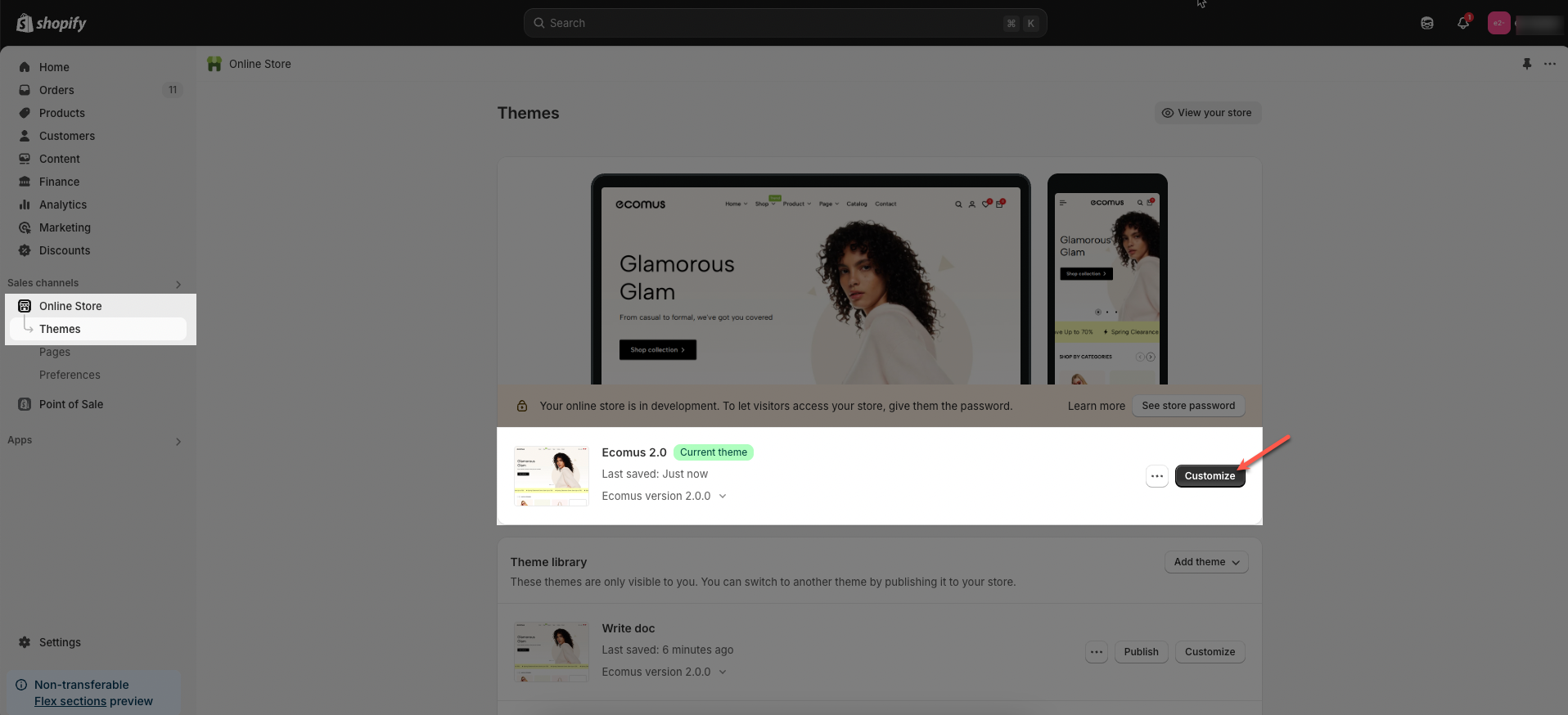
Step 01: From Shopify Admin, click on Online Store > Select Themes > In the Current theme section, click the Customize button.
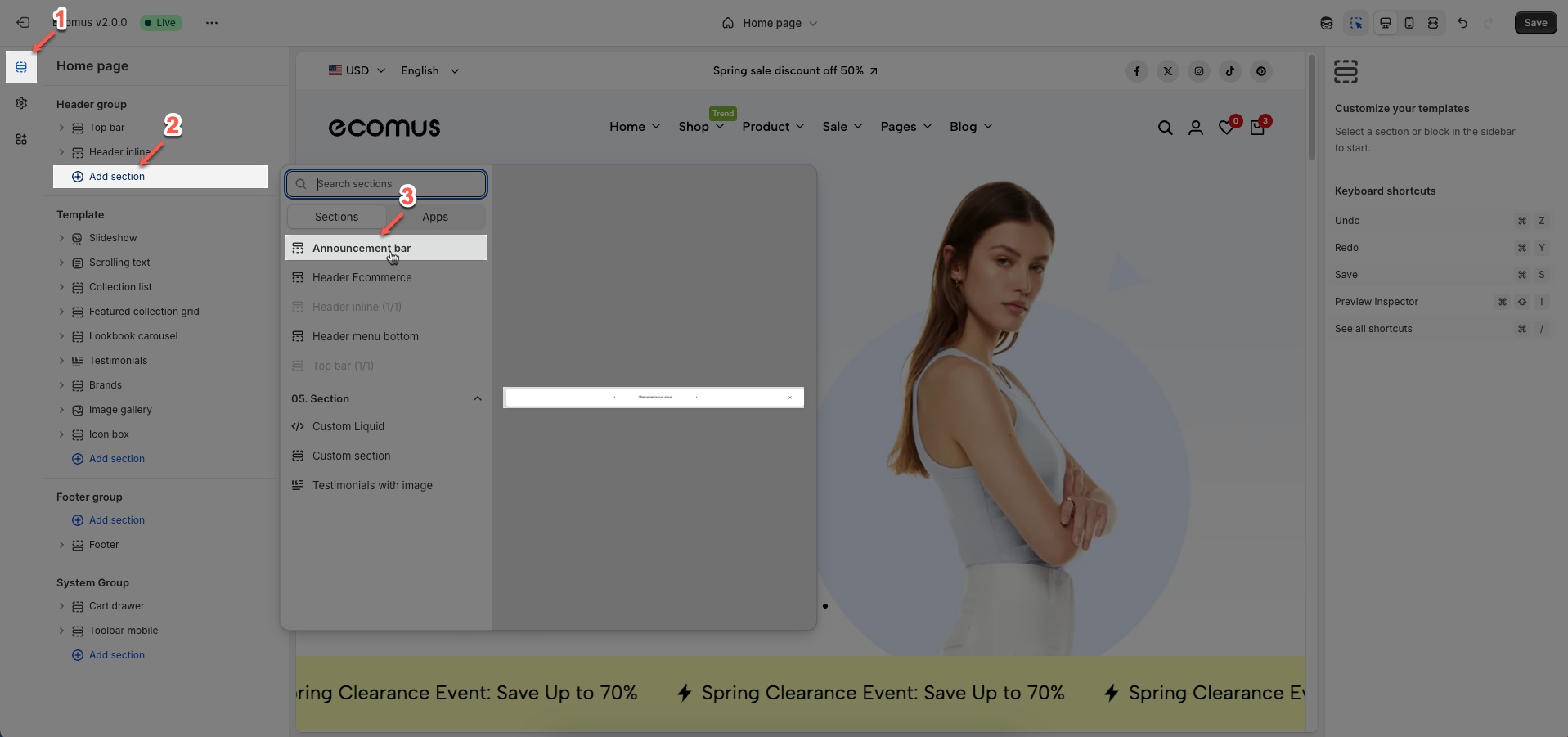
Step 02: In the theme editor (Customize), click the Sections button > click Add section button > find & add the Announcement bar section
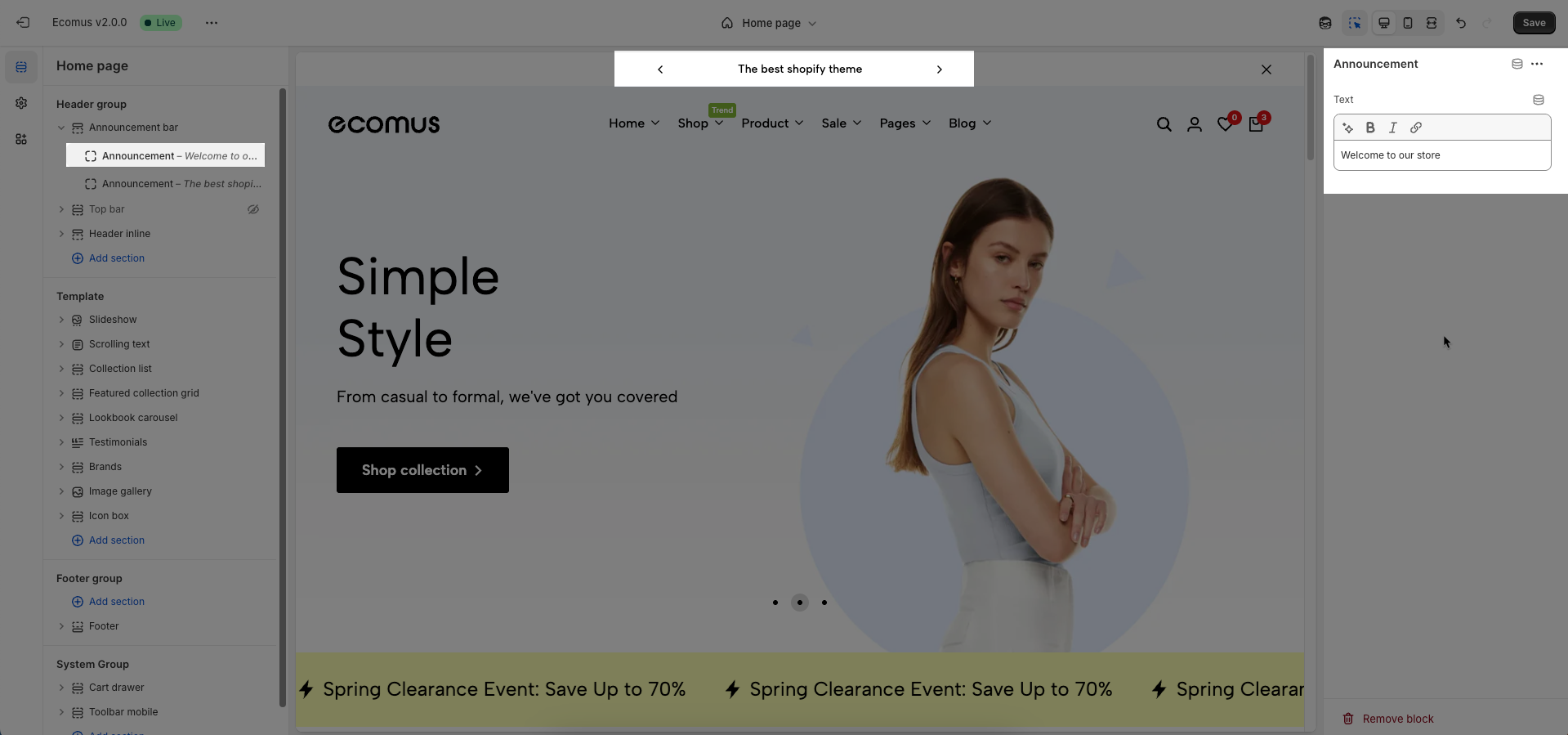
To add Announcement block to the Top bar, click the Add block button (plus icon ➕) under the Announcement bar
Text: Enter the main content to be displayed on the announcement bar.
Announcement bar design: Select the design style for the announcement bar.
Slider: Displays announcements rotating via a slide or fade effect.
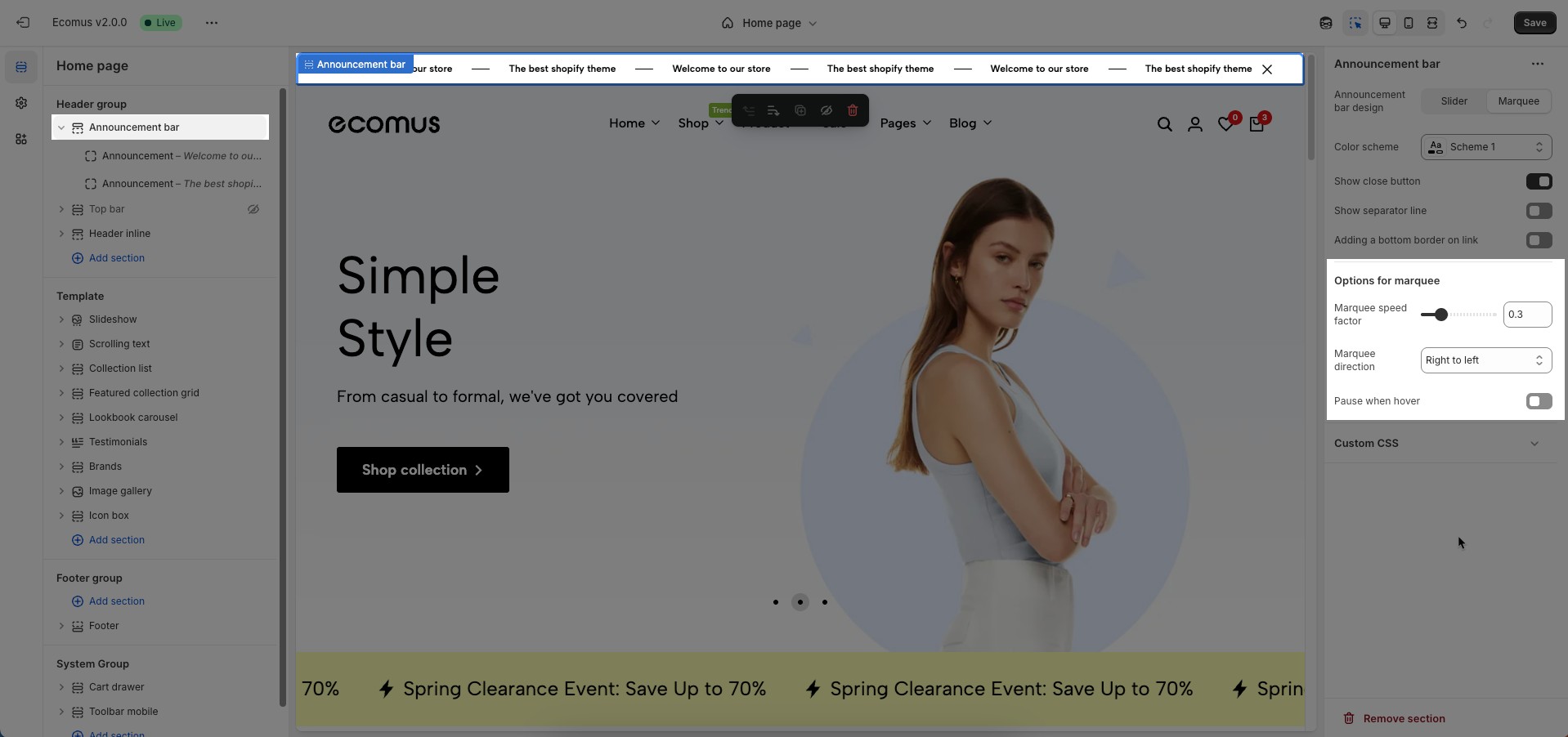
Marquee: Shows announcements continuously scrolling from one side to the other.
Color scheme: Select the color scheme to be applied to the announcement bar. This scheme determines the background color, text color, and other related colors
Show close button: Check to display a close button on the announcement bar. This allows users to dismiss the announcement.
Show pre/next button on mobile: Check to display previous/next navigation buttons (arrows) on the announcement bar when viewed on mobile devices (only show when select style slider)
Show separator line: Check to display a separator line above or below the announcement bar. This helps to visually divide content.
Adding a bottom border on link: Check to add a bottom border to links within the announcement bar. This helps to visually emphasize the links.
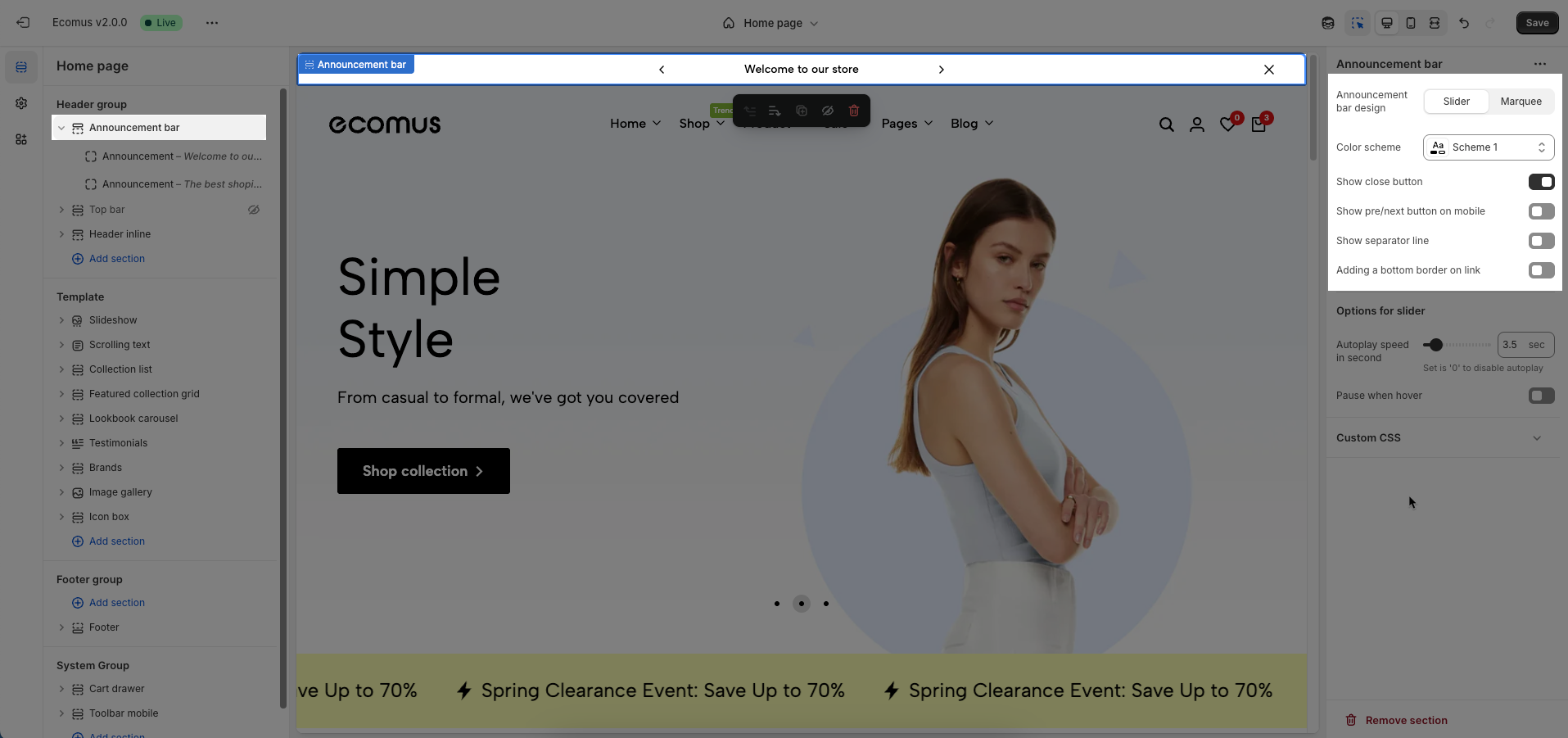
Show when select style slider
Autoplay speed in seconds: Set the autoplay speed in seconds. Set to 0 to disable autoplay.
Pause when hover: Check to pause autoplay when the user hovers over the slideshow or carousel.
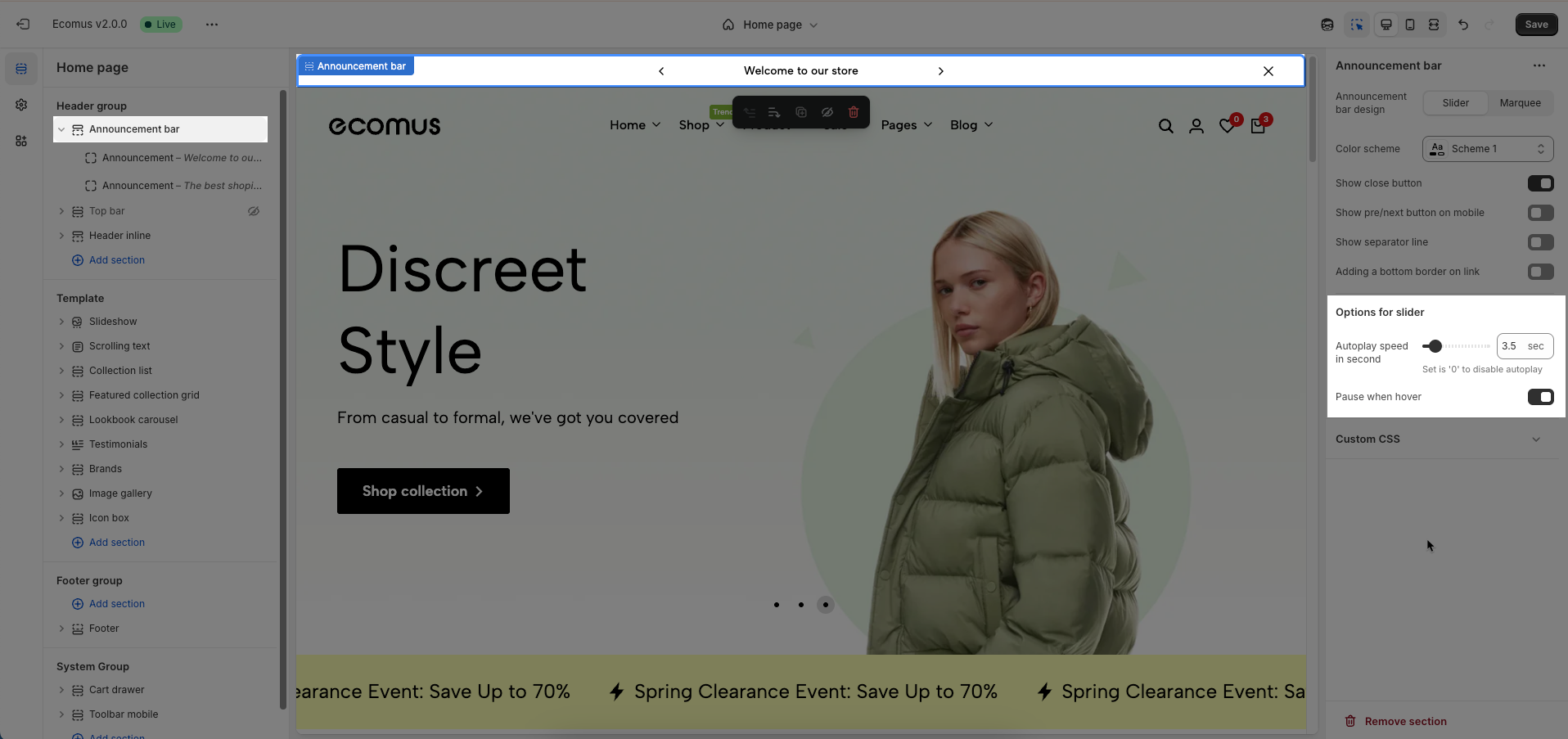
Show when select style marquee
Marquee speed factor: Set the speed factor for the marquee scroll. A higher value will make the text scroll faster
Marquee direction: Select the scrolling direction for the marquee text (e.g., left to right, right to left).
Pause when hover: Check to pause marquee scrolling when the user hovers over the announcement bar.
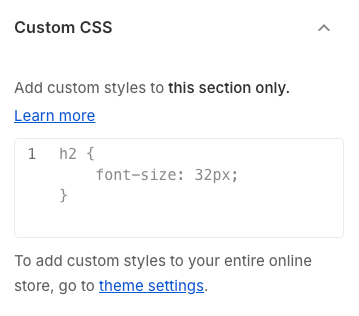
Allows users to customize by adding CSS rules, beyond the limitations of default settings. This allows for fine-tuning the design to every detail, to suit specific needs.
Add custom styles to this section only.
To add custom styles to your entire online store, go to theme settings for detailed instructions.