This article is here to help you with a step-by-step guide on how to easily find your purchase code and download your license certificate.
Log into your Envato Market account.
Hover the mouse over your username at the top of the screen.
Click ‘Downloads’ from the drop-down menu.
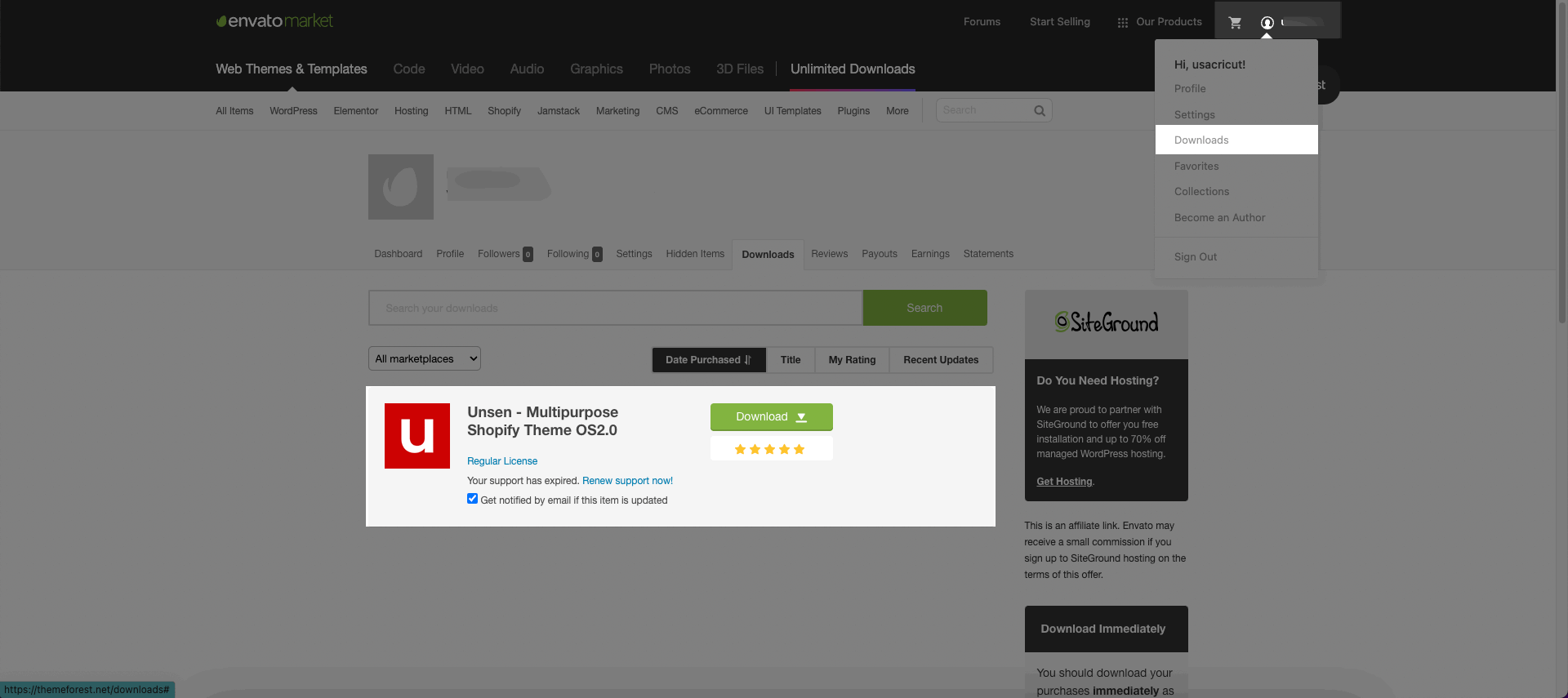
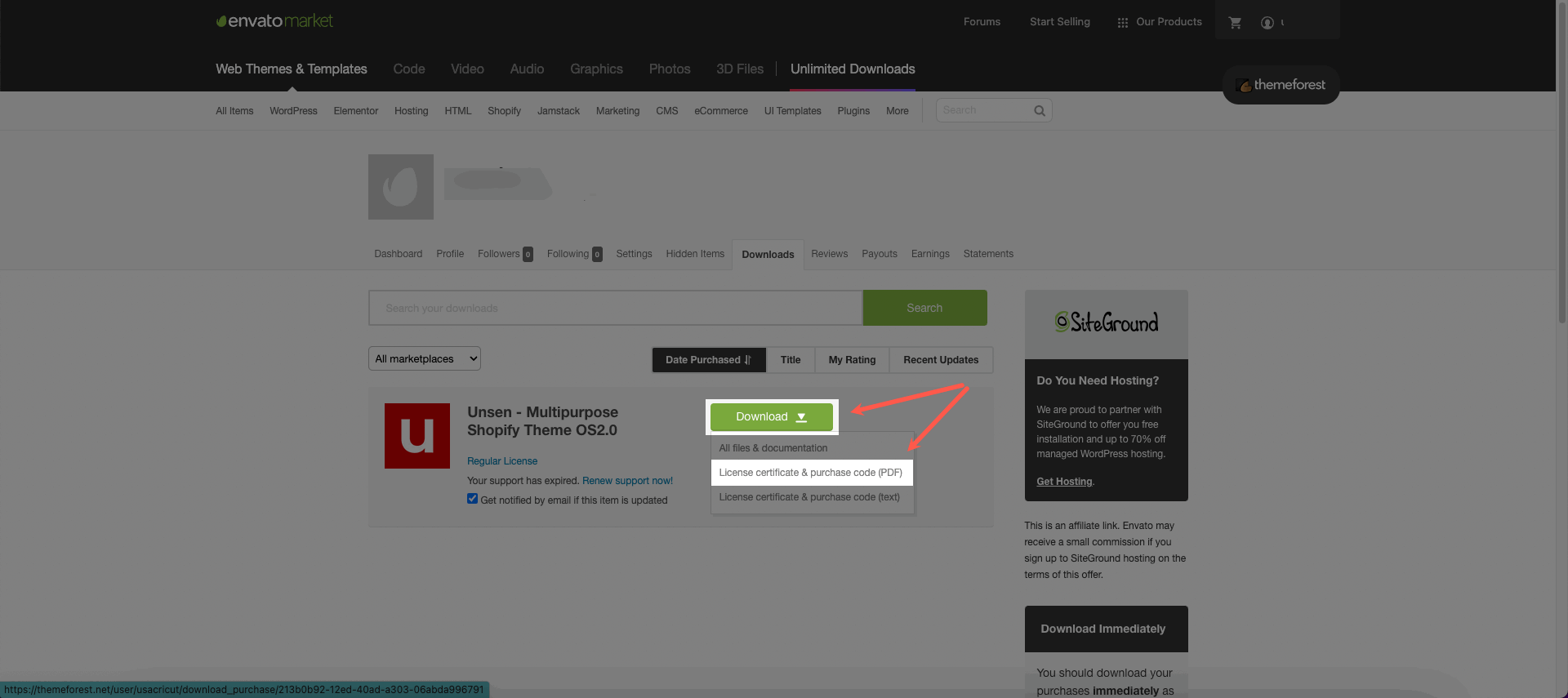
Click 'Download' next to the item for which you need the purchase code.
Click ‘License certificate & purchase code’ (available as PDF or text file).
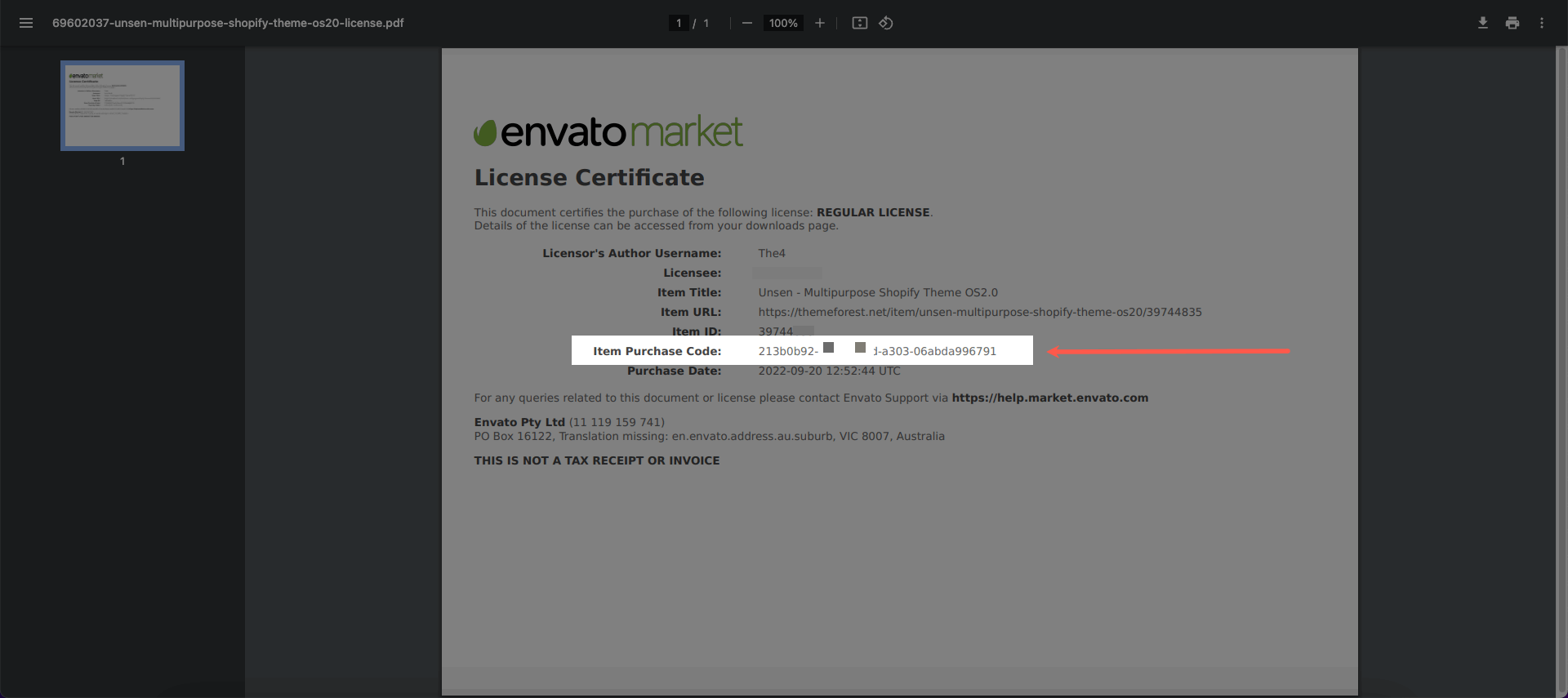
Here is an example of a PDF License certificate and purchase code:
If you purchased your theme directly from The4 Website, please follow these steps:
Option 1: Download it after checkout
After completing your checkout, you will see an option to download your license information directly from the order confirmation page.
Please click the download option to get your license certificate, which includes your purchase code.
Option 2: Check your Order Confirmation Email
After completing your purchase, you should also receive a license/order confirmation email from The4. Please search your inbox for emails from The4 and locate your purchase details.
If you need an additional license for another store, please visit: