This section includes some amazing functions that create a better experience for your customers. You can add sections like:
Back to Top for smoother navigation, Falling Snow Effect for a festive touch, Favicon Cart Count to display cart items at a glance, Shop Protect to secure your content, Catalog Mode to showcase products without checkout functionality and Inactive tab message feature.
Go to Sections > System group > Add section > add the section you want to show on the store.
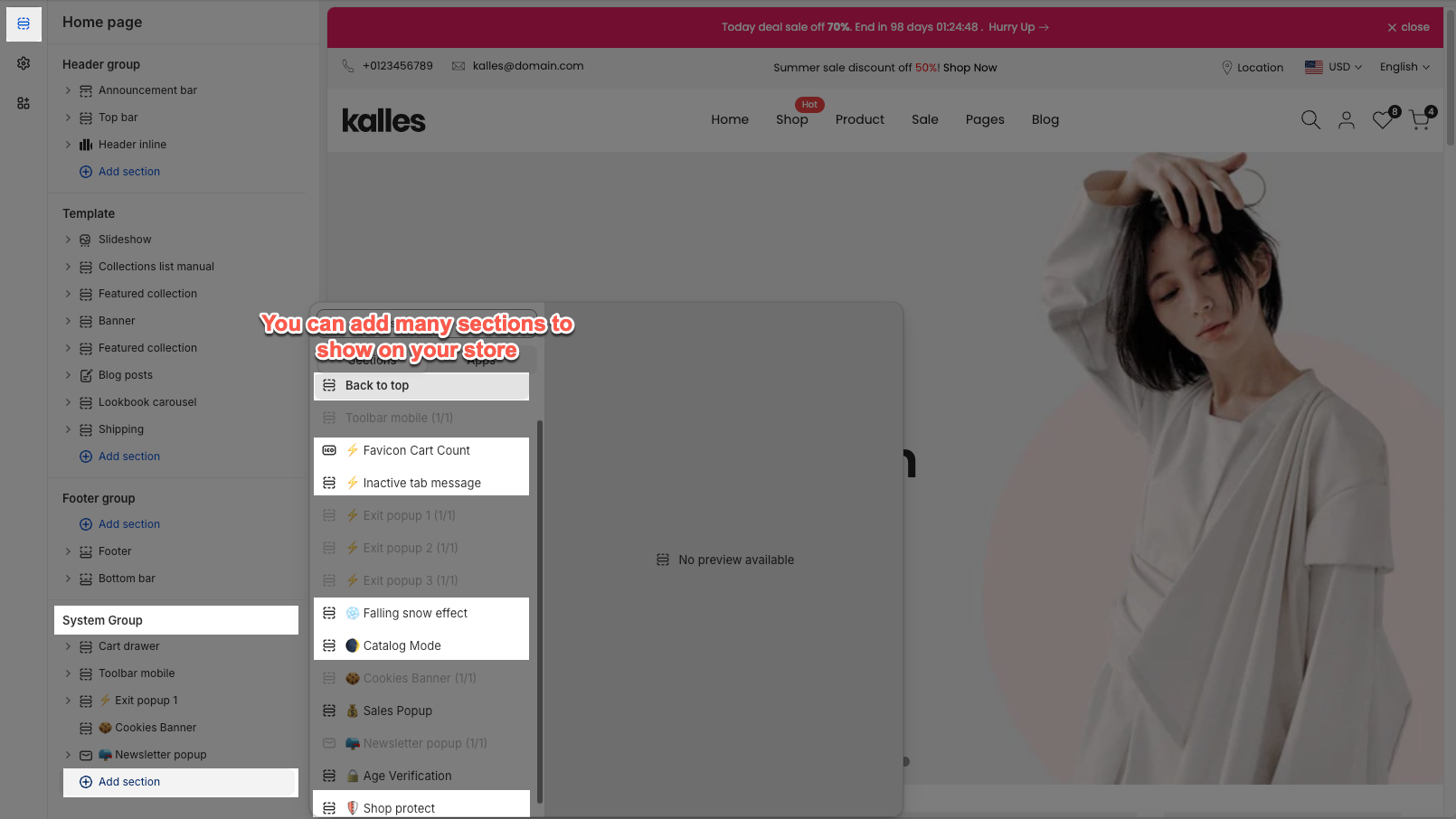
The Back to Top feature adds a quick button that lets users instantly return to the top of the page, improving navigation and user experience.
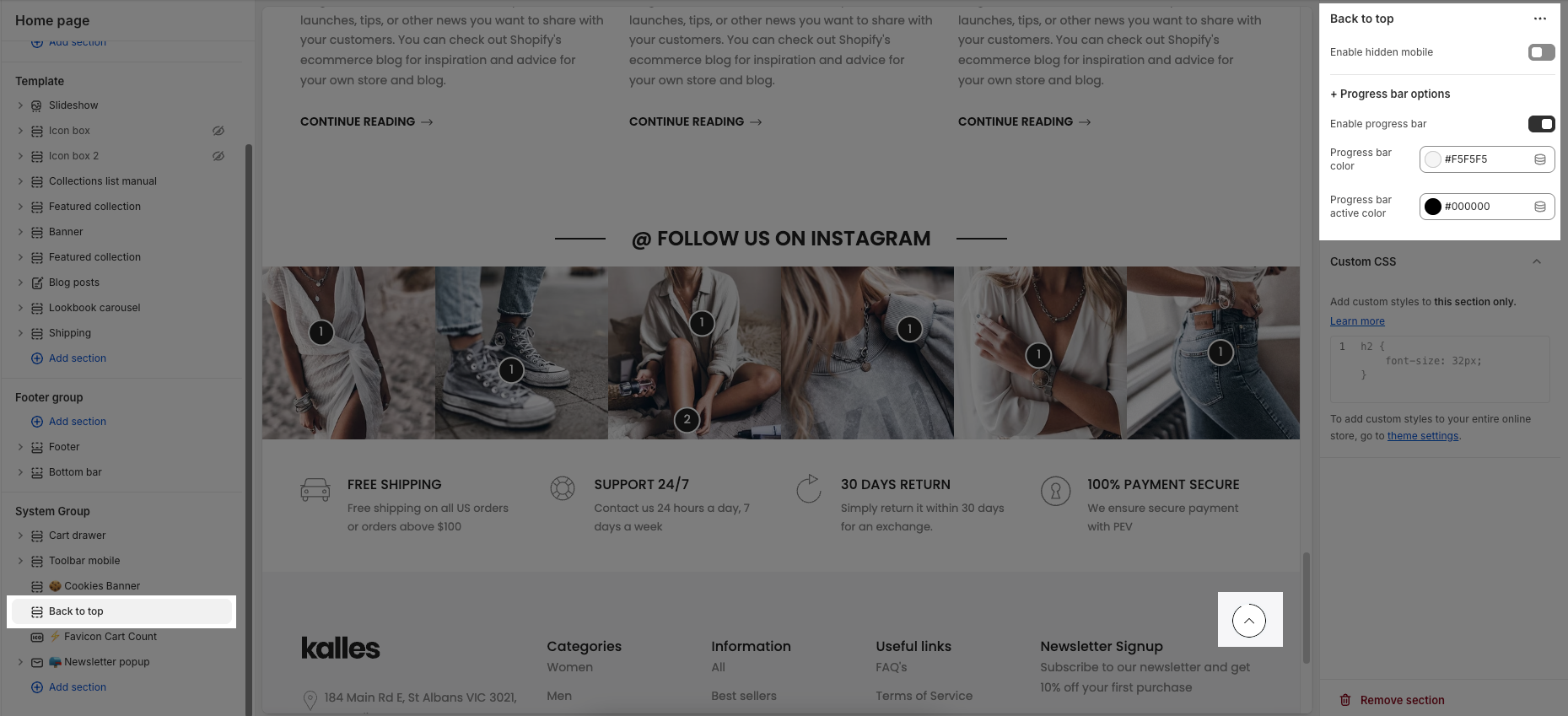
Enable hidden mobile: Hide the back-to-top button on mobile devices when turned on.
Enable progress bar: Show a scroll progress bar that indicates how far the user has scrolled down the page.
Progress bar color: Set the background color of the progress bar.
Progress bar active color: Set the active (filled) color of the progress bar as the user scrolls.
The Falling Snow Effect displays snowflakes gently falling across the screen.
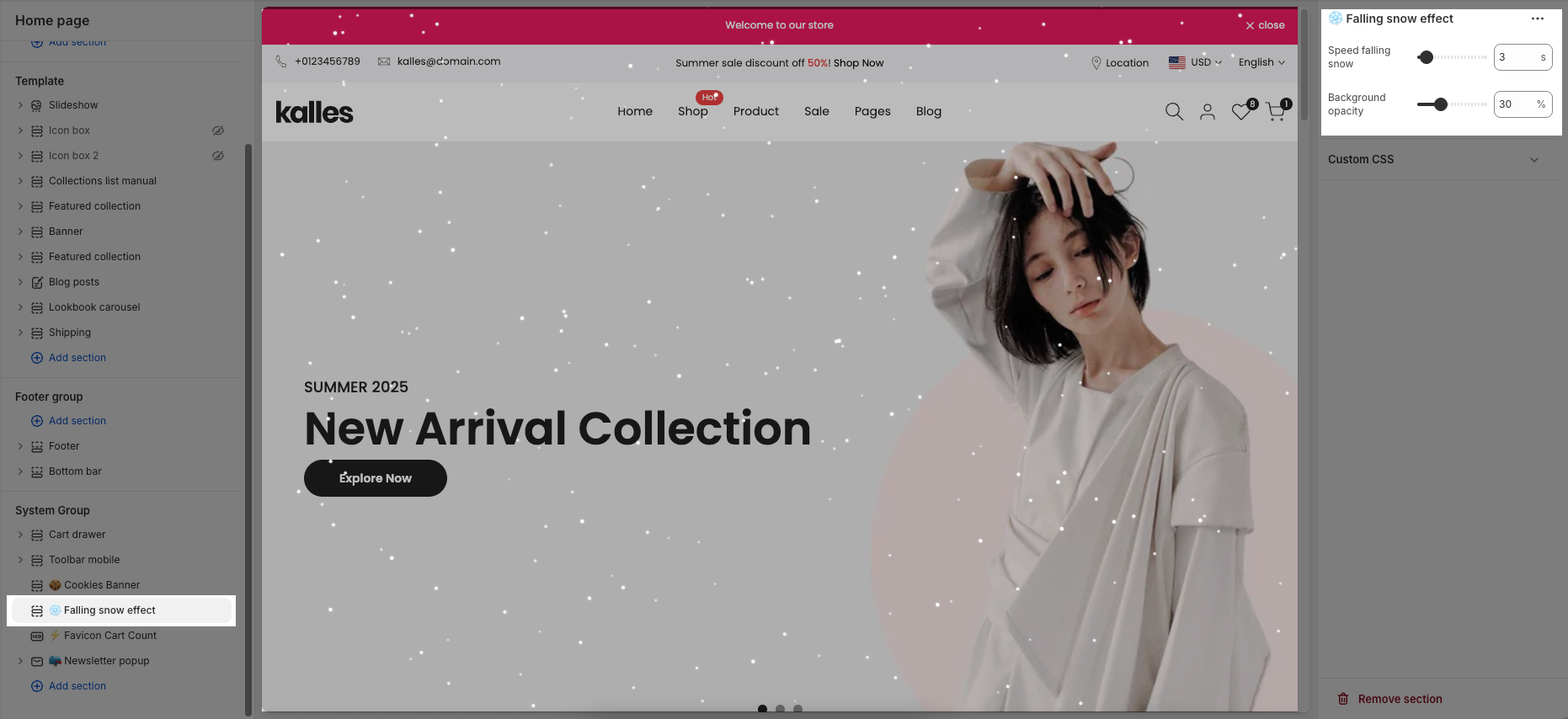
Speed falling snow: Adjust how fast the snowflakes fall. A larger value makes the snow fall more quickly, while a smaller value slows it down.
Background opacity: Control the transparency of the background overlay behind the snow effect. A higher percentage makes the background appear darker, while a lower percentage keeps it lighter and more transparent.
Display the number of items added to the cart over the browser's favicon. You can not see it preview on admin editor, only shows when preview the live page.
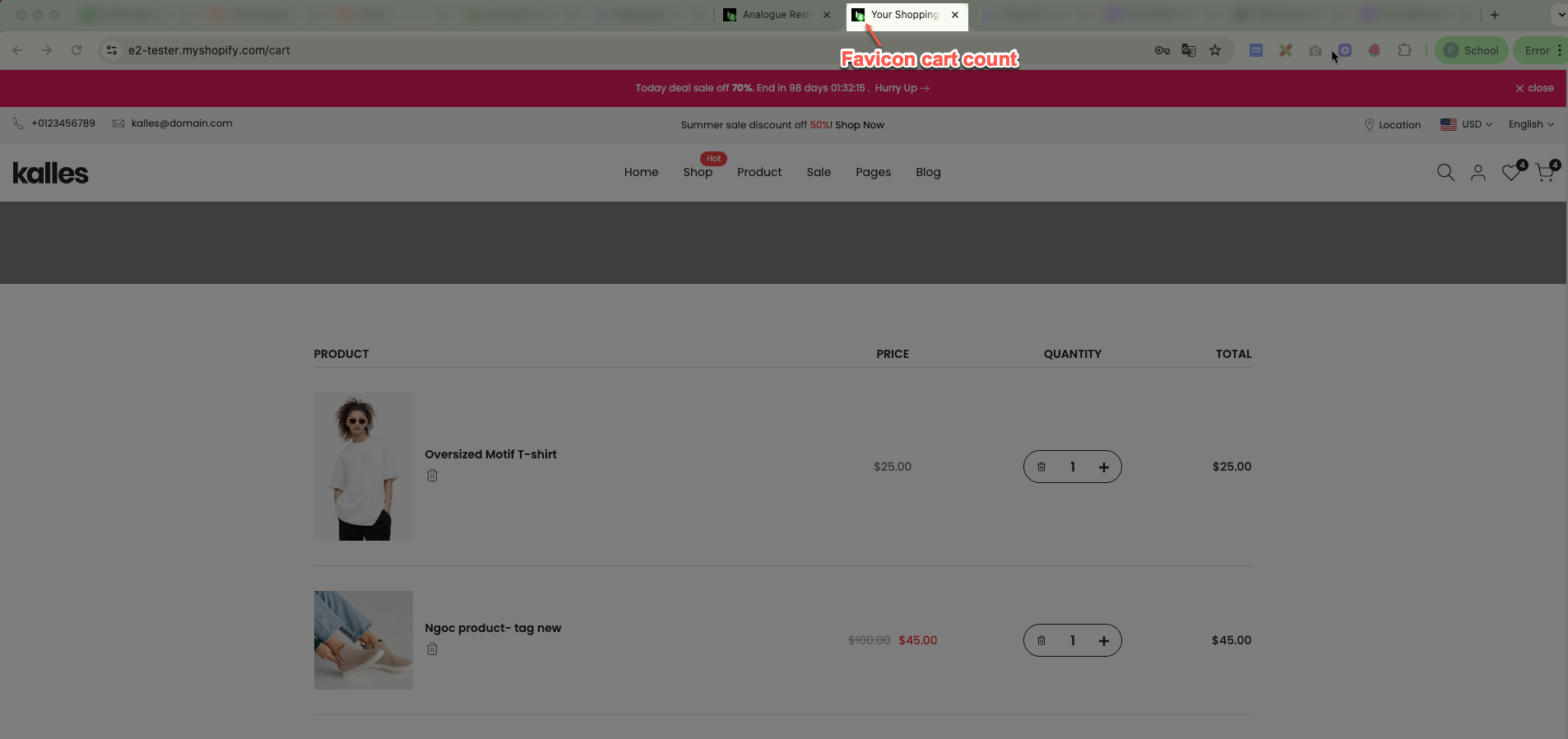
Click the section name to start customizing the settings:
Badge background color: Sets the background color of the cart count badge.
Badge text color: Defines the color of the text (number) displayed on the badge.
Badge type: Lets you choose the shape of the badge – either Circle or Rectangle.
Badge position: Controls where the badge appears relative to the favicon (e.g., above, down, etc.).
Badge animation: Determines the animation style when the badge updates, such as Slide.
This feature helps you prevent image and content theft from your website. The visitor can not copy text, images from your store. Besides, you can hide the best selling products in the sort-by from your competitors.
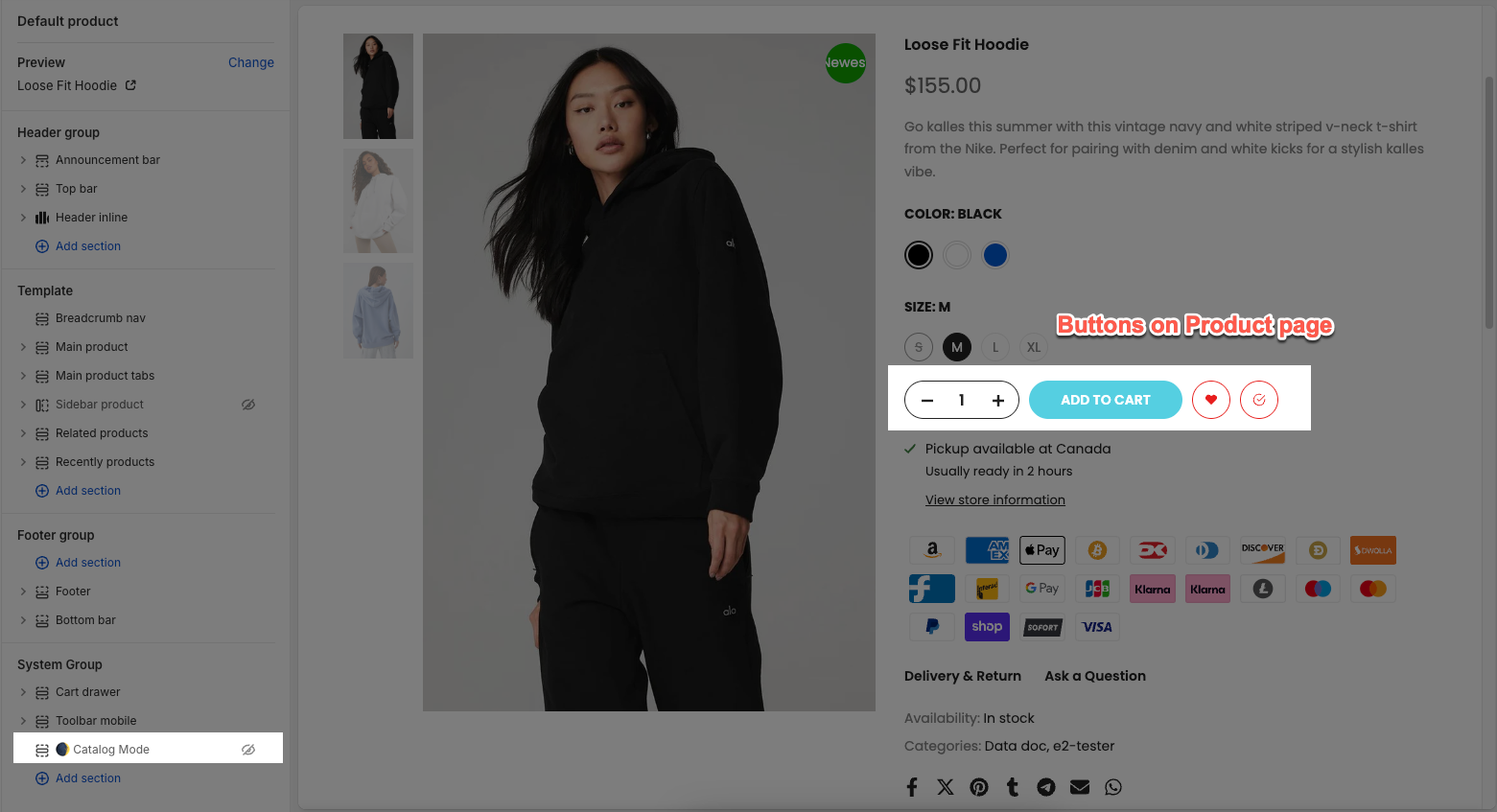
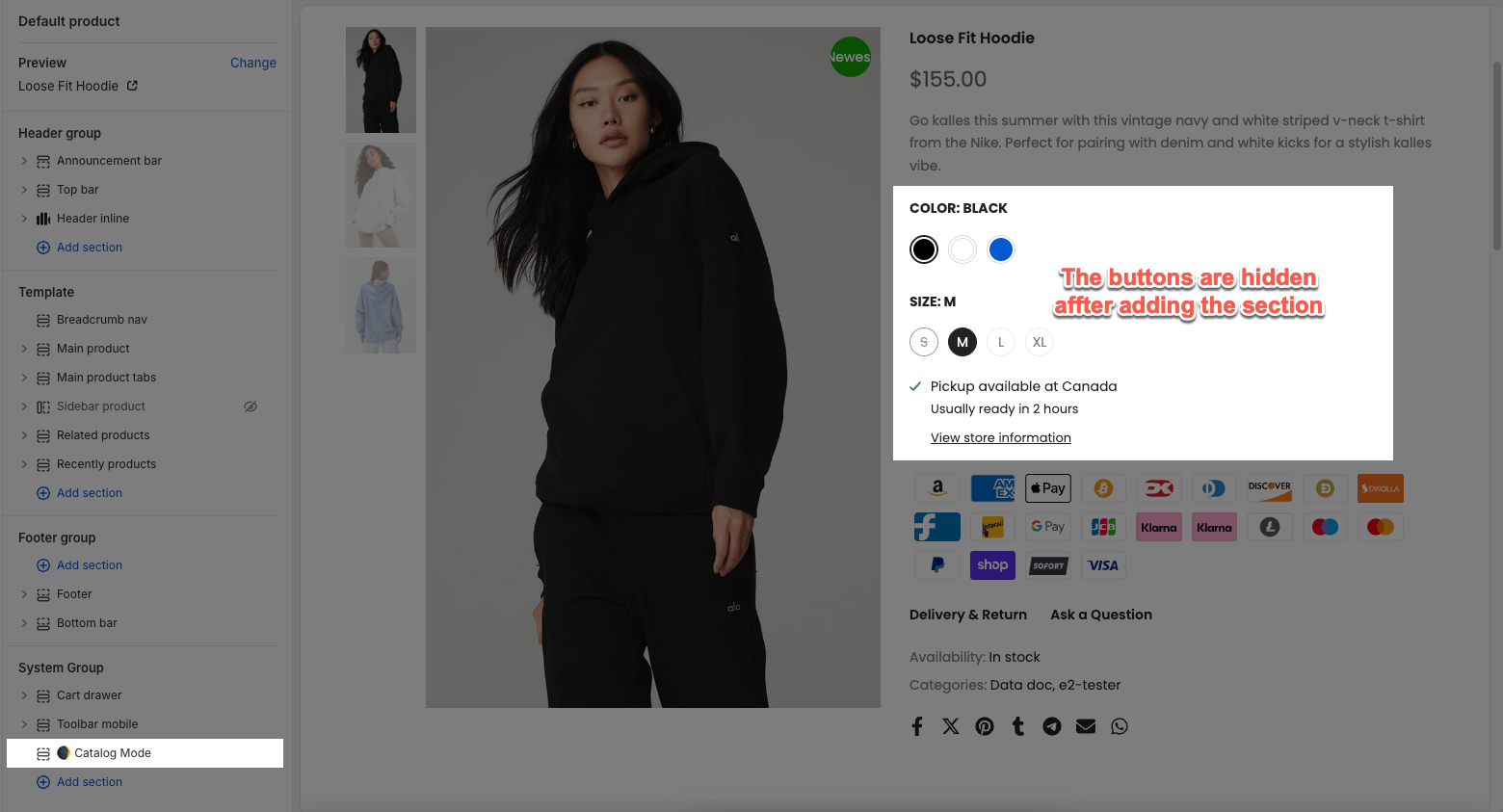
You can hide all 'Add to cart' buttons from Product Page, Sticky Add to cart button, QuickView, hide QuickShop function and hide Add to cart button from Product card on all pages. This will allow you to showcase your products as an online catalog without the ability to make a purchase.
This add-on reduces cart abandonment by dynamically modifying the browser tab's title when the visitors navigate away from your store. You can customize the message that shows on the page title, don't forget to use emojis, and make sure your visitors remember to return.
You can change the Message text and the Delay between transitions. Use ';' to create multi-message. You can use the emojis from this link: emojis, emojis 2