Mega Menu is a type of expandable drop-down menu that displays multiple options at once in a multi-column or categorized structure. Unlike traditional drop-down menus, Mega Menu is designed to organize a large number of links in an intuitive way, giving users a comprehensive overview of the main sections of the website.
From the Shopify admin > Content > Menus, you create a navigation for the main menu.
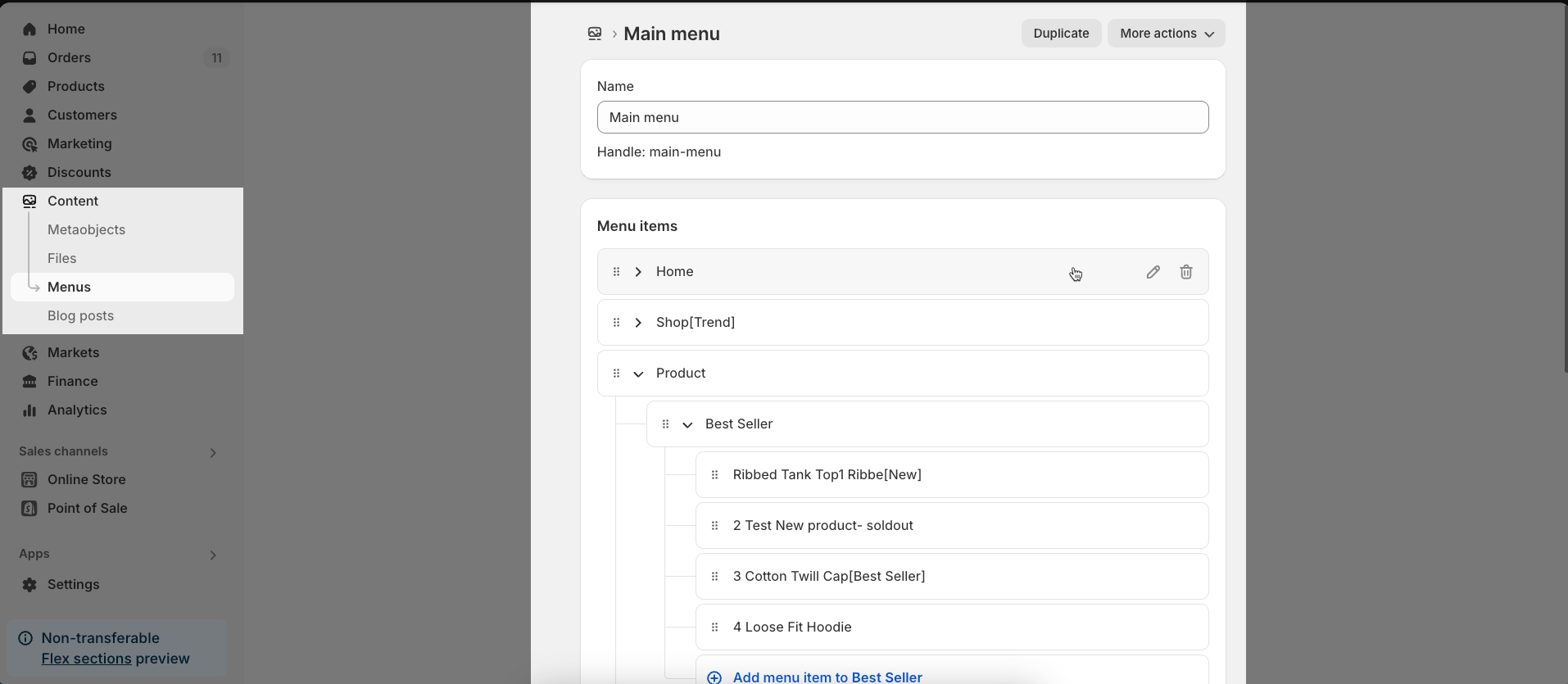
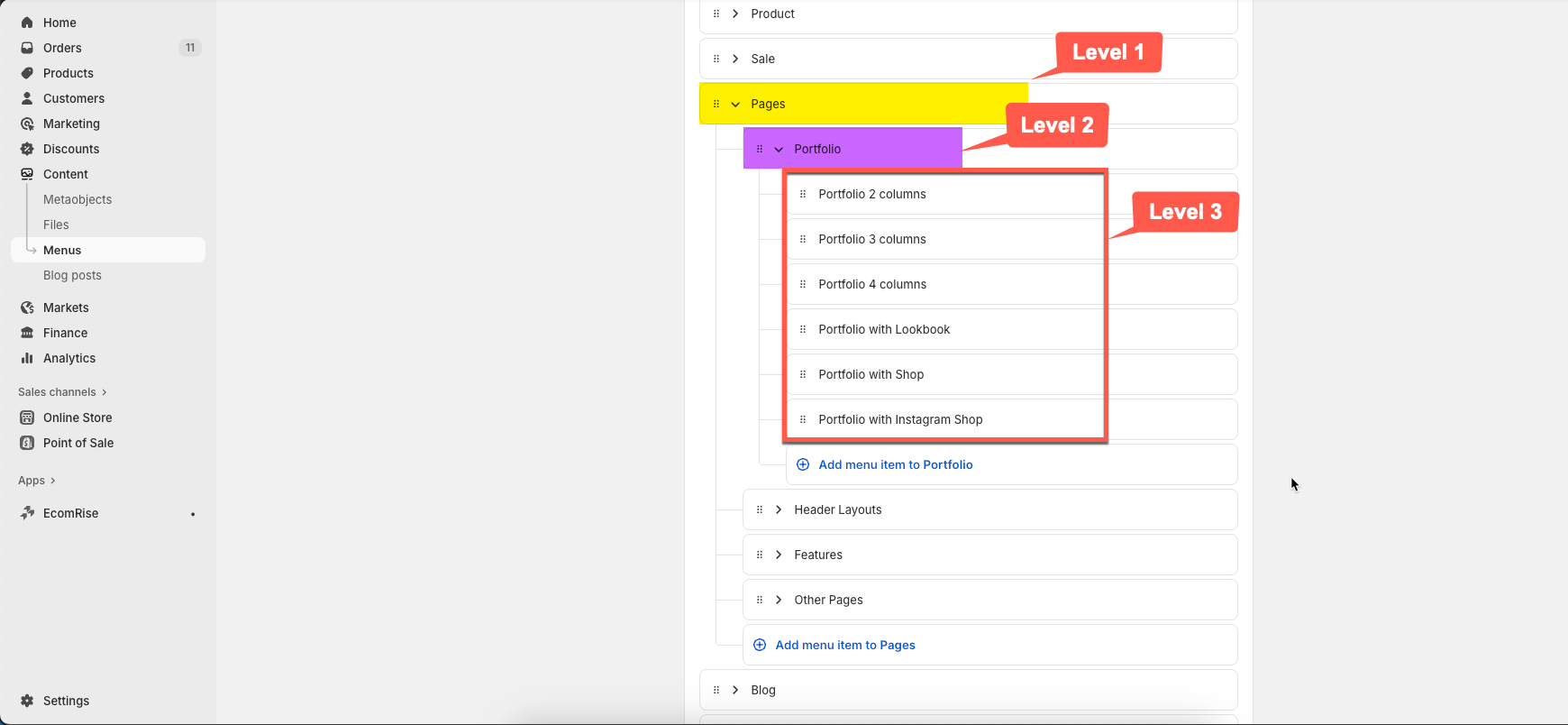
Note: Shopify allows you to create a Navigation up to 3 levels, so the maximum level for a dropdown is 3
If you want to show a simple header with links and dropdowns, you can remove/hide all blocks in Header inline section.
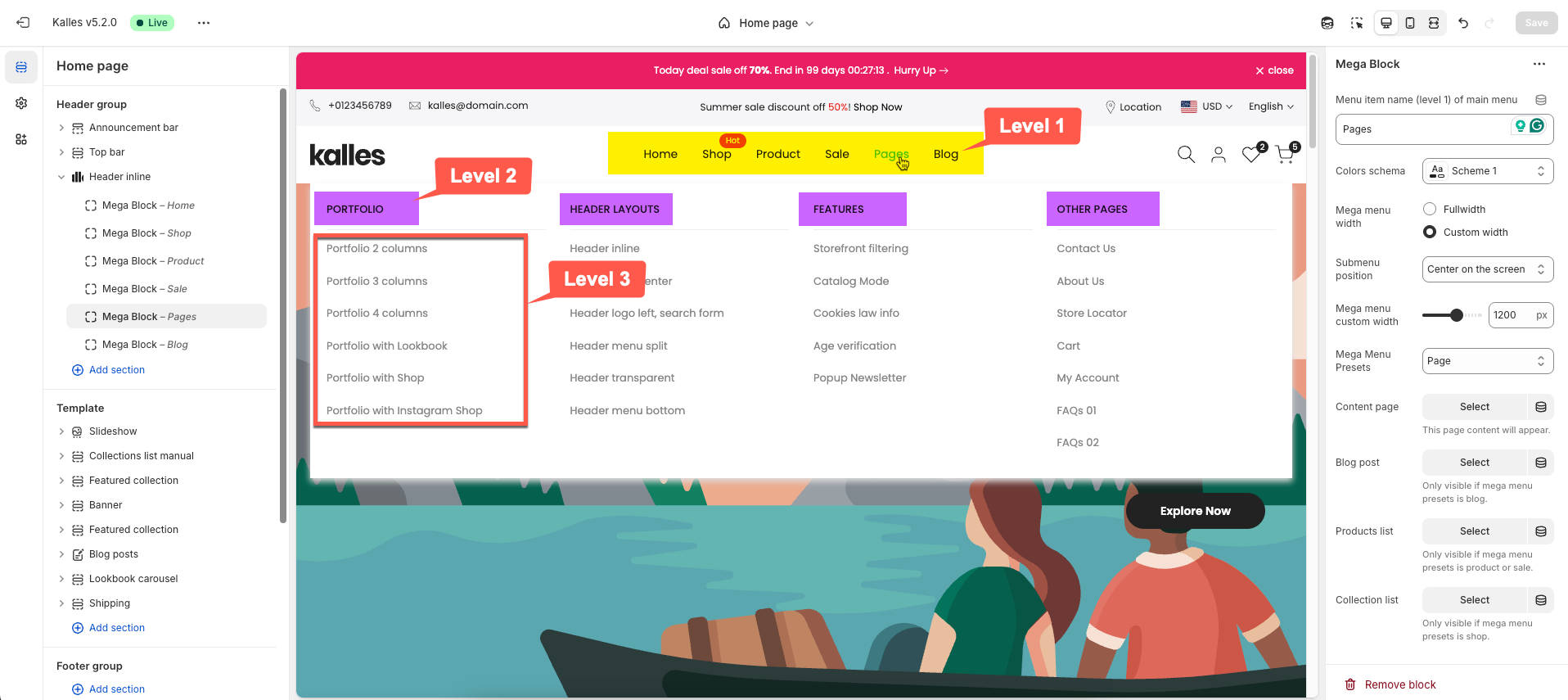
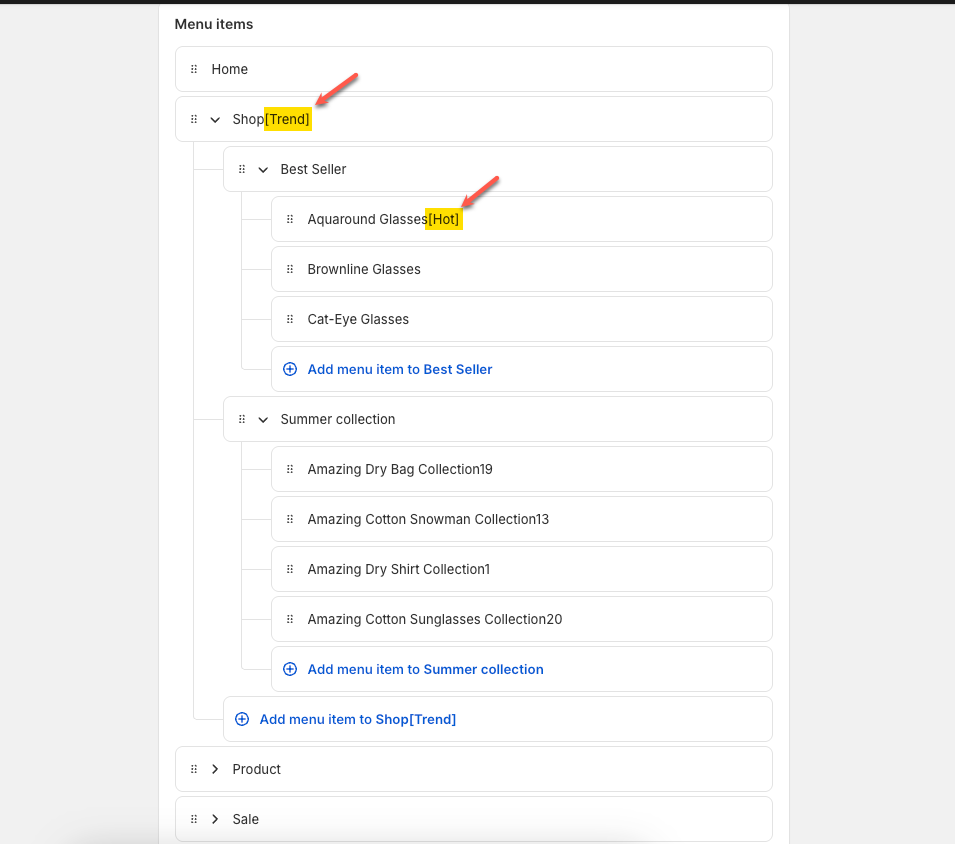
Create main menu items, add Sub menu items & Add Sub menu with 3 levels
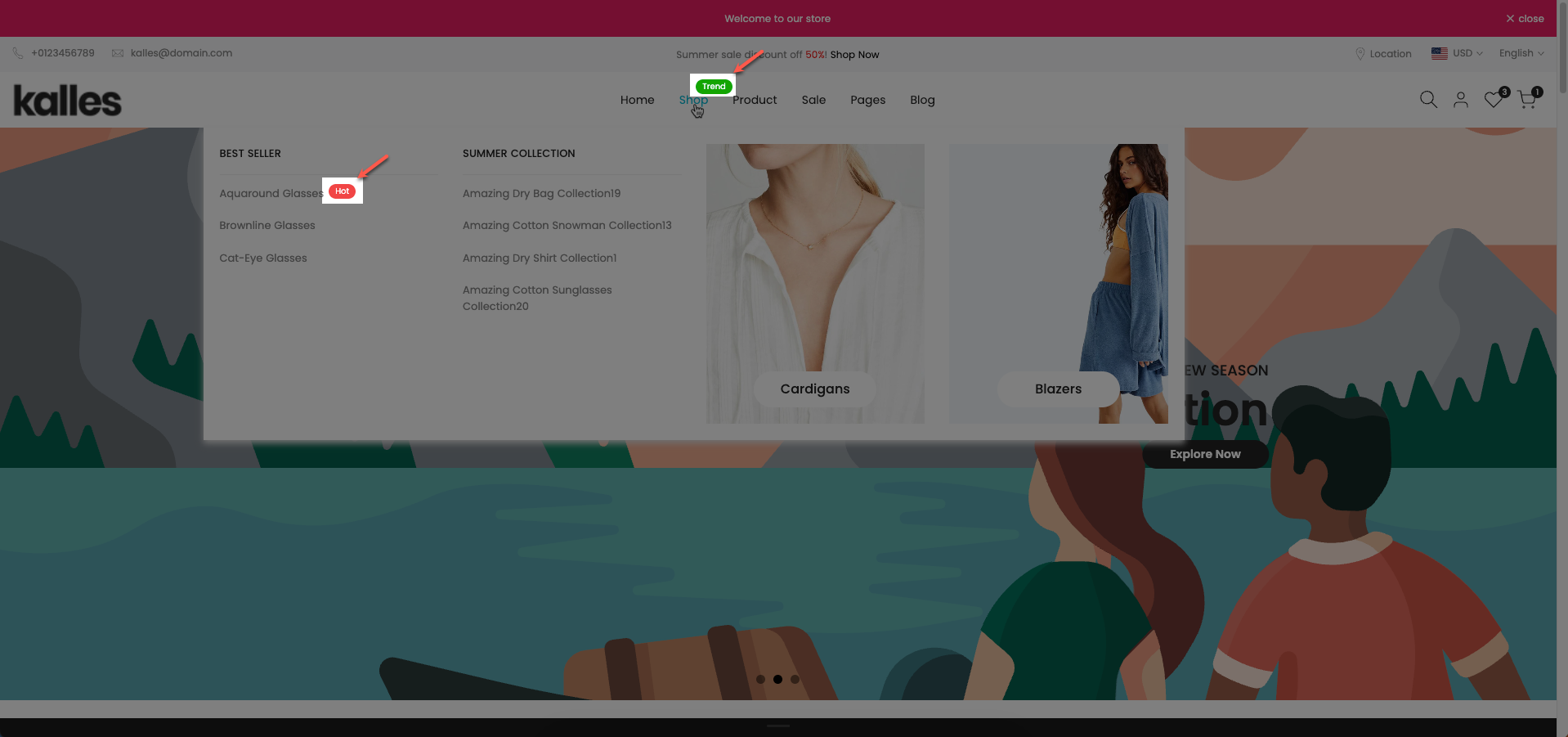
You just need to add the [Label_name] next to Menu item you want.
The colors are from Theme settings > Colors > Product
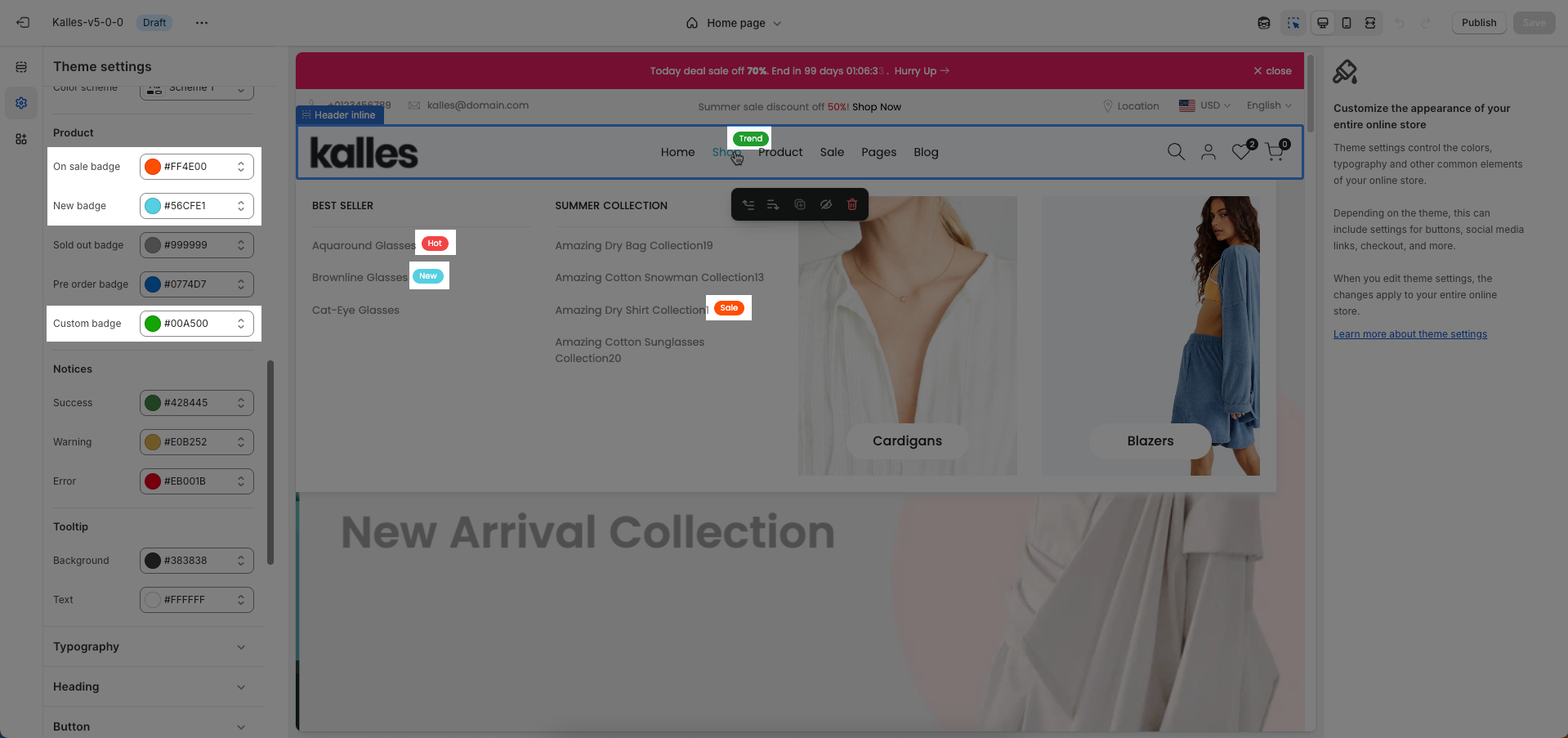
There are 7 presets for mega menu: HTML, Blog, Product, Shop, Page, Sale, and Dropdown
Make sure the 'Menu item title' is the same as 'menu title' in Navigation, including upper and lower case characters, spaces, etc...
Follow this video
For the mega menu to display properly, the 'Menu item title' name must be the same as the 'Menu title' in Navigation. If the two names are different, the system will display the dropdown menu (if the menu has multiple levels) instead of the mega menu.
You can also customize mega menu using mega block column 10 & 12
When to use Column 10?
When the menu has only a few categories, for example 4–6 main items.
When you want a spacious mega menu, not too dense.
When you need a quick, simple design and don't need a very detailed layout.
When to use Column 12?
When you have many categories or many layers of information.
When you want to combine many types of content: product categories + banners + featured collections.
When you need to align details in a beautiful ratio (for example: divide 2-4-6 or 3-3-3-3).
In Mega block column, you can add different blocks to customize the menu as you want